
Changes to the node editor
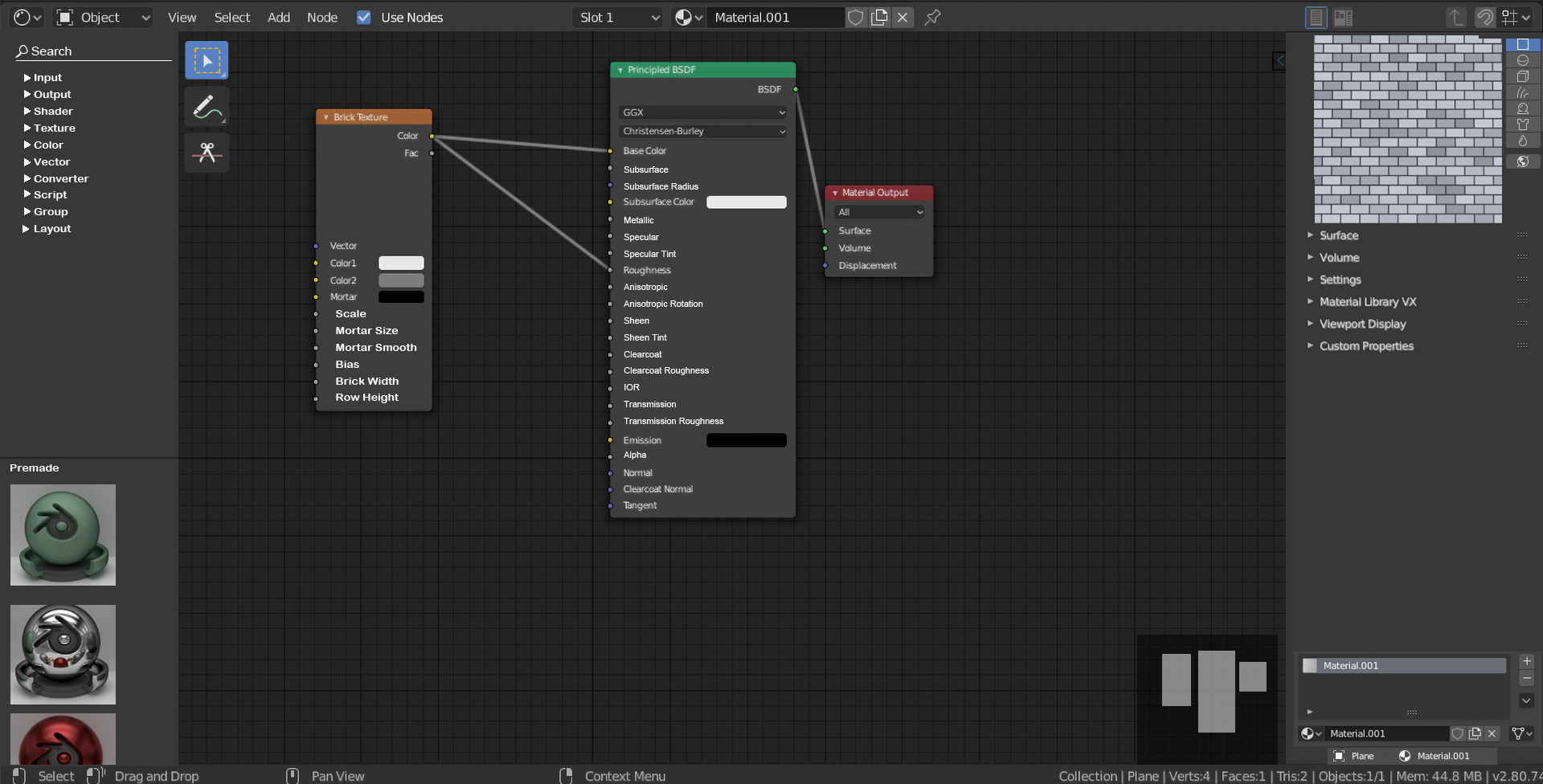
This is a concept to introduce a new user interface for the node editor that fits within the blender interface and can be achieved by placing some buttons in a new place. This opens up in a new window,not like the sliding menu.


If this can be implemented then it would suit well with the everything nodes update
Guys, upvote this! This can be very useful for the everything nodes!
8 Comments
I don`t like it. Here reasons:
options on nodes are in the right place. And if you want, you can already hide node, open right panel and tune em: {attachment 8270421jpg}
assets should be in the separate editor, that can be placed at any side, not just on the left. When you want another material, you can just drag it.
areas already allows to organize workspace and the best preview is actual object in viewport.
{attachment 8284925jpg}
* @ Vyacheslav * Thank you for the feedback, I'm just making a rough preview on it to make it easier for new users. Its just a concept.
* @ Vyacheslav * But honestly, the default options on nodes looks a bit wierd. If we could have the names appear in the node itself,but have the sliders and stuff in the side, it would be better.
* @dieronbeeste * use sidebar. I like to tune on the node. And custom nodes are cool too. 2-3 sliders to tweak complex behavior. What is the point to click at one side, but then move mouse to another side?
It is useful only when nodetree is huge, nodes are very small, But Ctrl+H and sidebar made for it.
* @ Vyacheslav * Well I'm just trying to check a hypershade like ui. Don't you think it would be nice to have the small overview at the bottom left?
* @dieronbeeste * I don't think so. Such previews are not so good in scaling and navigation. I can expand any editor with hotkey, but I can't expand this area. For one preview it is okay, for many previews — not good. So let`s wait official asset manager.
Some of these I like, like the search panel to the left, the overview thumbnail, and the premade trees.
Perhaps, dont have the preview in a sidebar at all, how about compositor alike quick background based previews, with maybe some shortcut to see active node tree so far, or the final result. I think could be displayed in a corner, instead of compositor center... just a quicker view with minimal space requirements.