
follow cursor during playback
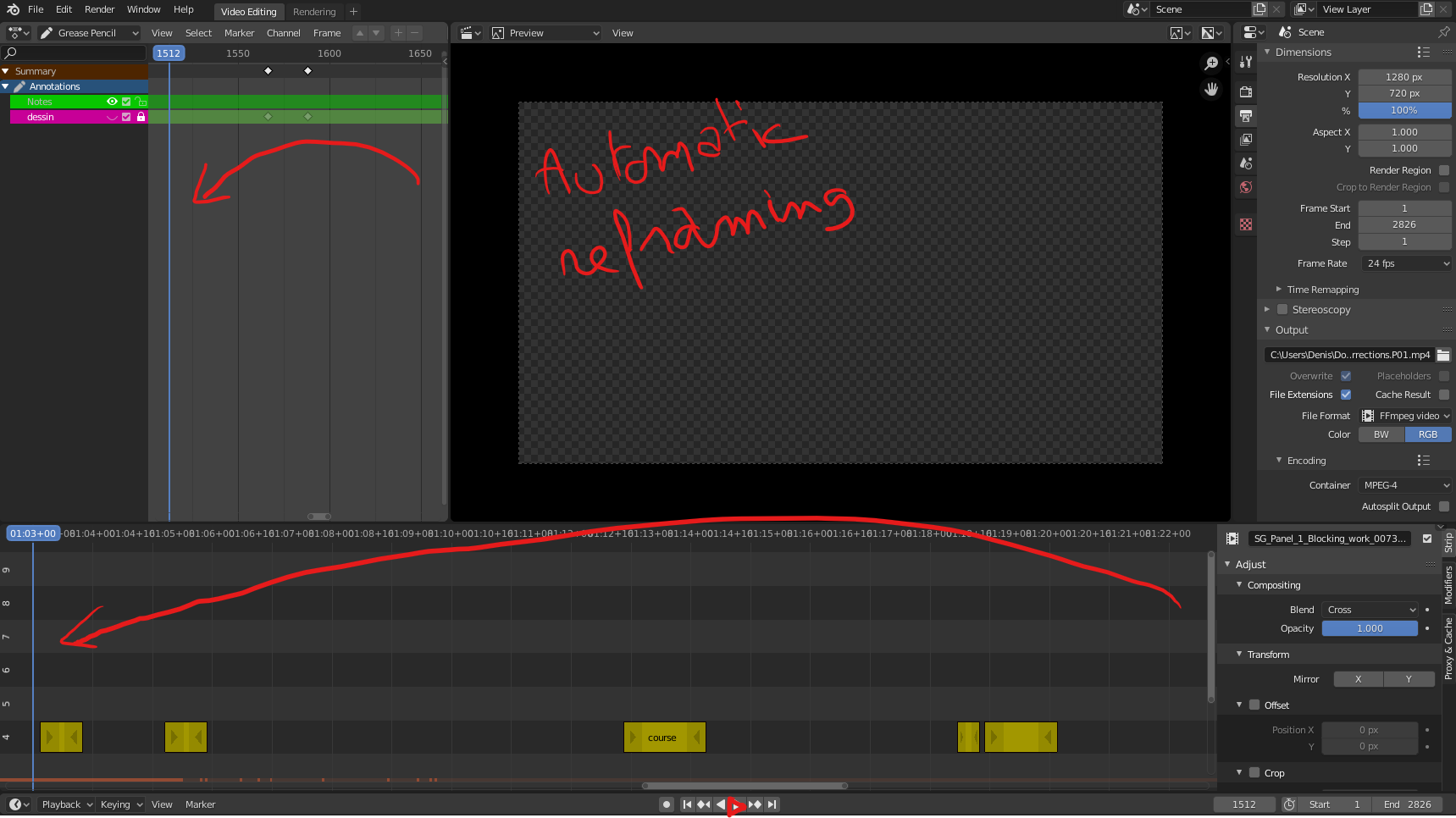
While playing animation (3D and VSE) , we should have an option to keep the cursor visible while playing (Automatic reframing during playback).
2 options :
- scrolling the timeslider in realtime (but it usually slows the playback)
- reframing the dopesheet/video sequencer/timeline with the cursor to the left side... and start again when the cursor reach the right side.
3 Comments
Check Timeline > Playback > Follow Playhead. In Sequencer + Dope Sheet check Sync Visible Range.
This seems to work only if playback is triggered from the Timeline panel. When playback is rather started from the VSE Sequencer panel the playhead will be lost out of the screen again.
Please correct me if I am wrong. This is somehow problematic to me because I only use the Sequencer for film editing.
Nevermind, I've just realized that the VSEQF plugin adds a button 'Follow Cursor' to the upper right of the sequencer's menu, enabled by default when installing the plugin. github.com/snuq/VSEQF