
Missing Two-Point Constraint for Modular Geometry Along Curves— Need Dual-Anchor Placement for bricks
🧱 Idea Breakdown (Dual-Anchor Curve Placement)
🔹 The Problem
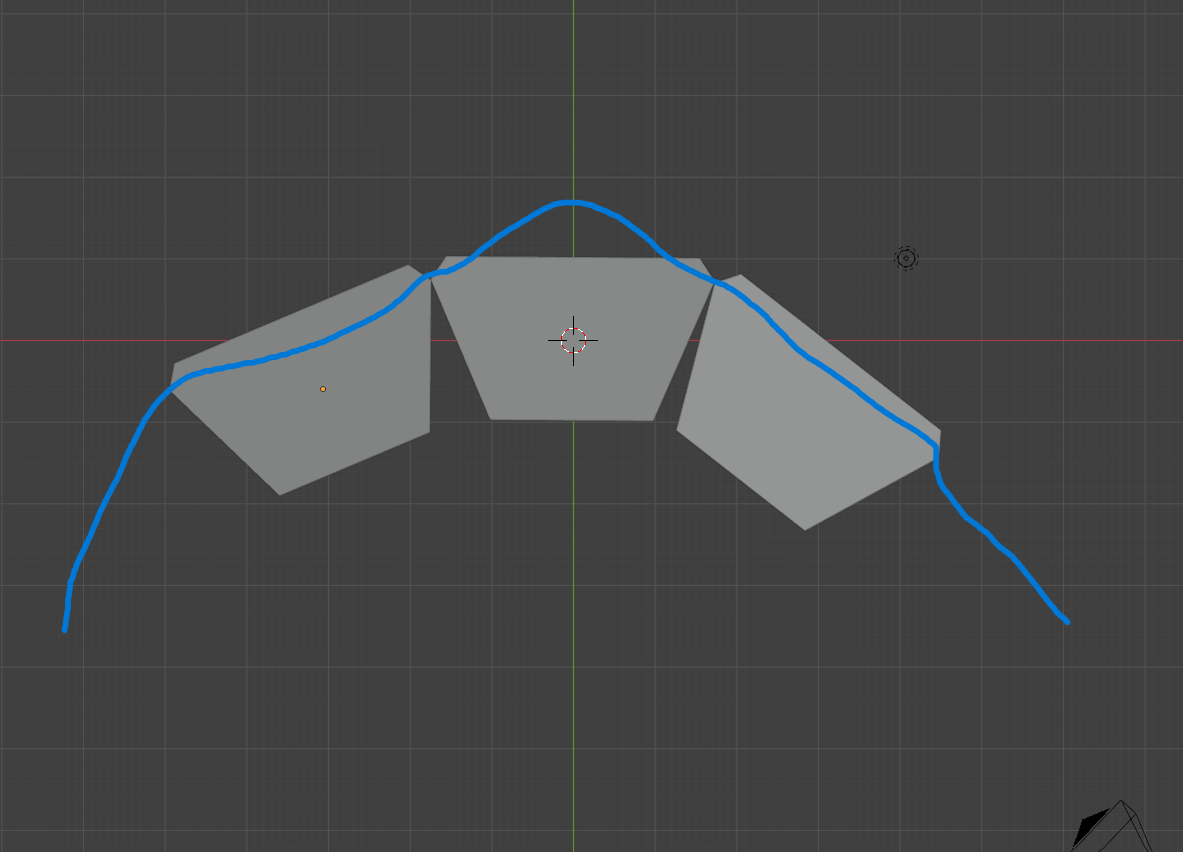
- When placing objects along a curve in Blender (Array + Curve or Geometry Nodes), alignment is based on the object origin (center).
- This works fine for simple shapes, but breaks for modular objects that need to connect at specific edges.
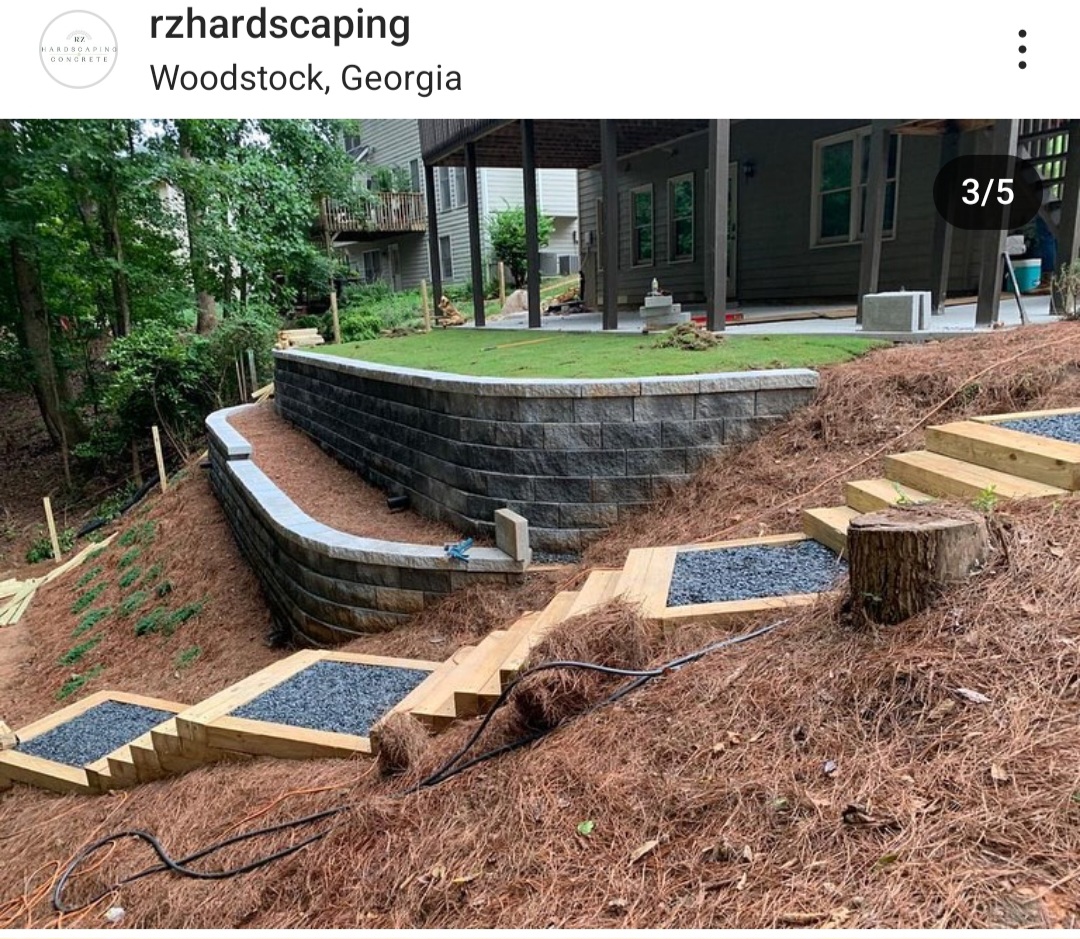
- In this case, retaining wall blocks are trapezoidal and designed to form curves.
🔹 Why the Current System Fails
- Each block has two connection sides (left and right faces).
-
For correct placement:
- Left side connects to previous block
- Right side connects to next block
-
Blender only aligns using:
- One point (origin)
- One direction (tangent)
-
This causes:
- Rotation around center instead of edge
- Gaps and overlaps on curves
- Unrealistic results
🔹 What Is Needed (Core Idea)
-
Support for two anchor points:
- Anchor A (start)
- Anchor B (end)
-
Placement logic:
- Anchor A snaps to curve point i
- Anchor B snaps to curve point i+1
- Object transform is computed from these two anchors
🔹 Why This Matters
-
Many modular systems require edge-to-edge alignment:
- Retaining wall blocks
- Bricks
- Tiles
- Roads
- Mechanical parts
- Current tools are not suited for this without workarounds
🔹 Expected Benefits
- Accurate modular placement along curves
- No gaps or overlap issues
-
Simpler workflows for:
- Architecture
- Procedural modeling
4 Comments
It is possible to wire up this in GN. Not trivial, but possible. I have done similar setup. So, as this being quite a specific need and possible to achieve with current tools, it's quite unlikely that it would be implemented.
Thanks, Im pretty new at blender so the learning curve for this is pretty steep for me but I thought it would be a nice feature to have since it may facilitate other interactions within blender, could you give me tips as to how to do this, I have no clue and I haven't been able to find a tutorial 😀
Edit: I form part of a landscaping company, so that's why the interest on this, the closest thing I could find was this: youtu.be/oE3GqhSd3NA
I'm not aware of any tutorials that deal exactly with this. I’d be happy to take this on as a commissioned project. If you are interested, you can find links from my profile. DM via X, for example.
I will do so latter, if you are able to show a realistic render then if I get a contract for a project I'll get in contact, that depends on the sample you give me though