
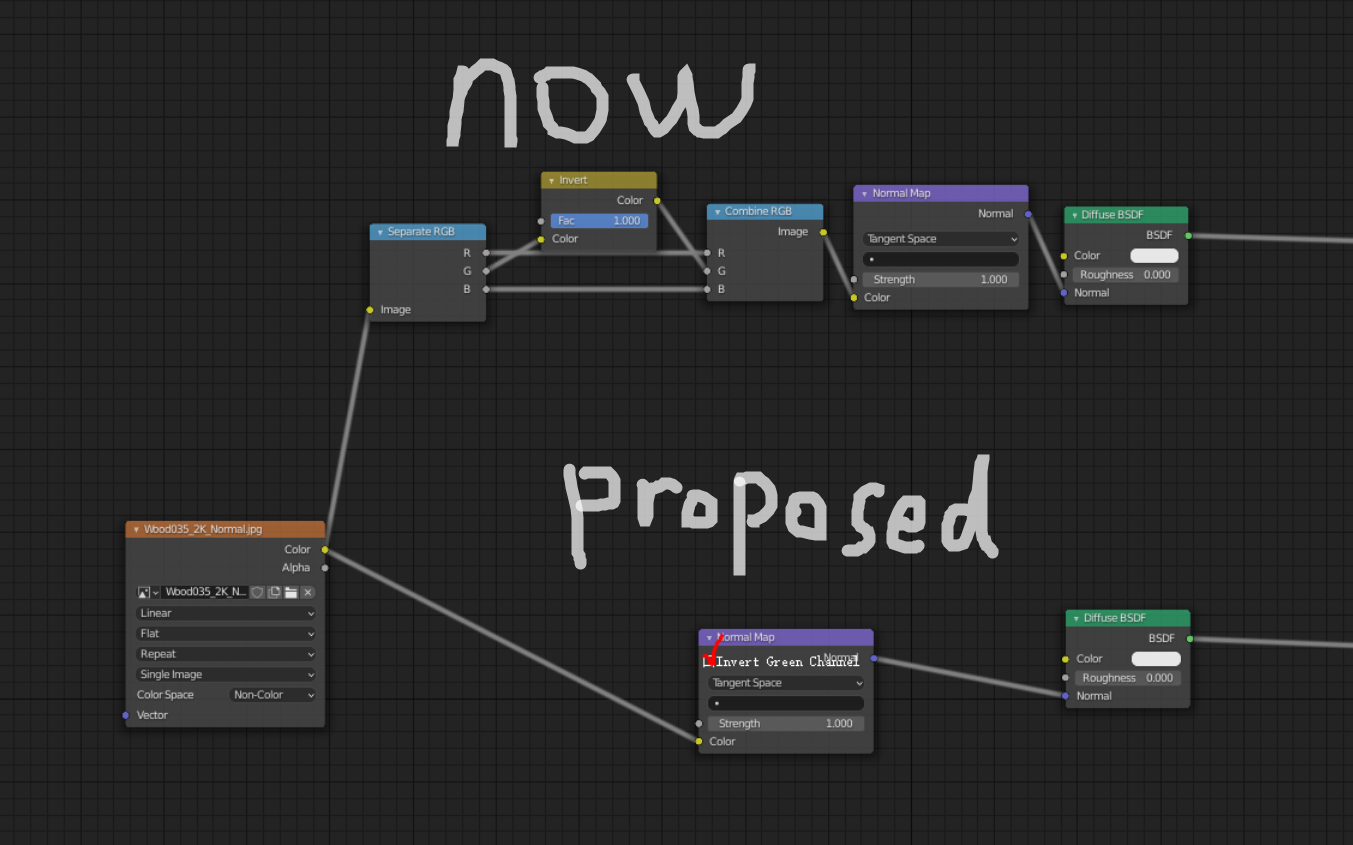
Add "Invert Green Channel" Option Checkbox to Normal Map Node
As we all know, there are two kinds of Normal Maps out there, OpenGL and DirectX. When using DirectX standard Normal Maps (like ones from www.cc0textures.com ) we need to invert the green channel to convert it to OpenGL standard that Blender uses. If you don't do it, the height of some bumps are inverted, like brick's mortar sticks out while the bricks themselves get recessed in to the wall
This is a very standard operation, and Unreal Engine has this option as a check box in its Normal Map Settings. Blender currently does not have the option, and we need to manually add "Separate RGB" node and "Combine RGB" node, then add an "Invert" node in the green channel. This does not make sense. This is an industry standard operation, and there should be a check box on the normal map node to do this automatically.
3 Comments
Quick less-nodes workaround:
Check this
小奶酪表示很赞