
Interactive Navigation improvements
These improvements consist of adding a gimball to the Interactive Navegator that would allow, by clicking on its quadrants and the rings, to align the 3D view to the different possible isometric views and the "2.5D" views.
Also when dragging on the outer ring it would allow to roll the camera with respect to the view, and dragging on the XYZ rings it would allow to roll on them.
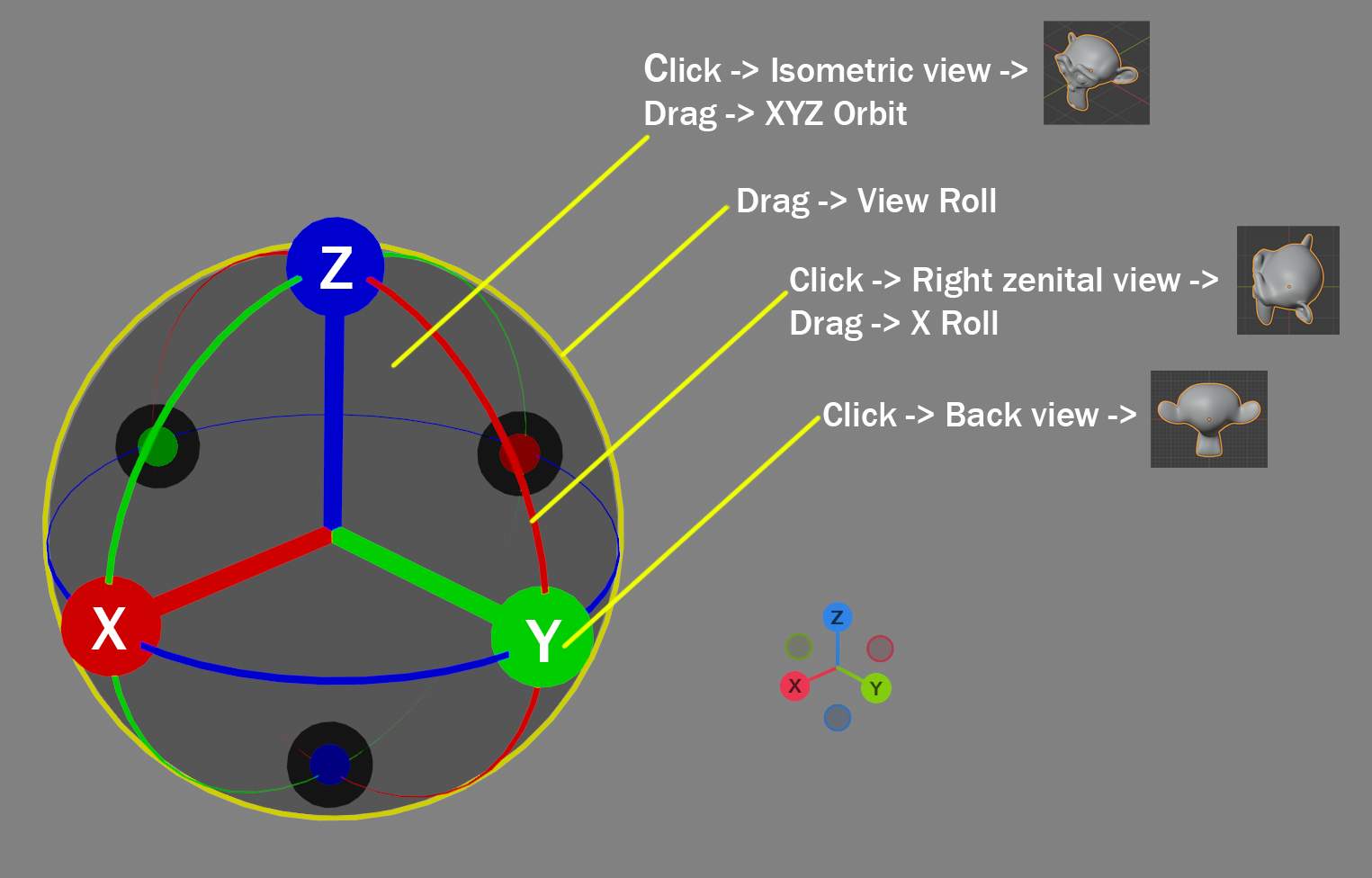
I have made an update with minor simplifications and color corrections, and adding a central cube with a shadow of a house.
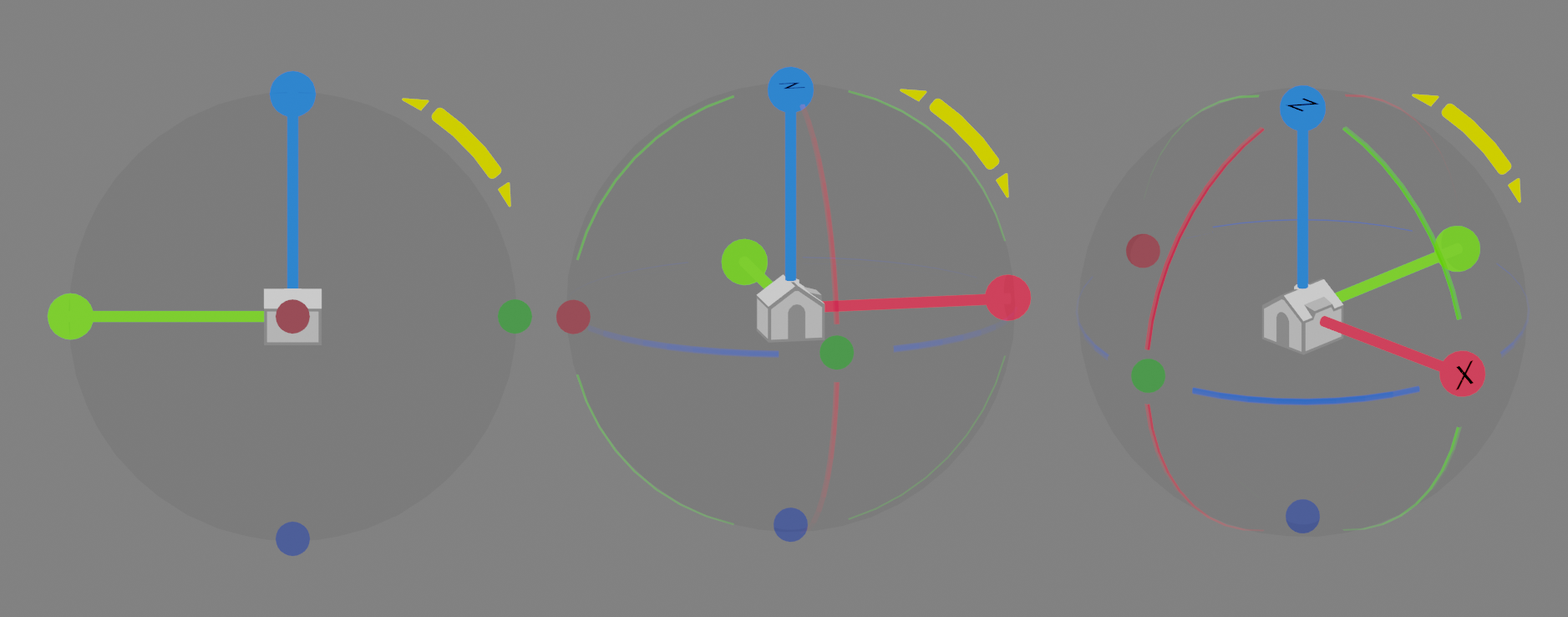
This cube improves the perception of the views (front, side...) and on the other hand it allows to switch between the interactive browser or the simple axes.
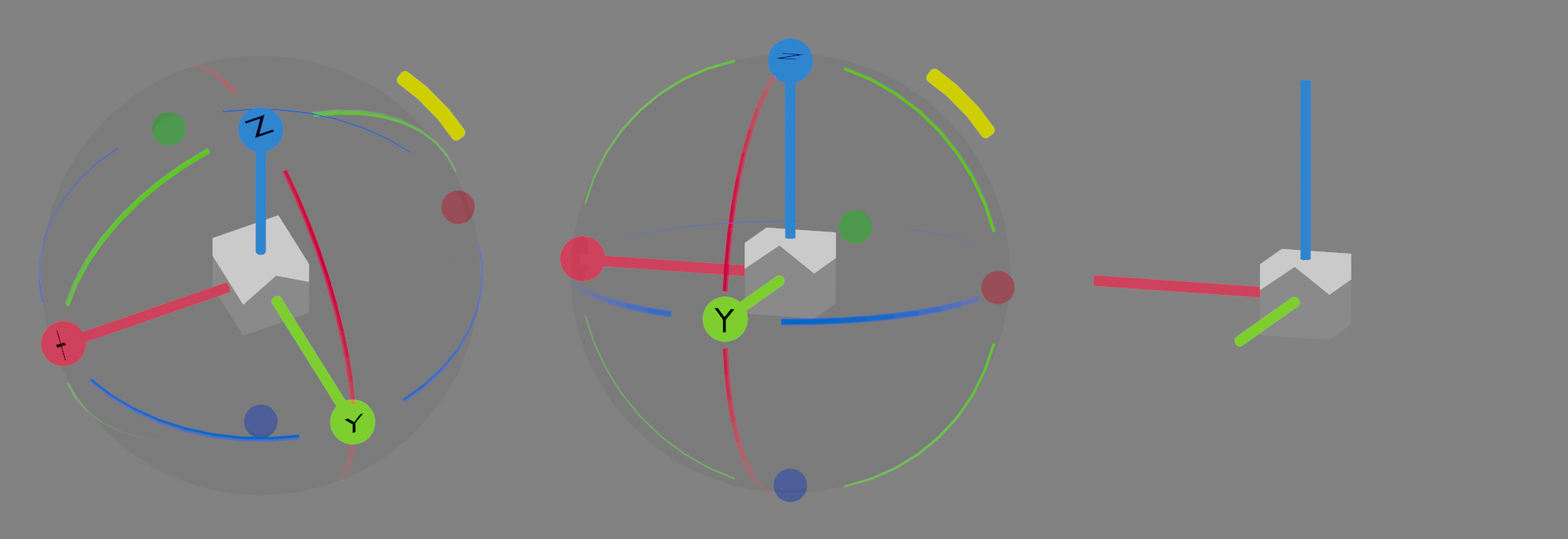
And a couple more improvements.
Gimbal loses opacity when approaching dihedral views, and camera roll can be done in 90 degree jumps.
3 Comments
Blender already have it. Just press Alt while you panoraming with middle mouse or using the axis ball
I know, in fact I always hide the Navegator, it doesn't mean that it can be improved functionally. Beginners and tablet users use it.
nocie i support this idea