
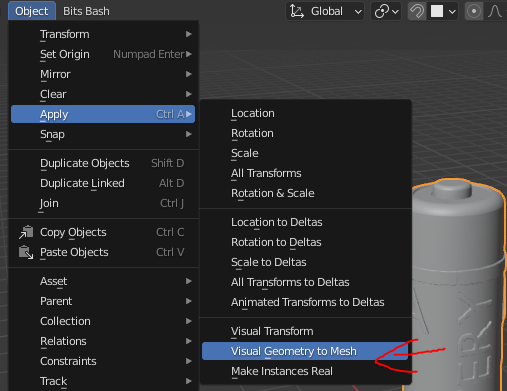
Do not re-calculate modifiers when applying all of them via "Apply Visual Geometry" and similar functions.
If you ever used decimate on a multiple million triangle mesh and then apply the modifier, you know what I mean.
Once you apply the modifier Blender re-calculates everything again.
There are reasons for this of course, e.g. when other modifiers are present, but there are cases where this does not apply:
E.g. when using the "Apply Visual Geometry" or "Convert to Mesh" functions.
Especially the former seems to suggest that it would just use the existing evaluated geometry without any frills.
Find my previous Bug-Report here:
0 Comments