
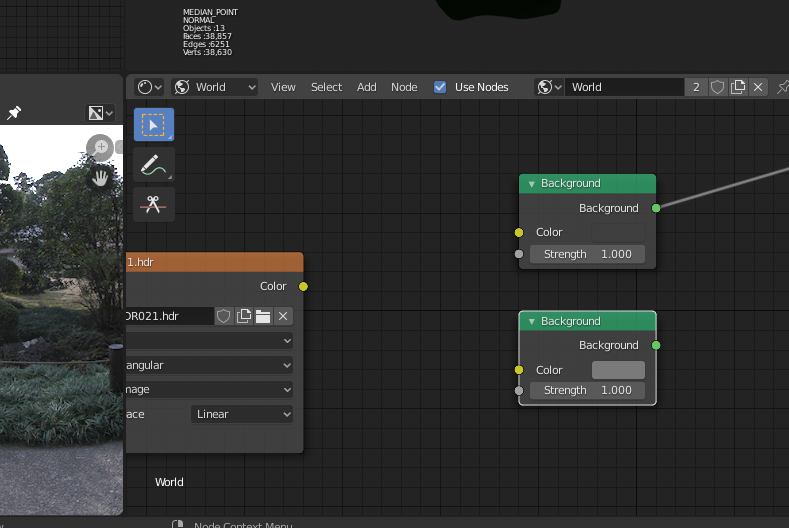
"Papercut": Background node swatch area disappears, needs MORE OBVIOUS border
EDIT: I double checked, and there IS a border, but it is VERY hard to see.
When you connect an input to the Background node, the color swatch disappears.
This is confusing. It is especially confusing when the color selected is the same shade as the node's background, so even when the input is disconnected, there doesn't appear to be a swatch AT ALL.
I suggest that 1) A border that contrasts with the node background be added to the swatch, so you can always see that SOMETHING is there, and 2) that when a color is connected to the input, the swatch be 'hashed' or 'checkerboarded', to cue users that it's there but overridden.
3 Comments
It sounds like you just need to get used to it more
* @Yegor R * This is the fanboi response, "if you knew it better". Eff that, make it MORE OBVIOUS.
Blender fanbois just LUVVVVvv to say "if only you knew the entire s/w ALREADY, you wouldn't have these problems". Well, no shit sherlock, but all these little problems don't exactly make me want to learn this shitass UI.
* @jeric_synergy * Yeah, good luck to you with that attitude