
Give the Operator settings its own Editor window?
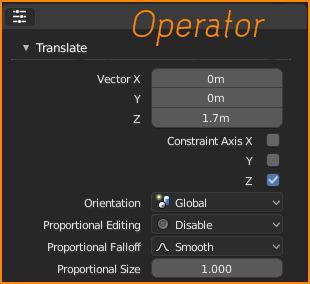
If the operators had its own editor window to access it setting this would allow users to find the Operator Settings every time without it becoming hidden like it did in 2.7x while also providing a way to the customisable its location of where it can be found in the UI when creating custom workspaces. I personally would prefer it to be on the side of my screen as I have an extra wide monitor but others have said they'd like to have it at the top like where photoshop has its tools settings.
This would also be handy for Addons as I have found currently in 2.7x many addons I use have operator settings that become hidden as it always hiding and unhiding the operator panel to access the tools. I know the crazy tabs list has been fixed but I think it would still be handy as certain add-ons like Retopoflow could utilise this for creating a custom workspace designed around the addon.


2 Comments
Yes, I proposed something similar, you can see it here => blender.community/c/rightclickselect/1Bbbbc/
It's own view does make sense, as the panel is editor agnostic in a way. Housing it in one particular editor is a real issue specially if you are in a 3D viewless workflow, saw the VSE, the Video Motion Tracker, Compositing, etc.