
Purpose-driven Workspace selector on the Splash Screen (Reducing cognitive overload for beginners)
To the Blender Development Team,
Blender is an incredible tool, but its sheer volume of exposed features can easily overwhelm beginners on day one.
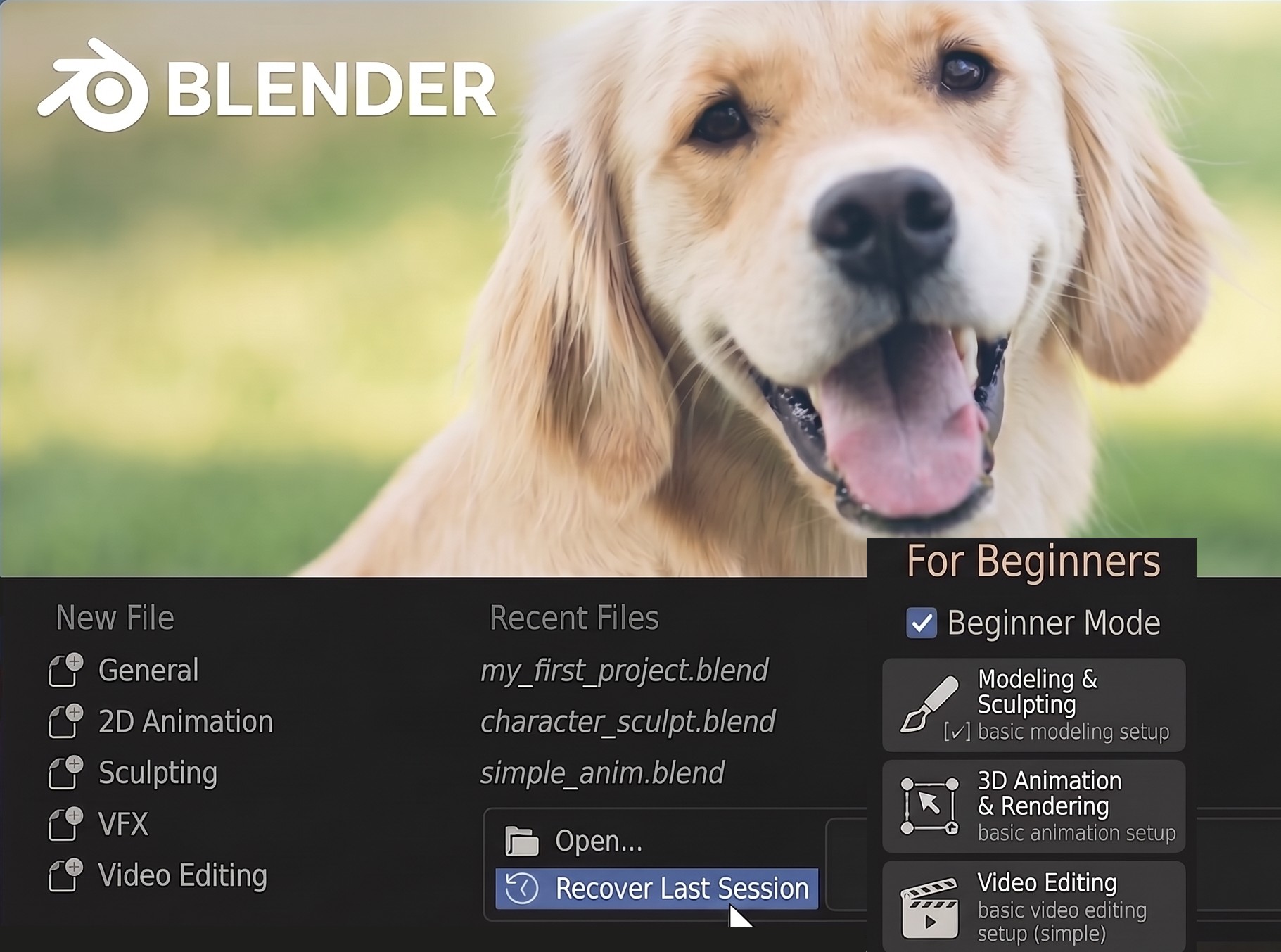
We propose adding a simple checkbox directly onto the Splash Screen: "[✔] Beginner-Friendly Mode"
When checked, instead of dumping newcomers into the complex general Layout workspace, it presents three purpose-driven entry points:
-
Modeling & Sculpting Mode
- Dedicated exclusively to mesh shaping, materials, and physics until the asset is finished. All animation timelines and clutter are hidden.
-
3D Animation & Video Output Mode
- Built for animators. Focuses on the 3D viewport, dopesheet, and audio sync, stripping away modeling gizmos and irrelevant sidebars.
-
Video Editing & Post-Production Mode
- A distraction-free sequencer workspace for video cuts, audio syncing, and final exports.
This opt-in design respects advanced users who prefer the classic startup, while instantly guiding beginners to a clean, focused workspace tailored to their exact goal.
1 Comment
The problem with things like this, is that beginners usually skip that sort oif thing - because they think to themselves, "this can't be that difficult, i'll start without the training wheels."