
Weight Painting in UV Space
I’ve been experimenting with a new Blender weight-painting workflow and fragmented UV meshes for rapid prototyping from generative meshes and textures.
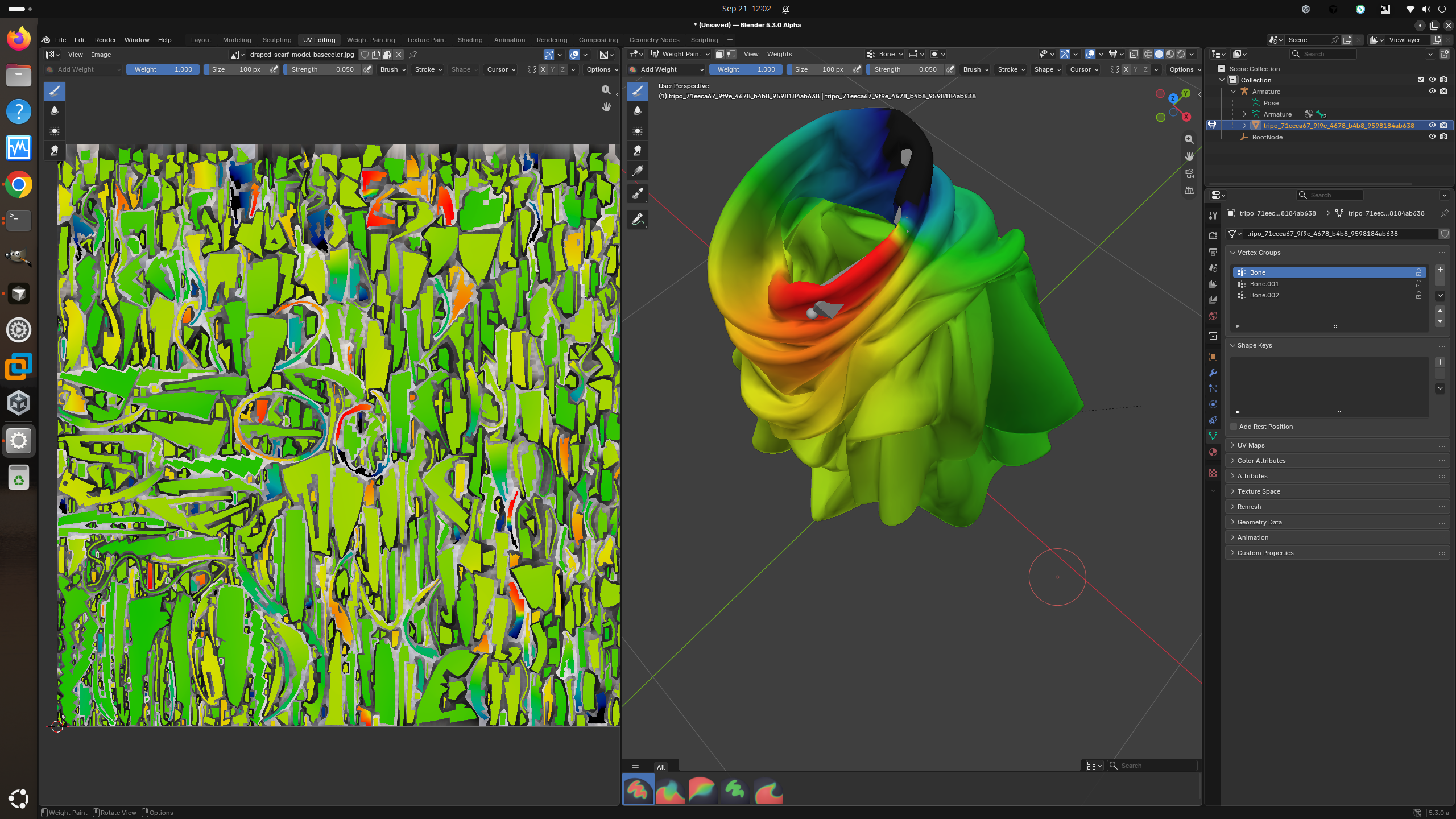 Using this contrived example for rapid prototyping, the problem I wanted to solve is pretty simple: weight painting complex folded geometry in the 3D view can be extremely difficult.
If a model has deep folds, cavities, overlapping surfaces, or geometry hidden behind other geometry, getting a brush onto the right vertices can be frustrating or sometimes nearly impossible.
The idea:
Why not weight paint the unwrapped UV mesh?
Similar to texture painting, the workspace could show: 3D Weight Paint | UV Weight Paint
Both views show the same active vertex group and the same weights.
The important part is that these aren’t separate weights. The UV view is just another way of accessing Blender’s normal vertex weights.
So:
Paint in 3D → UV view updates
Paint in UV → 3D view updates
Change vertex group → both views update
UV seams aren’t a problem either. If the same mesh vertex appears in several places in the UV layout, all of those UV points still reference the same underlying vertex weight.
Current progress
I modified Blender 5.3 Alpha as a proof of concept.
So far I have working:
Weight visualization on the unwrapped UV mesh Normal Blender Weight Paint colors Active vertex-group synchronization Painting directly on the UV layout UV painting changes the real Blender vertex-group weights Changes appear immediately in the 3D Weight Paint view Painting in either view stays synchronized I’ve tested it on my own mesh with vertex groups, and it works!
Rather than creating a second painting system, the goal would be to reuse Blender’s existing Weight Paint tools in both views:
Draw, Blur, Average, Add/Subtract, Weight, Strength, Radius, Falloff, Auto Normalize, symmetry, etc.
After that, both paths modify the exact same vertex weights.
I think this could make weight painting meshes with folds, cavities, clothing, skin folds, overlapping geometry, and other difficult surfaces considerably easier.
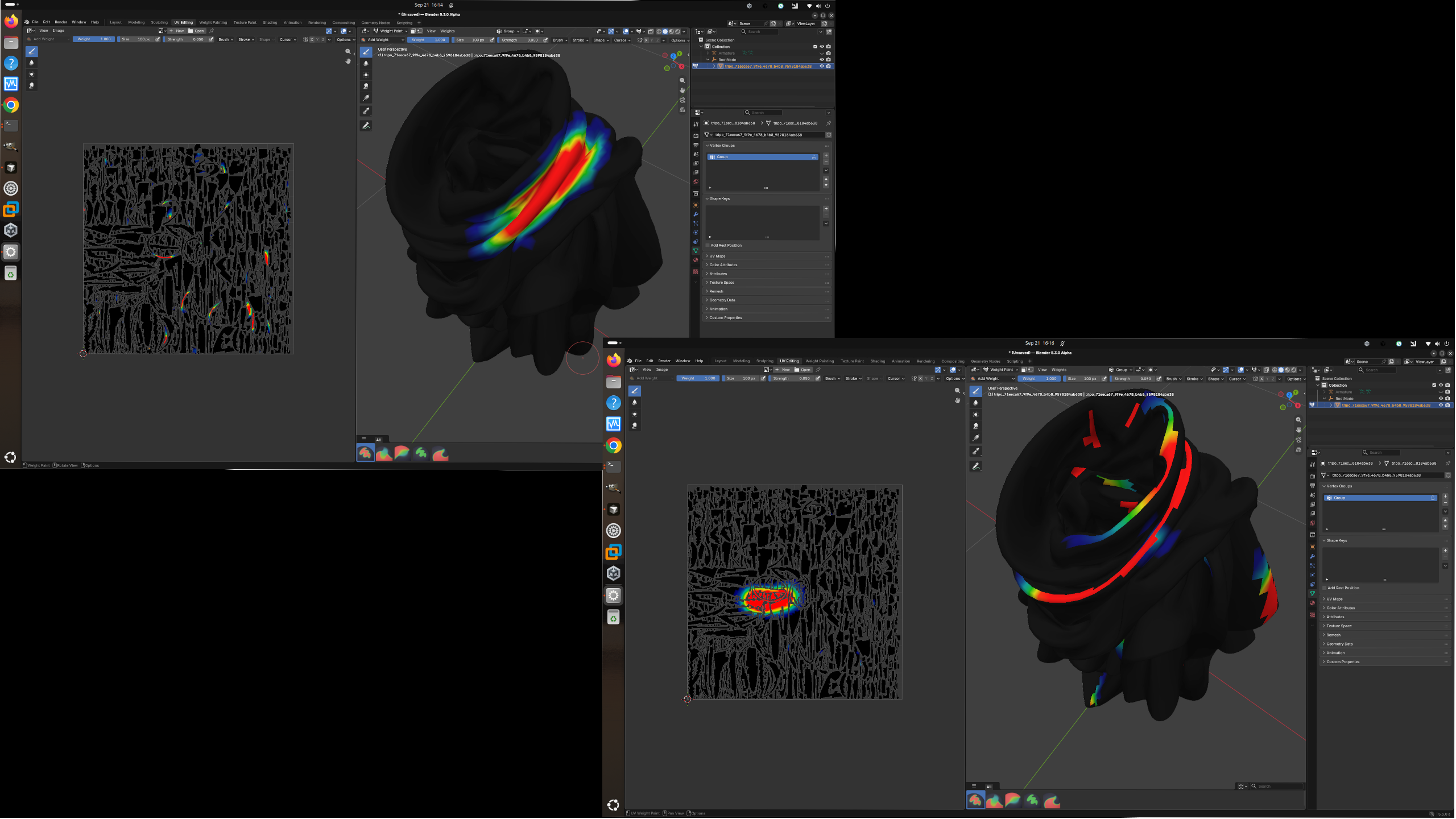 Does this already exist? or is this an improvement from previous work flows?
0 Comments