
Select/Filter Keyframes by Type (Keyframe, Breakdown, Extreme, Jitter, Moving Hold) in Dope Sheet & Graph Editor
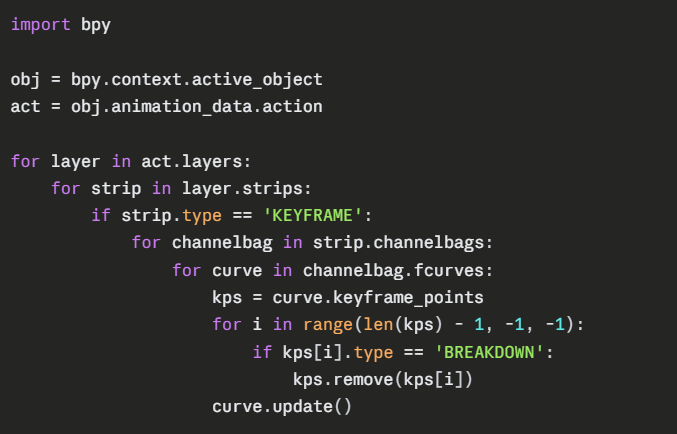
Currently the Dope Sheet and Graph Editor already color-code keyframes by their type (Keyframe = orange, Breakdown = blue, Extreme = red, Jitter = purple, Moving Hold = grey), but there's no way to select keyframes based on that type through the UI. The only way to do it right now is via Python scripting, looping through keyframe_points and checking .type.
This becomes a real pain point when cleaning up baked/imported animations: a baked action can have hundreds of "Breakdown" keyframes (one per frame) mixed in with a handful of intentional "Keyframe"-type keys that actually define the motion. Removing just the breakdowns to get back to the original sparse keyframes is tedious without scripting. Also a pain with revising interpolated keyframes sometimes.
Proposed solution:
Add a "Select by Type" option to the Select menu in the Dope Sheet and Graph Editor (similar to existing options like "Select All", "Select Linked"), letting users select/deselect all keyframes of a given type (Keyframe, Breakdown, Extreme, Jitter, Moving Hold). Combined with X → Delete Keyframes, this would make it trivial to strip out breakdown/bake artifacts while preserving the main posed keyframes.
 This would be especially useful for anyone cleaning up motion capture, baked physics/constraint animations, or imported FBX/Alembic animation data.
1 Comment
Implemented in 5.2: See projects.blender.org/blender/blender/commit/1447bfd22bbcbc4492bfa7038756d923be197bd9