
Have the group input node show the socket for attaching new sockets even when collapsed
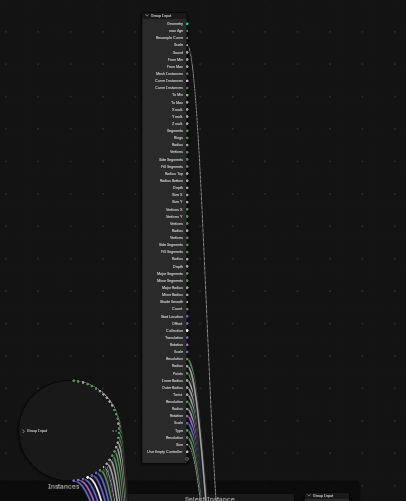
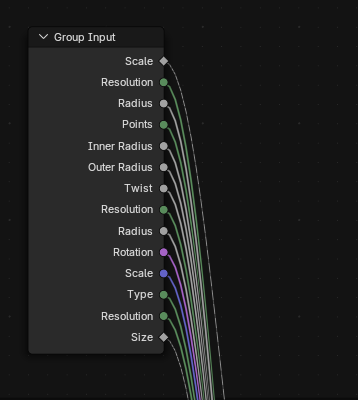
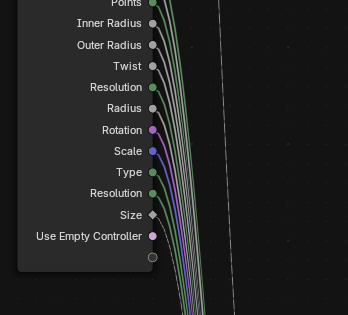
The group input node can get insanely long very fast, would be much easier to use if it the socket for attaching new sockets was still visible when coillapsed.
Really starting to hate dealing with the long group input.
9 Comments
It's still visible for me:
Are you sure you are only collapsing the node and not also its connected sockets? The former is done with H , the latter with ⎈ Ctrl H .
Also side note, a common way to avoid having one giant group input node is to have multiples. It also helps with reducing the amount of noodles going everywhere, because you can have an input anywhere it is needed instead of having to thread it out to the other side of the tree.
Damn, thank you had a similar issue using the wrong shortcut for frame. The reason why it needs to be huge is I use groups, and eventually the group furthest out in the hierarchy gets massive. I do know that blender wants you to make separate assets using the same groups instead of having a lot of groups within groups.
In this case I'm making a reusable setup for visualizers and wanted many different shape options, blender hides unused settings so once it is setup the menu for shapes and their settings works well
When using just H i get a circle with all the nodes attached to it? Can't seem to get an open socket like you
Make sure your socket aren't hidden before collapsing the node:
H just collapses/uncollapses a node, while ⎈ Ctrl H just hides/unhides the unconnected sockets.
If you have visible unconnected sockets that become hidden after collapsing the node, then that could be a keymap issue or a bug.
Try running with temporary factory settings to see if it still occurs, and if so, use the menu Help > Report A Bug. If not, then you have a modified keymap that needs fixing, either manually reassign the operators correctly or reset the whole keymap.
On another note, having one massive nodegroup that does tons of things just to provide many options is IMHO not the good approach for end users: it makes things needlessly complicated to learn, having too many options to handle just makes it require more time to set up, and there are things that are better done with modular approaches than trying to have one does-everything nodegroup.
And also for the developer of such node assets, having things simple and modularized makes it easier to create and then maintain. Much like programming, having all in one file is fine so long it doesn't get big, then you just spend more time scrolling wondering what does what, where is each function, especially when you come back to it after a pause.
Typically if you have something that you want to have different available shapes, at the very least make it a menu to choose a shape: since Blender 4.5 it will automatically display only the inputs available for every given menu item choice:
For shader nodes which have no menus available, or for older Blender versions that wouldn't hide options depending on menu choice, the old approach was to have each "option" as another node group which the user had to add and plug to the node:
There is a free extension that lets me merge separate group inputs which kind of solves my problem here since i can just drag a bunch out and merge them "group input helper"
if using the extension its shift 1 while having the group inputs you want to merge selected
Made a few posts in a row but these have bothered me for the weeks i've tried to make node setups that are easy to customize and control from the settings panel exclusively.
I like having a ton of options, and the panel settings have been moving towards the direction of supporting that, the nodes themselves still kinda want you to use them directly over making settings