
GP layer labels & wireframe mode
Hey! If you are familiar with other 2d illustration & animation software, then you probably don't need any further explanation.
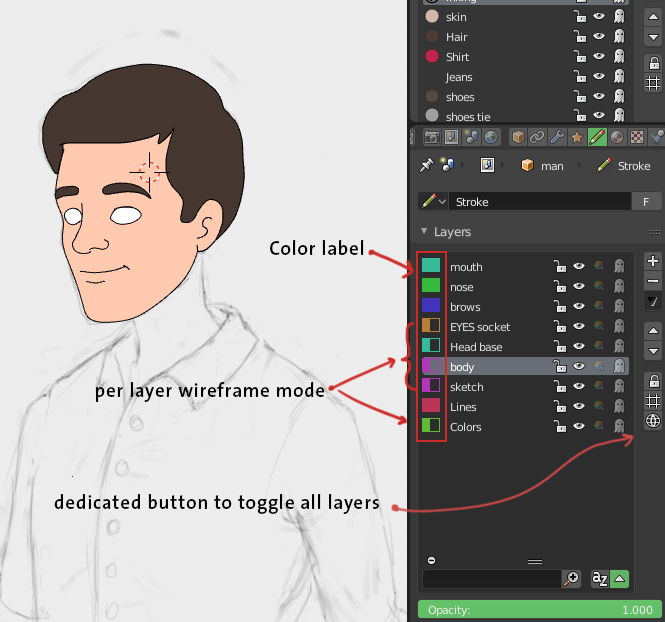
color label for layers is a must, especially when you work with a big amount of layers, otherwise things can go west.
per layer wireframe mode is simply a vesibility mode with only thin strokes ( with even thickness) and its color is the layers color label. just like ctrl+y in adobe illustrator, and flash (adobe animate) has it too
3 Comments
Right now I´m managing with well-organized nomenclatures. Or symbols before the layer.
@3dcinetv: Cool, I like the symbols idea.
@3dcinetv: How about when the user clicks on the icon(symbol or color) all the frames pop up in an expanded grid pattern (like lip synced mouth) and when you move the mouse over the drawing the you want and release the mouse, it will insert that mouth shape as a keyframe.) I think Harmony calls it a "drawing substitution" window.