
Ability to have holes in fill layers, Grease Pencil
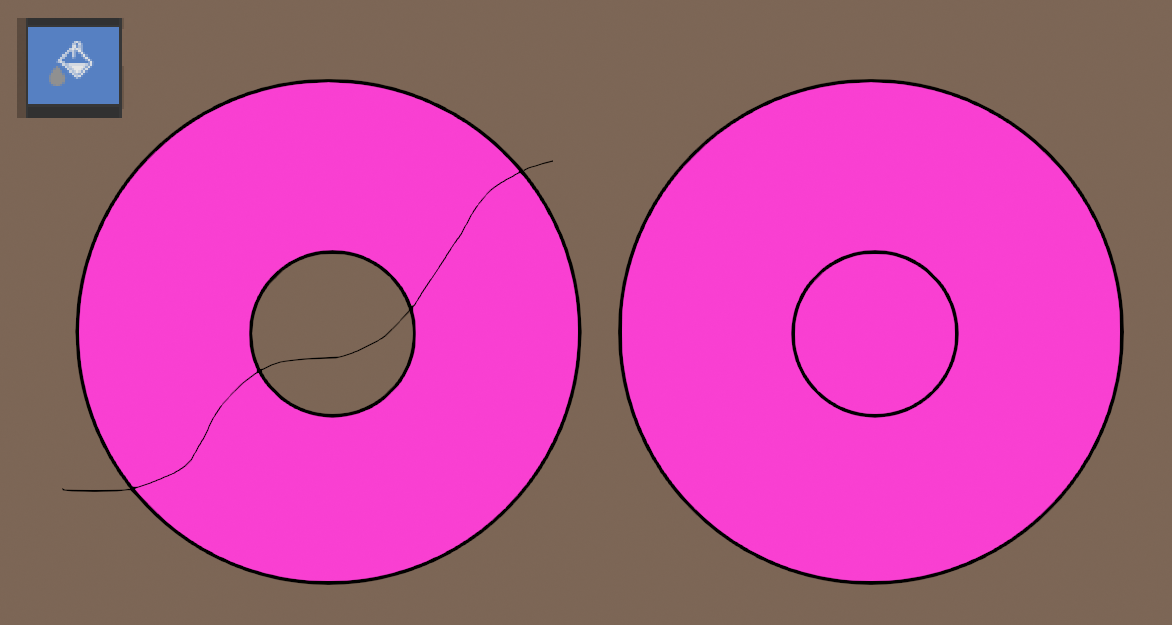
I was working on an animation, where my characters arm was raised like so.
 And needed to have the pit be transparent. After googling around I found
this tutorial,
so it seems the only way to do this pretty basic thing is using a kind of hack. This should definitely just work from the get go instead!
And needed to have the pit be transparent. After googling around I found
this tutorial,
so it seems the only way to do this pretty basic thing is using a kind of hack. This should definitely just work from the get go instead!
6 Comments
I made this tutorial before holdout materials were introduced and I would highly recommend using them until this issue is fixed. Much faster and better :) You can first fill the pink and then another material that has the holdout checked.
Here's a nut for you to crack. In v4.5 when you use the Draw Fill Guides there are settings that appear at the top. But it's only there while you are holding down ALT. How can the settings be changed?
This is done in 5.1
In addition to SVG import, I hope this will also allow for the ability to eraser and cut up fills like other art and animation software, where erasers can be used to slice through fills.
What is truly shameful is that they call Blender 4.3's Grease Pencil "GP Version 3". I don't see anything even close to remedying this long standing oversight in the beta. Some version 3 right there... I really don't know what these guys are thinking. This must have been brought to their attention perhaps years before and they're dealing with GN integration instead. This is a missing necessity that needs looking into asap...
This would also be needed to properly be able to import svg in blender: projects.blender.org/blender/blender/issues/122347