
Sculpt: Grab brush. option to move geometry only in the normal's direction.
Hello. When you are in edit mode, you have the option to move geometry in the normal's direction. Simply put the transformation orientation in 'normal', select a polygon, begin to move it, and pres z on the keyboard. The polygon will move in z axis, which is the axis that follows the direction of the normal. Even more, If you have proportional editing enabled, you can almost work like you're using the sculpt's grab brush, and doing what I explained, you can lock the movement to move only in the direction of the normal.
This is cool, because allows you to sculpt diagonally with precision, withouth having to change the view.
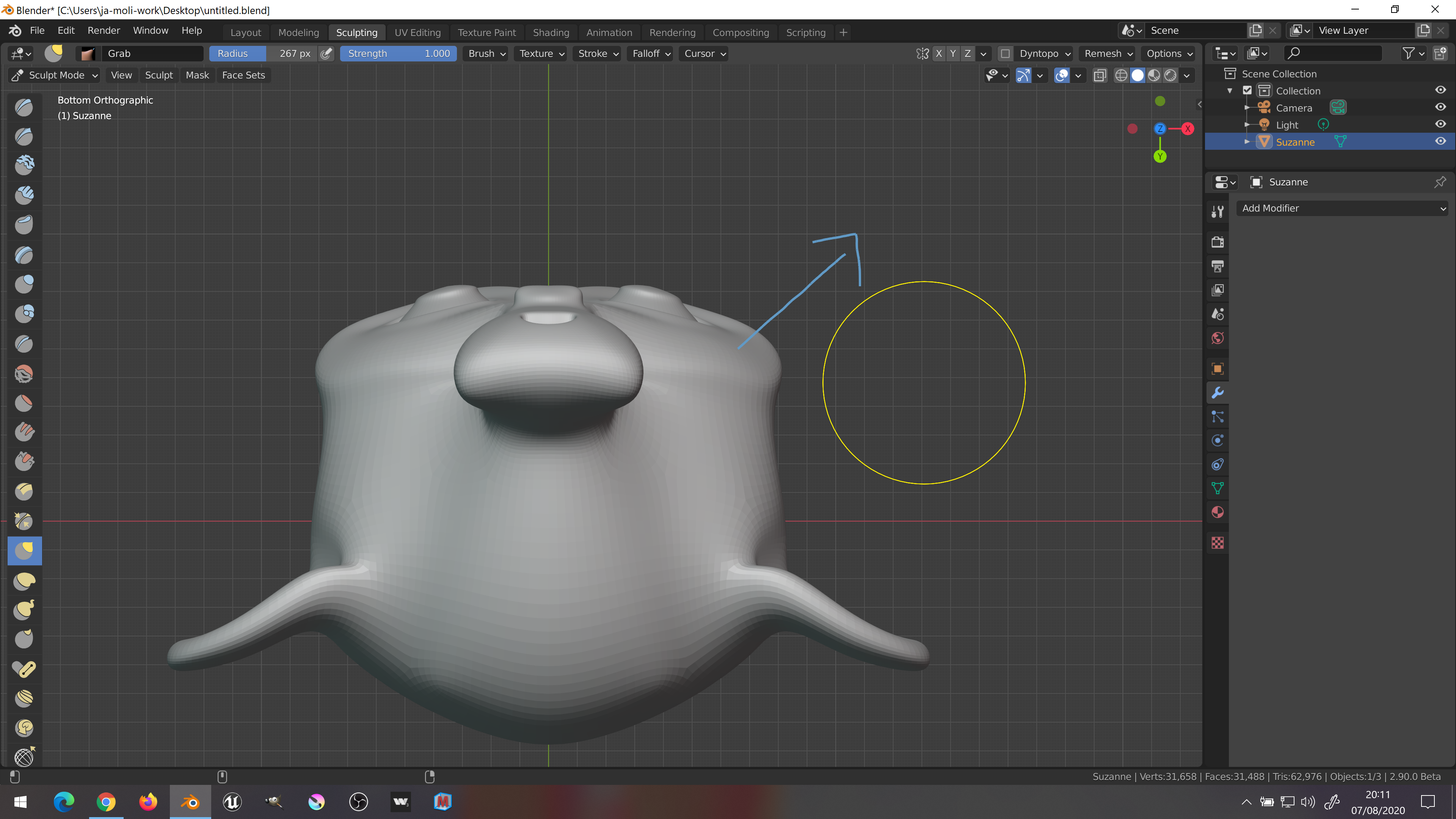
In sculpt mode, on the contrary, the only way to move things in the direction of the normals, is to see the model from below/above, and drag diagonally. Image attached to show what I mean.
It would be cool to have some kind of keyboard key, with a visual gizmo (located in the cursor's brush circle), that when you press it, allows and show, that your movement is locked to the normal's direction). So it happens the same behaviour that in edit mode.
3 Comments
Just press Ctrl
* @TheRedWaxPolice * fun, never knew it. Same for Snake hook
Just use regular brush with «Original Norlal/Plane» checkboxes. It will act exactly as you describe.