
Collapse button for viewport panels
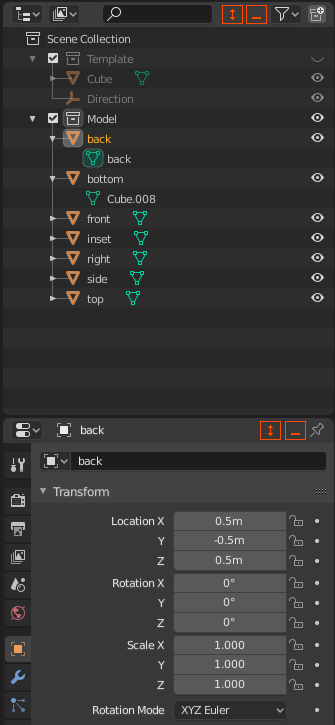
Something that I'd very much like to have is the ability to minimise Blender panels, such as the properties panel. When modelling in the 3D viewport, I have the Scene View and the Properties panel both stacked on top of one another on the right-hand side of the screen. I would love to be able to collapse the Properties panel down to its titlebar, and expand it again at the click of a button, preferably placed next to the pin button. This way, when working on large projects I can see more items in the "Scene Collection" panel at once, at the click of a button. Perhaps also a different expansion button next to it, which would fully expand the panel and minimise all others on the stack, for if you have more than 2 panels on the same stack.
[Much simpler explanation is shown on the image, crudely drawn in orange!]
3 Comments
This is just one of a handful of UI features from Adobe Photoshop that would make sense in Blender.
How would Blender know when to collapse vertically (as you've described) or horizontally? What happens when areas are not so cleanly stacked as in your example?
* @Jason van Gumster * Area Always stacked in rows. There is only one situation, when they aren`t (cross). And here can be priority for vertical mode. Collapse is the same thing as moving border. But automatic. The same for join.