
Support Material IDs
Hello.
Recently I've stumbled across a missing feature in Blender which would allow me to access some informations from an FBX or OBJ (the formats I tried). Blender seems to "merge" material IDs (or slots) if they are using the same material.
I'll give an example to illustrate:
- I have a model inside Unreal Engine with 10 material IDs/slots, and in 9 of them I'm using the same material (Ex.: Material01), and in the remaining slot I'm using a different one (Ex.: Material02).
- Once I export that mesh from UE4 and import to Blender, there are just two materials there (Material01 and Material02), so I can't access any other "region" of the model mapped by a different ID.
- In adition to that, if I export it from Blender and import back to UE4, all the repeated material slots are gone, and just those two remain.
Although I understand the logic behind that, I think that Blender should keep that information intact and if possible have a way to modify that if necessary.
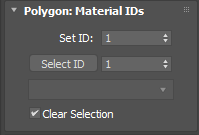
In 3DSMax, for instance, you can select faces using a specific ID number (the same way that Blender selects faces by Material) and Assign a different ID number to a selected face (the same way that Blender assigns a material on any given faces).
New user here and I love you guys! Thanks in advance! :)
10 Comments
If you could create a simple object that has say two times the same material and one time a second material. Perhaps a simple box-like shape with as few vertices as possible, and the materials the simplest possible. Just diffuse color or so would be best. Then please export as both FBX and OBJ and share the file here if possible. That'll help in figuring out what is going on.
For FBX if possible both binary and ASCII formats - the latter because it helps reading what is actually in the file.
* @Nathan 'jesterKing' Letwory *
Hey, Nathan! Just exported a cube mesh as you said so you can check it out:
(6 different material IDs, one face for each ID, 5 of them using the exact same material)
(Just the unique materials remain; 5 of IDs with the same material are now a single one)
(the extra slots are gone)
Here you can get the files: 1drv.ms/u/s%21Ao6oh_yYD1hE8RHuqhnsFYXolBTV
That happens both with FBX and OBJ, what makes me think it's something about Blender, not a format bug. Thanks for the quick response!
* @iemersonrosa * Hey, sorry I dropped the ball a bit on this. wrt the OBJ format, there is no information in there that tells there should be a certain amount of material slots - the file format just doesn't support such information.
With the FBX format pretty much similar story. There is the
Connectionssection, but that only would give 4 slots for the SameMaterial and one for the DifferentMaterial, leaving one out. Furthermore, from the file format it does not become clear how the IDs should be mapped onto polygons once imported.I replied to your developer.blender.org/T66709 report as well.
* @Nathan 'jesterKing' Letwory *
I was checking the FBX ASCII here and I think I found the logic you are looking for (I THINK, as I never went much deep into that, so correct me if I'm wrong). This section inside the FBX:
That sequence of numbers there (from 0 to 4) seem to match the number of triangles and the amount of materials (I actually have 5 materials instead of 6, I must've mistaken that heheh). So if you consider the Connections section, it must be taking into account the order of those elements and automatically assigning an ID there, which is refered by the "LayerElementMaterial".
I can't make much sense of the OBJ file, but maybe it's not possible for that one (as it seems more "limited/optimized").
* @iemersonrosa * Right, if you have 5 materials: 4 slots with the same material, one with the different material, then this makes sense.
Yes, that is a point that needs to be rethinked.
It sounds like a bug
* @CHAN *
I actually reported that as a Bug, but one of the developers told me to put as a feature request ( developer.blender.org/T66709 ) ! :D
* @iemersonrosa * please report it as a bug :D just kidding.
* @iemersonrosa * I upvoted