
Physical Lighting in Blender
Physical Light Values, Physical Camera Values, Exposure, and White Balance
Lights
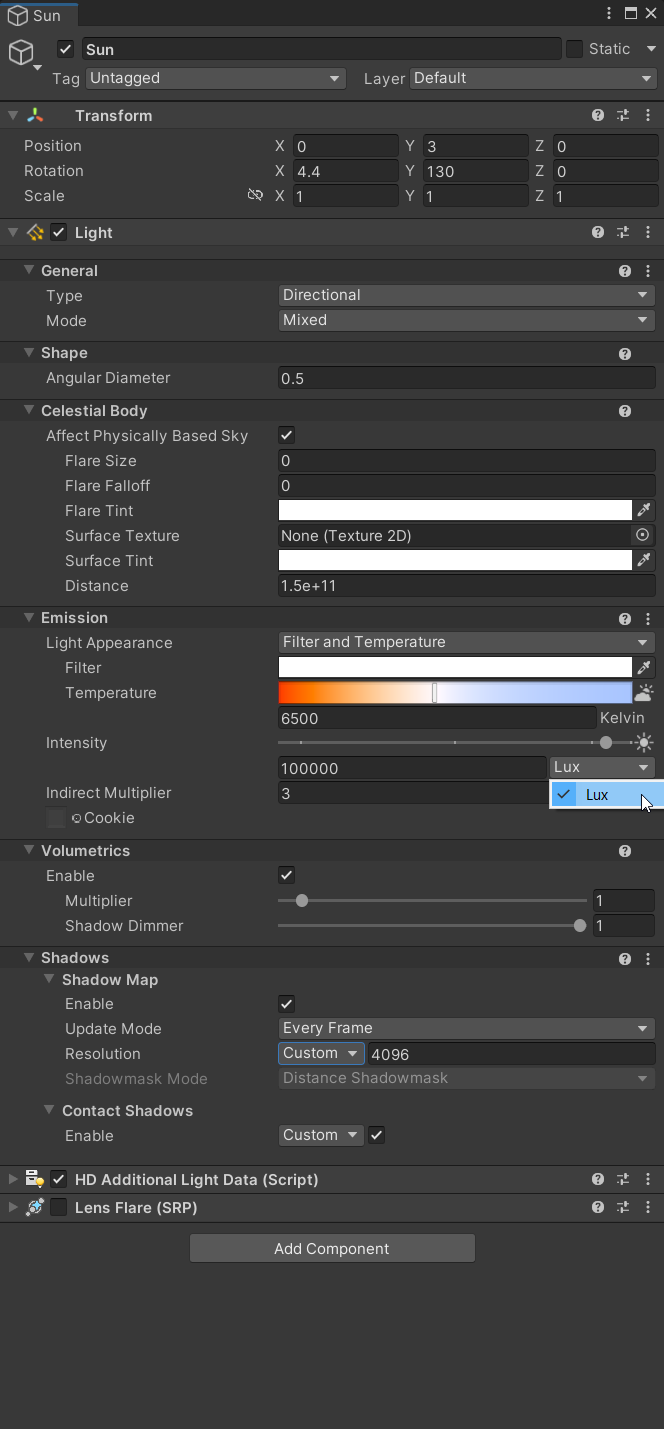
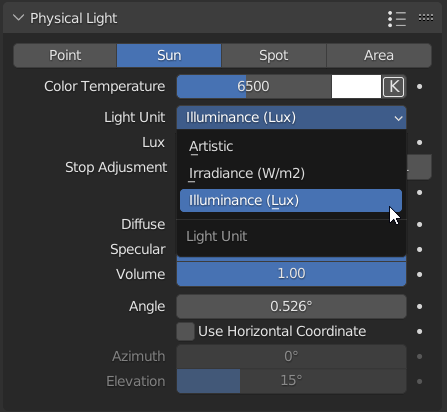
- Lux - Mainly for Sun lights (It’s sometimes available for other light types)
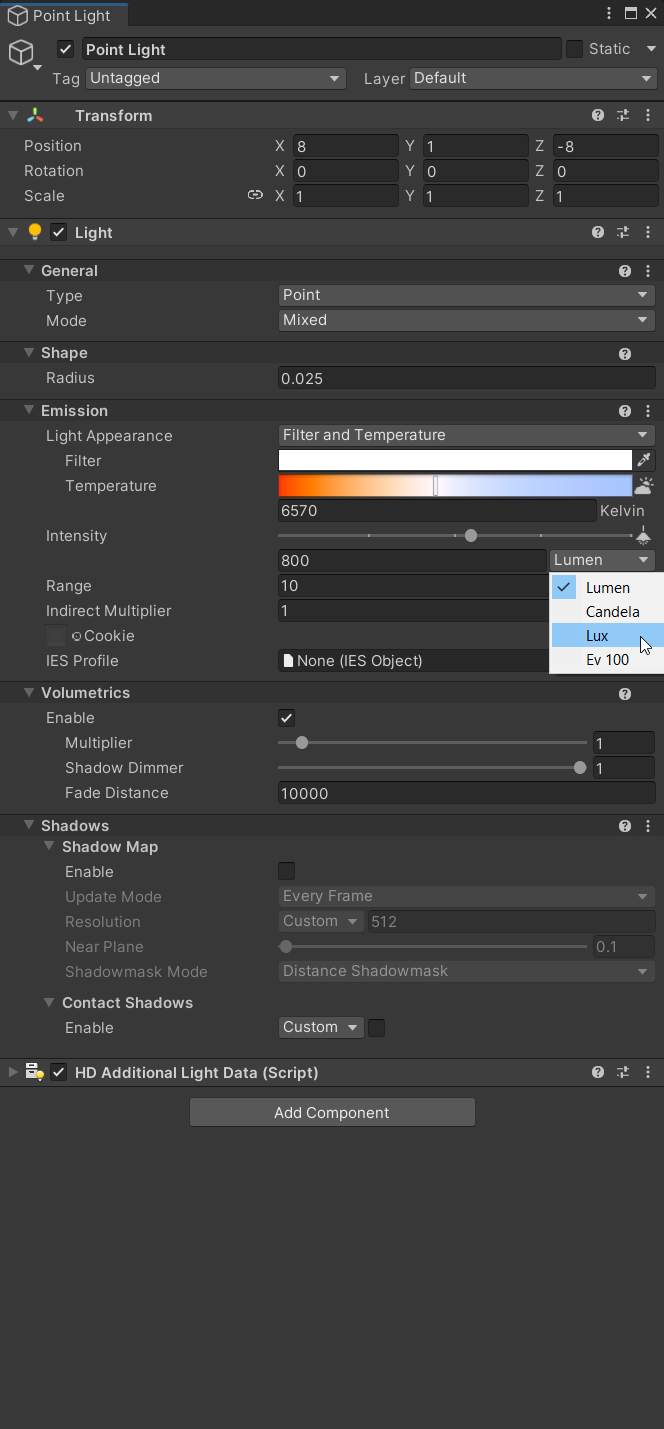
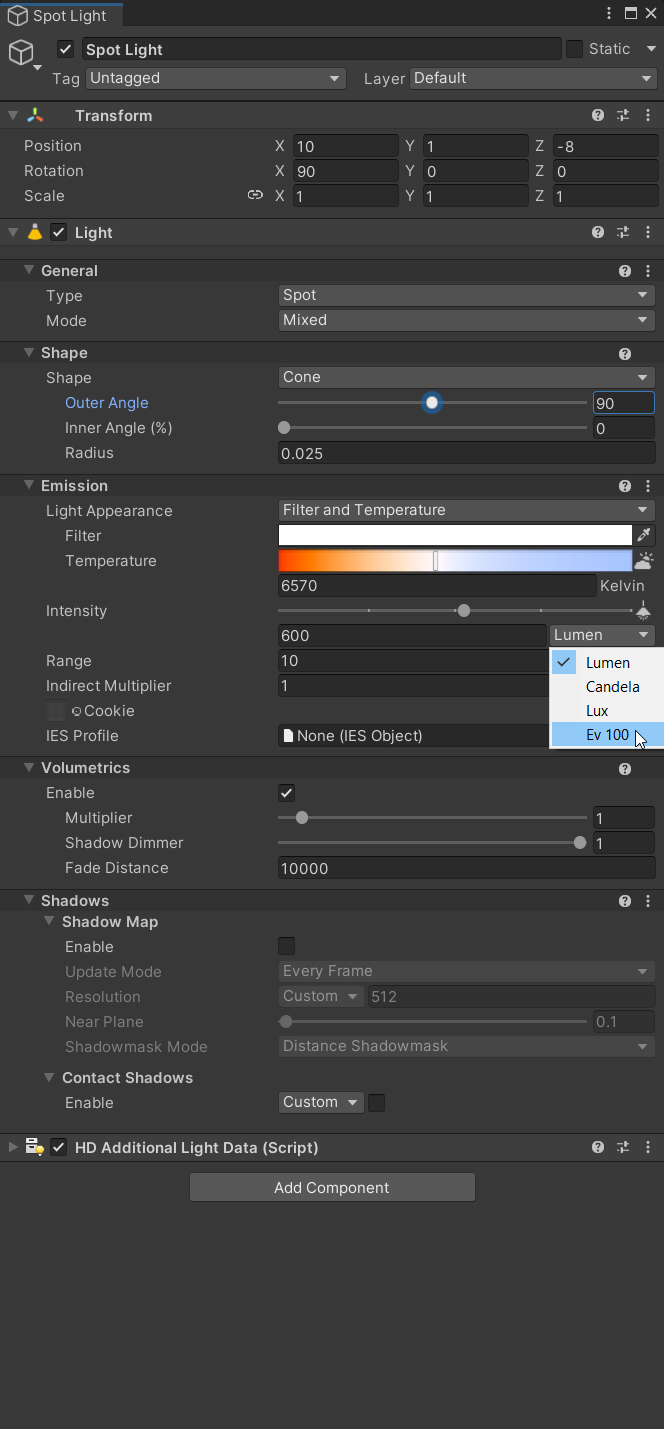
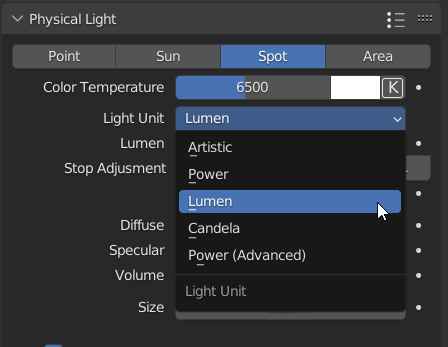
- Lumens and Candela - Mainly for punctual lights (Spot and Point)
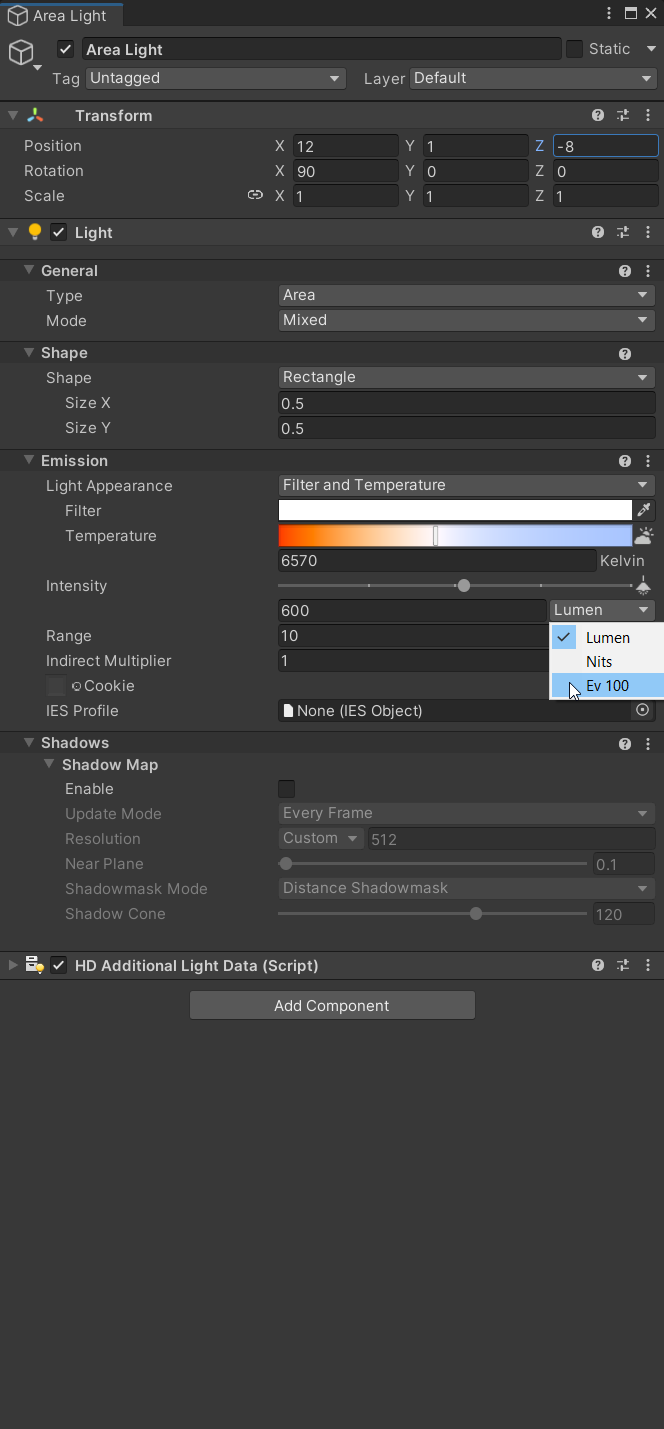
- Nits/EV - Mainly for Area lights and emissive materials, although the other value types can work as well. (Lumen and Candela (Same as Nits))
- As well as a full range EV/exposure value for the camera. (As seen in Photographer addon)
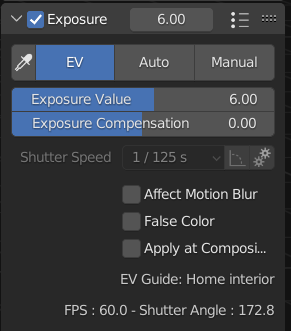
Camera
- ISO
- Shutter Speed
- Aperture/F-Stop
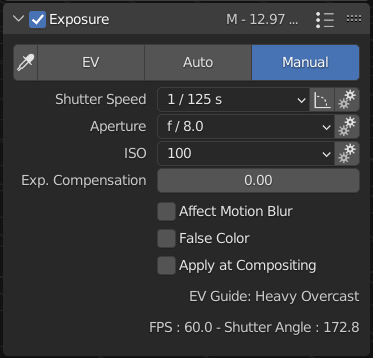
These are just the basics for lighting. There are a lot of other physical properties as you might know that are more toward the visual look of a scene/render. Anamorphic, Lens Blades, etc
Most major renderers/3D applications including game engines like UE4/UE5, Unity, and now Godot 4, all support physical light values.
Blender is one of the few that don't officially support this by default. Using the blender default power/watts unit is really confusing or needs a lot of research when trying to get accurate lighting as well as consistency between applications. I use both Unreal and Unity with the physical light values because it is mainly how I learned to apply light values. Going from this to Blender and using the default power/watts is really confusing, so it would be nice to have physical values for the lights/lighting, and camera.
The current default power/watts unit can stay as an option for backward compatibility and for anyone who is comfortable using it.
With that said I’ve only ever used the built-in lighting value in Blender a few times before switching over to using the Photographer addon. I’ve watched a lot of videos on trying to get real-world values to match with the current system. It’s still not ideal but doable, so this is my pitch for Physical light units as I haven't seen one here yet.
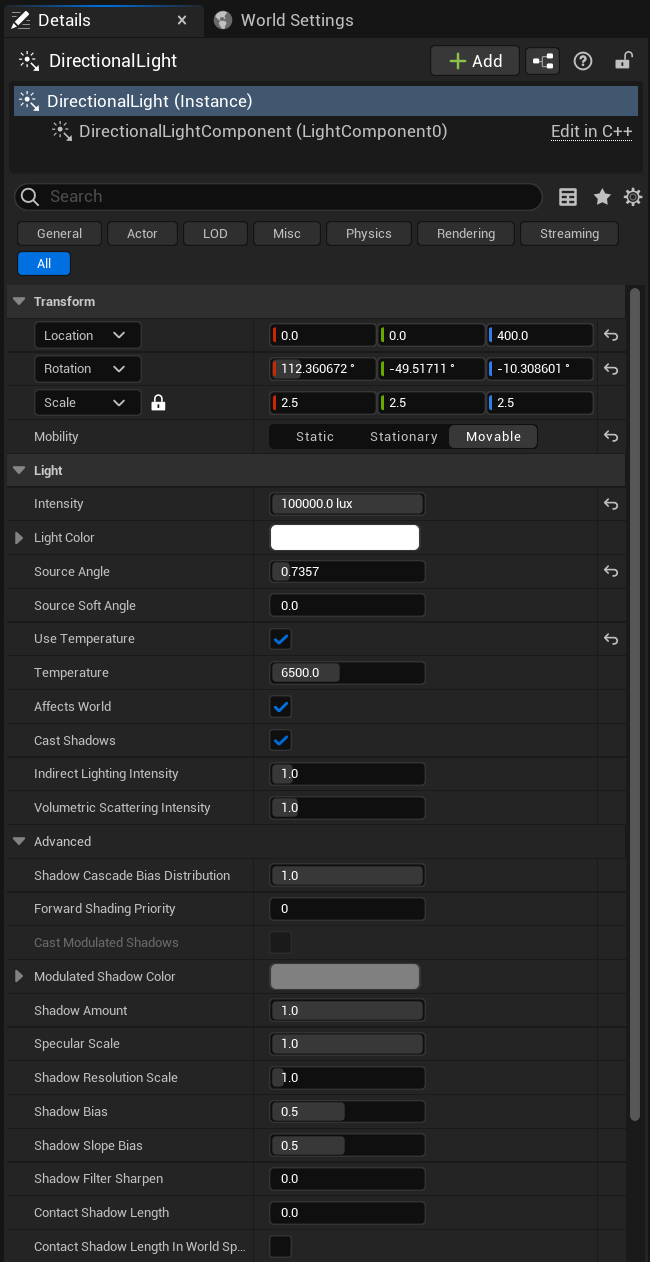
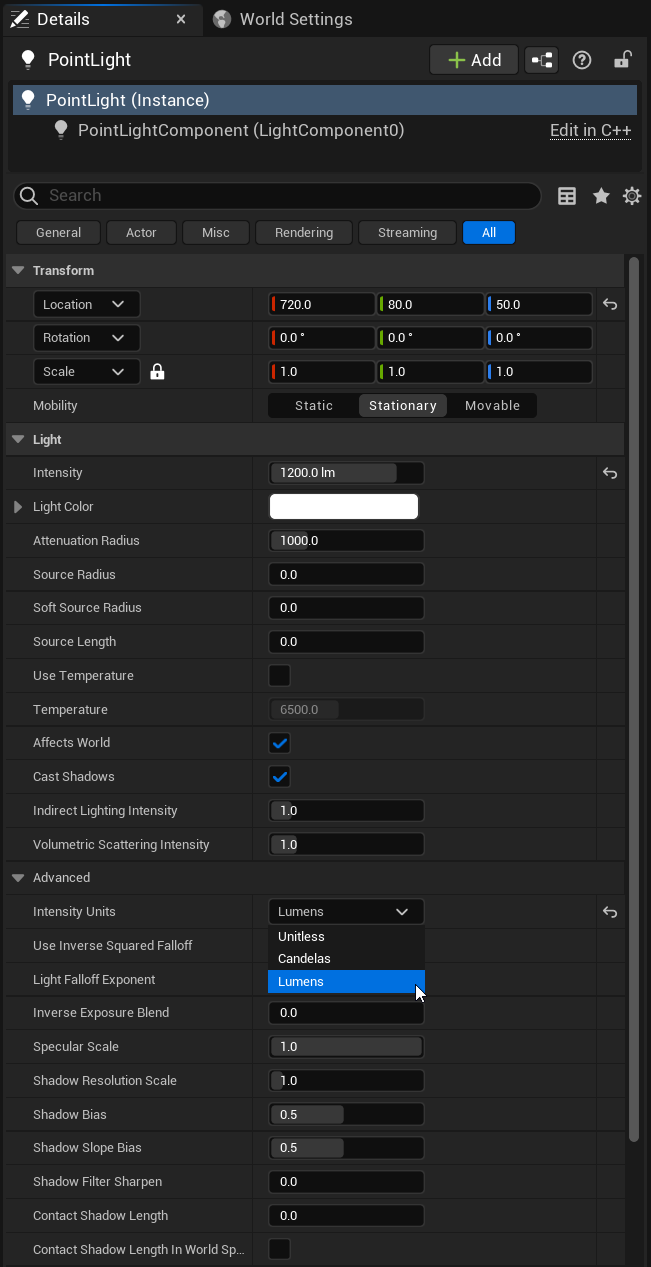
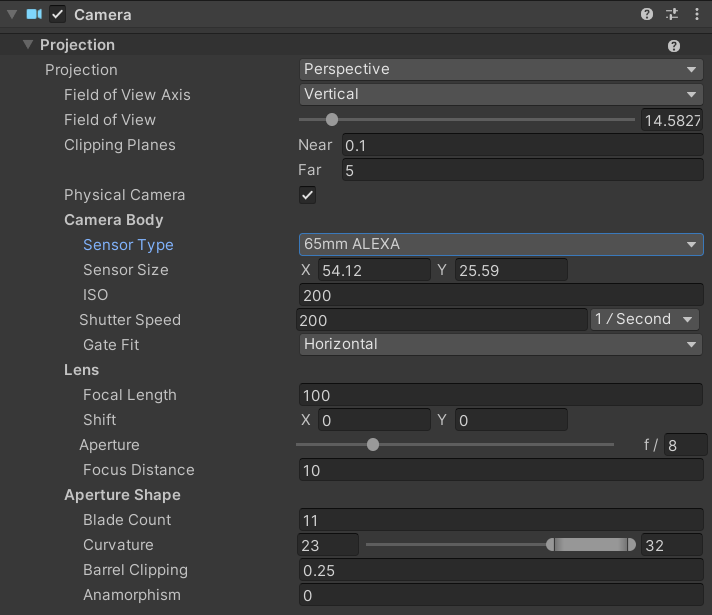
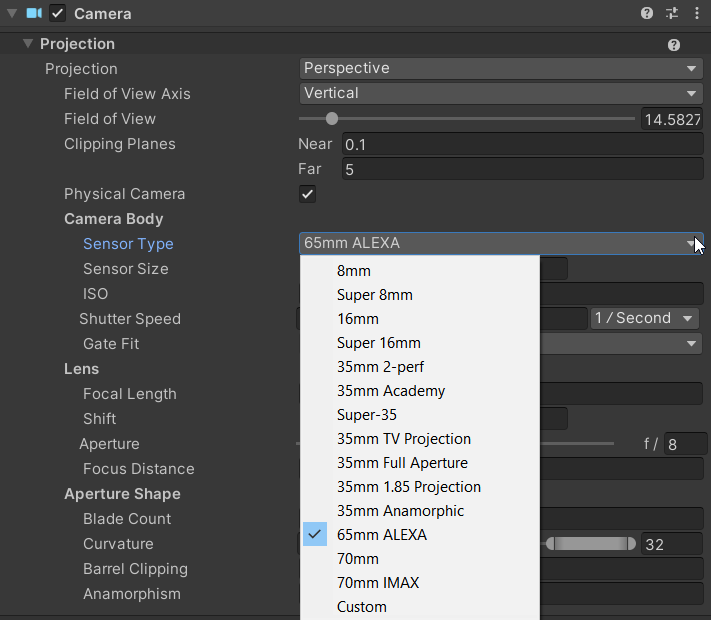
Here are some images of how Unreal, Unity, Godot, and the Blender Photographer Addon handle Physical Light Units.
UE5 - Physical Light Setup
Directional Light
 Point Light
 Spot Light
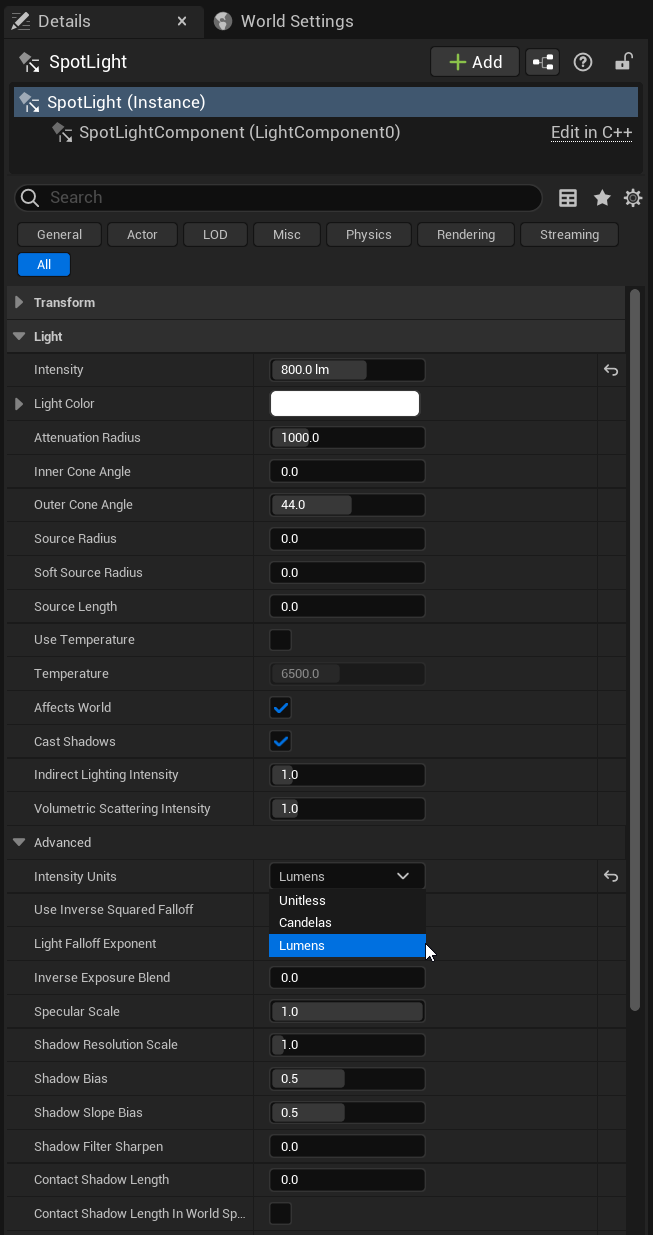 Area Light
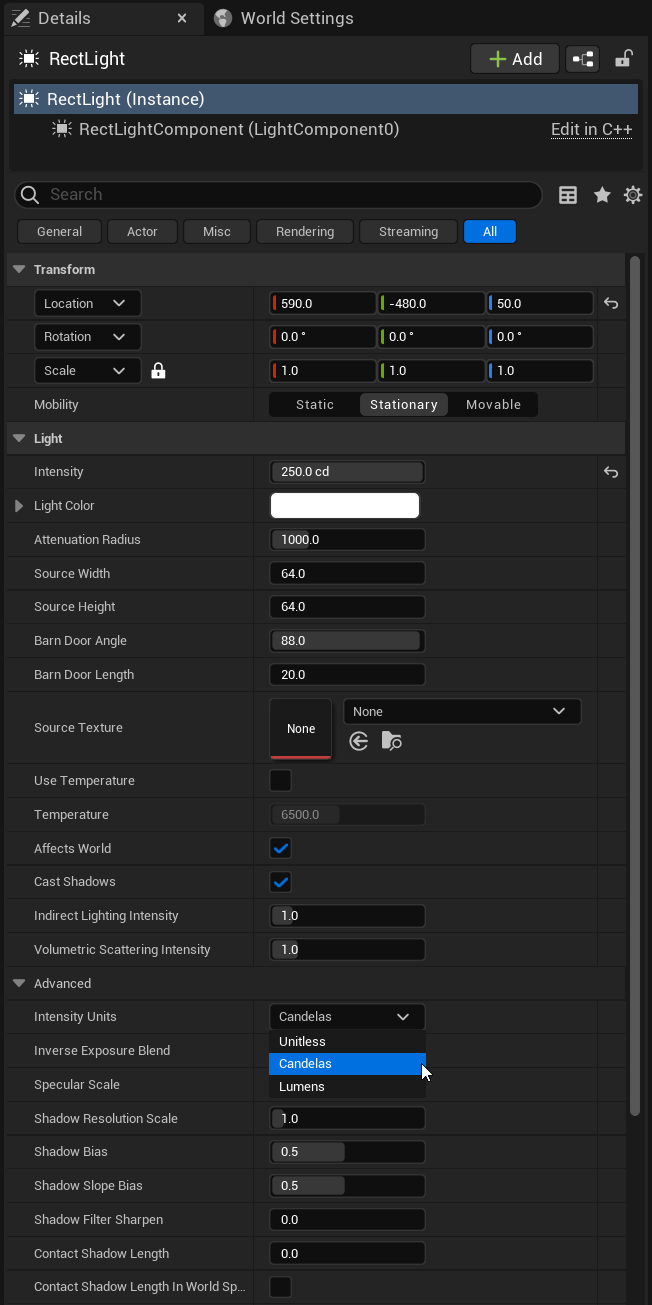
Unity (HDRP) - Physical Light Setup
Physical Camera
Default Lens/Sensor Types
Directional Light
Point Light
Spot Light
Area Light
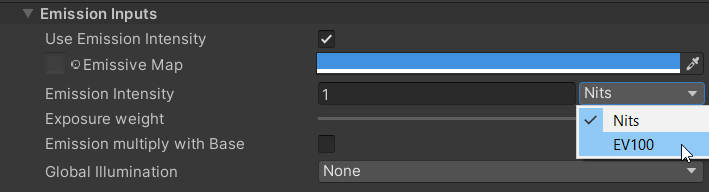
Emissive Materials
Godot 4 Beta - Physical Light Setup
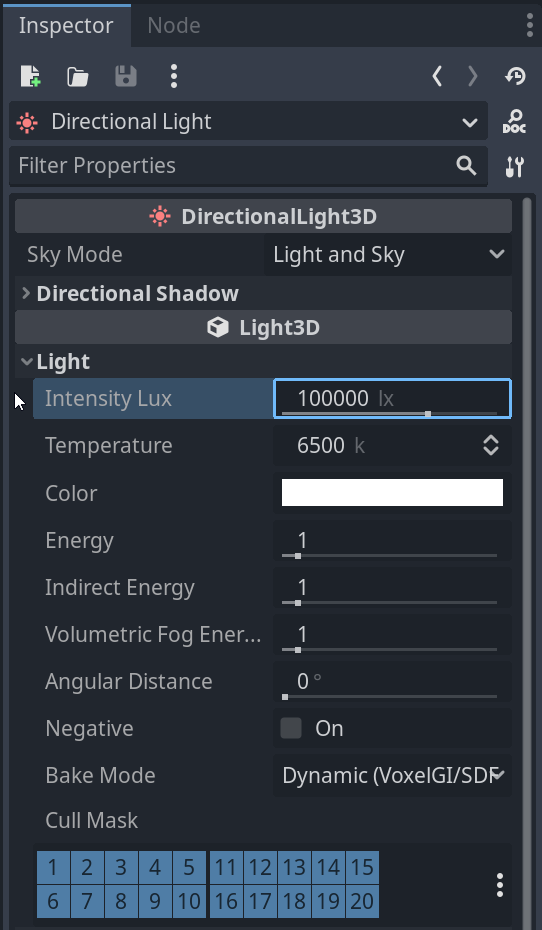
Directional Light
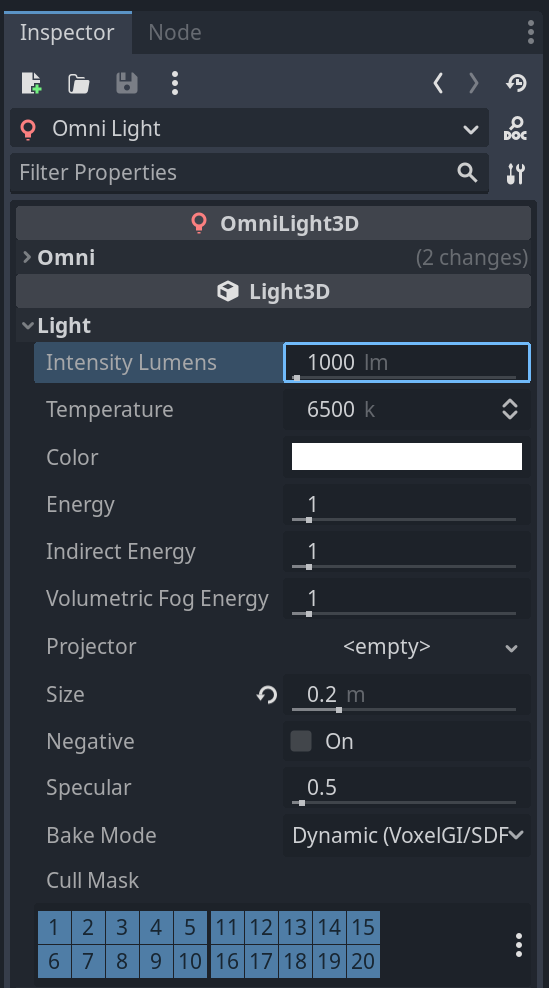
Point Light
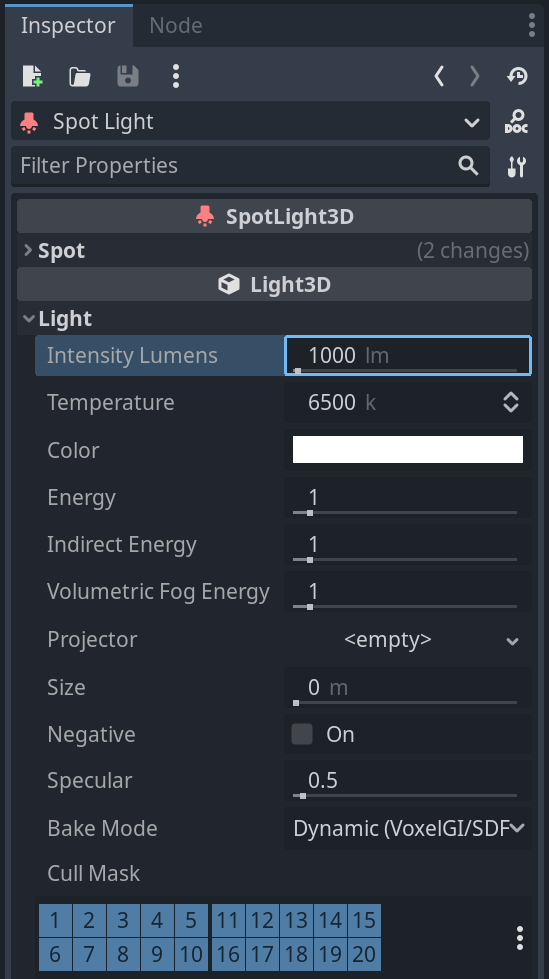
Spot Light
Emissive Materials
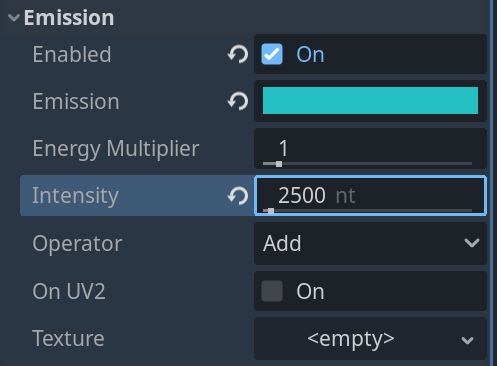
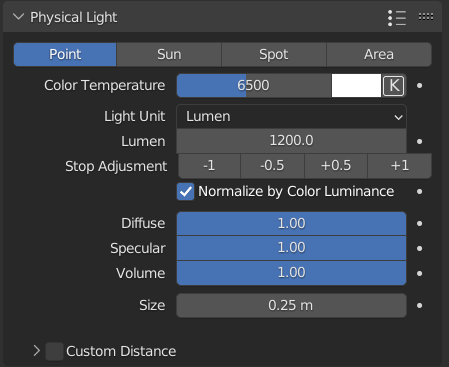
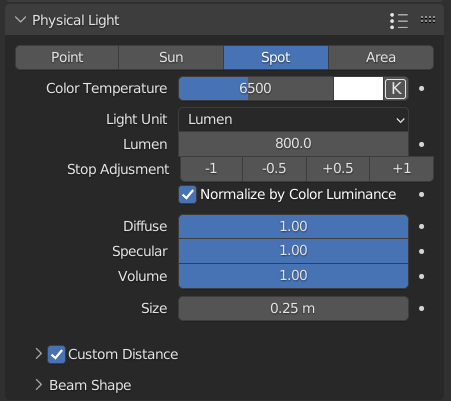
Photographer Addon - Physical Light Setup
Directional Light
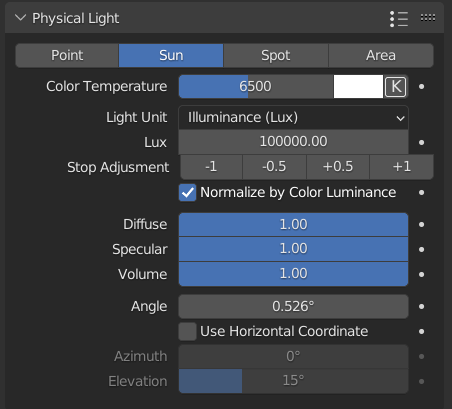
Point Light
Spot Light
Area Light
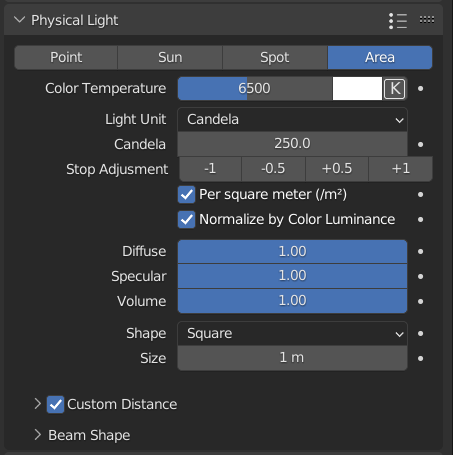
Emissive Materials
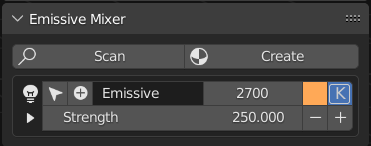
Light Unit Options
Punctual/Area Lights
Sun/Directional Light
Physical Light Units and Camera Properties will get Blender in line with the standard used across most rendering applications.
4 Comments
I think thats way to much ,.. some tiny Features and things maybe . ..and the devs. implemented or copy not other engines. UE5 is multi million $ program... but try it here .
This isn't a post to replicate a game engine and all its features in Blender. It's just about getting blender to the industry standard for working with lighting units and camera behavior.
There are no multi-million dollar changes being requested.
Yes its needed I think without addon and I also wonder if u can present me info about which values usually a sun use or lamps, is there a resource to find that information without too much detail? because I usually do it randomly. So blender also need some tooltips about what usually a sun has which value
A lot of it will be general knowledge you'll get used to after working with it for a while. It will all be in ranges for each Unit.
EV Ranges Light Unity Ranges (Per Light type/Use) Nits/EV Ranges for Emissive Materials.
Here are a few resources that help a lot to learn these ranges. After a while, you won't need to reference them anymore.
Sun/Sky Intensities en.wikipedia.org/wiki/Daylight
Light types/Uses and EV Ranges docs.unity3d.com/Packages/com.unity.render-pipelines.high-definition@14.0/manual/images/LightCheatSheet.png
Doc with slightly more information. docs.unity3d.com/Packages/com.unity.render-pipelines.high-definition@14.0/manual/Physical-Light-Units.html
Sunny 16 Rule - This will be more useful getting accurate exposure using the camera settings to control exposure rather than a defined EV Value (Just another option and will mostly be useful if you are matching filmed content)
en.wikipedia.org/wiki/Sunny_16_rule
Some of it will come down to specifics (Going on websites to find IES Profiles, Color Temperature, and Lumens) from manufacturer websites.
The doc here also contains some of the biggest Light/Light Fixture manufactures docs.unity3d.com/Packages/com.unity.render-pipelines.high-definition@14.0/manual/IES-Profile.html
Also, a little more info on EV and a calculator included scantips.com/lights/evchart.html
A lot of Unity Links because I use Unity a lot and they have solid docs on this.
Information is information and physical lighting work across all applications with the same system.