
Set camera and render resolution to border in 1 click
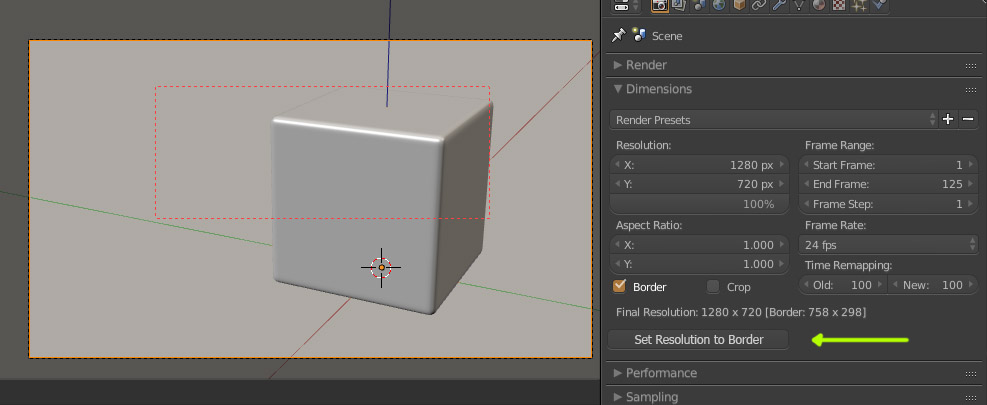
Sometimes (or often) it would be useful to be able to easily tweak the camera lenses and shift, to match (and remove) the crop done manually with render border.
e.g. Say you have your camera set in the scene, but you want the framing to be a little closer and, say, a bit on the upper-left. It would be cool if you just trace the border and click a button to have the camera adapt to what you see: a little bit of zooming and shifting and voila! The border then should reset to disabled.
Instead now we have to do a tedious work of guessing and manual adjusting...
I guess this could be an easy job for an addon, and someone who know how to code it.
10 Comments
I already made an add-on that seems to do exactly what you ask (+ something else) : Camera cropper & Splitter
@Caetano Veyssières: Cool, I'm gonna check it!
@Caetano Veyssières: Ok, checked: perfect! That's exactly what I meant! Actually in the proposal description I left out the resolution ratio matter, but your addon already takes care of that. Thank you a lot!
oops, wrong thread... Don't mind this comment
@: There seems to be an issue with your profile as well as others. Your username is not displayed. Is it on your side ?
@Caetano Veyssières: I don't know. I also found a bug: with the revamp of this site a few weeks ago, my karma was reset to zero. :( Btw I'm Lsscpp here, and these are my past entries on this site: blender.community/u/lsscpp
@: yeah your name appears in my notifications. You should file an issue in Dillo's Github .
@lsscpp: Is your blender.community account linked to your blenderID or facebook account or Google account ? That would help narrowing down the cause of your username problem.
@Caetano Veyssières: It's a Blender-ID account
The screenshot is outdated: the button should be named something like "set border to camera" (or viceversa?)