
A Different Render Icon for Collections That Have Instances
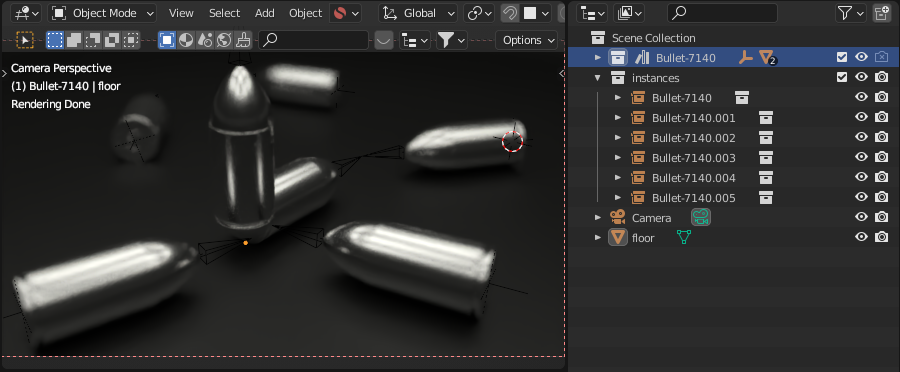
In this scenario I don't want the original vertical bullet to be rendered, I only want to render the instances.
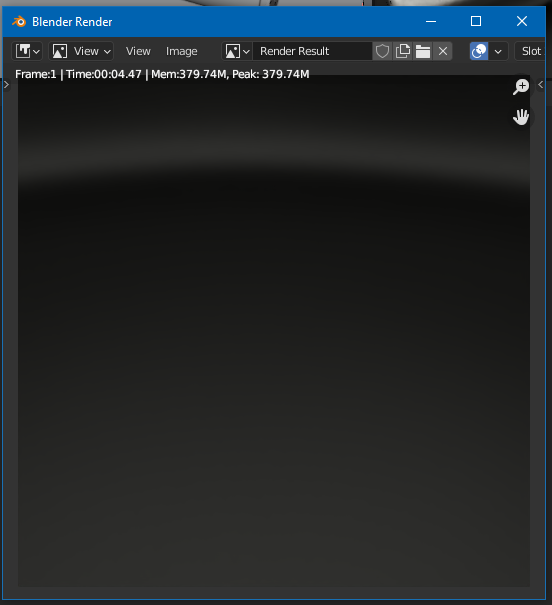
Because I turned off the camera icon on the Collection that is the source of the instances, the rendered result is an empty scene.
The camera icon should be replaced with something else for Collections that are referenced by Collection Instances. The purpose is to indicate that changing render visibility here will also change render visibility elsewhere for all of its Collection Instances.
But, perhaps this is not the right solution.
Maybe a better solution would be to add a 2nd camera icon.
1st icon to control the render visibility of the collection itself.
2nd icon to control the render visibility of all of the collection's instances.
This bit is more of a bug report.
I could use the Exclude From View Layer checkbox to make the source collection not appear in renders. However, there are actually 40 totally different bullets inside the source collection and I only want to see 1 source bullet at a time so 39 of them are hidden.
If I click the Exclude From View Layer checkbox and then click it again, ALL viewport visibility eyeballs get activated again. It literally makes that checkbox useless to me most of the time.
1 Comment
developer.blender.org/T97524