
Leftwards or RightWards Interpolation Mode for Keyframe Curves
Hello Everyone, this was a question I've posted in the last Blender Today live, but I rushed a little to get the comment in so I didn't elaborate much, so I guess It went a little misunderstood. This doubles as a Bug report since during the live Pablo also discovered a bug in this procedure.
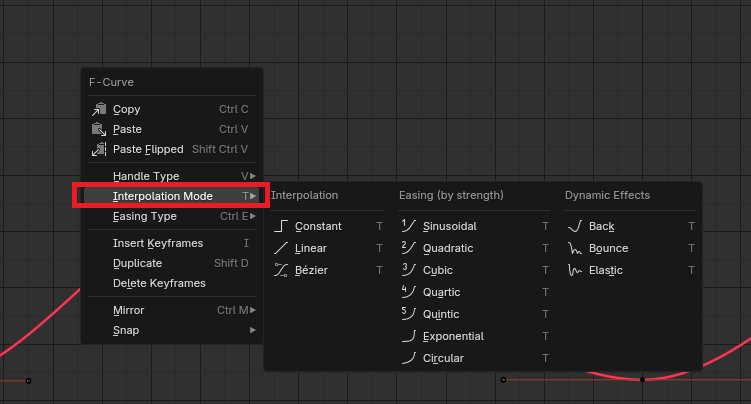
So first I'd like to bring Unity's Graph as an example of what I wanted to request: In Unity by right-clicking the keyframe either in the dopesheet or the graph editor you can choose wether you want to change the interpolation mode towards the left or the right of the keyframe. Where in Blender it always assumes It's towards the RIGHT and affects BOTH the seleted and the next keyframes.
Blender:
Unity:
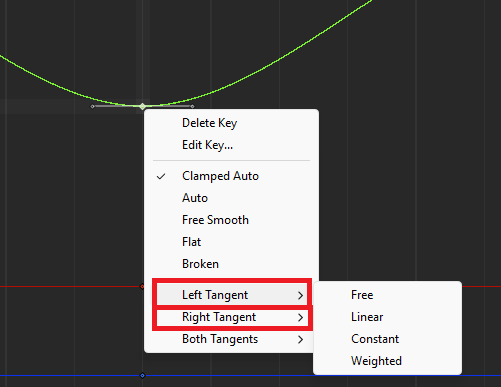
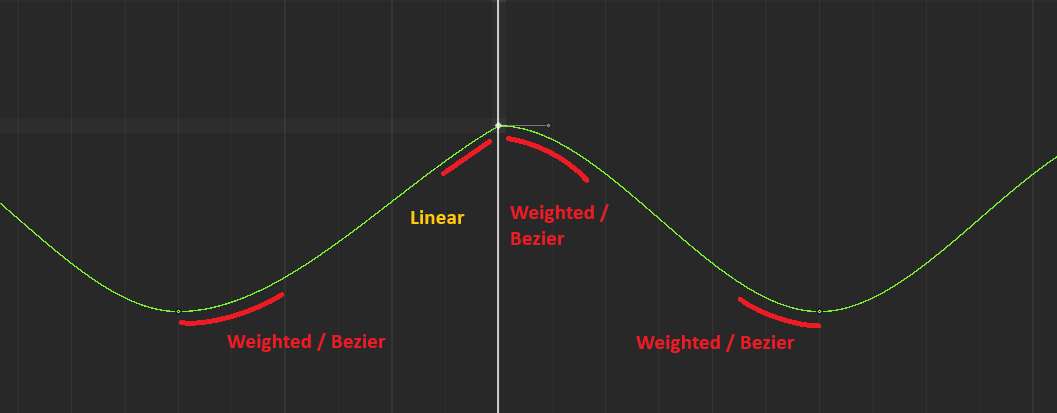
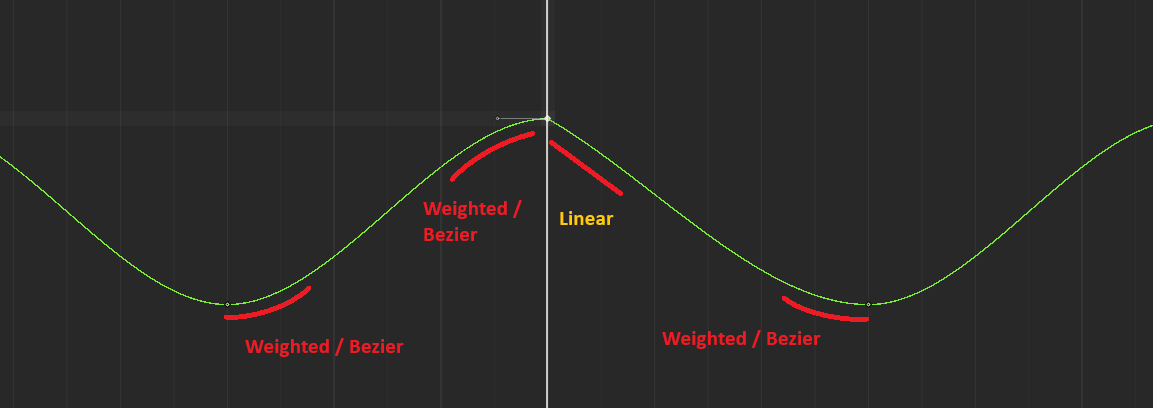
This distinction within Unity allows me to have these two results:
Left:
Right:
Whereas in Blender the result will always be this:
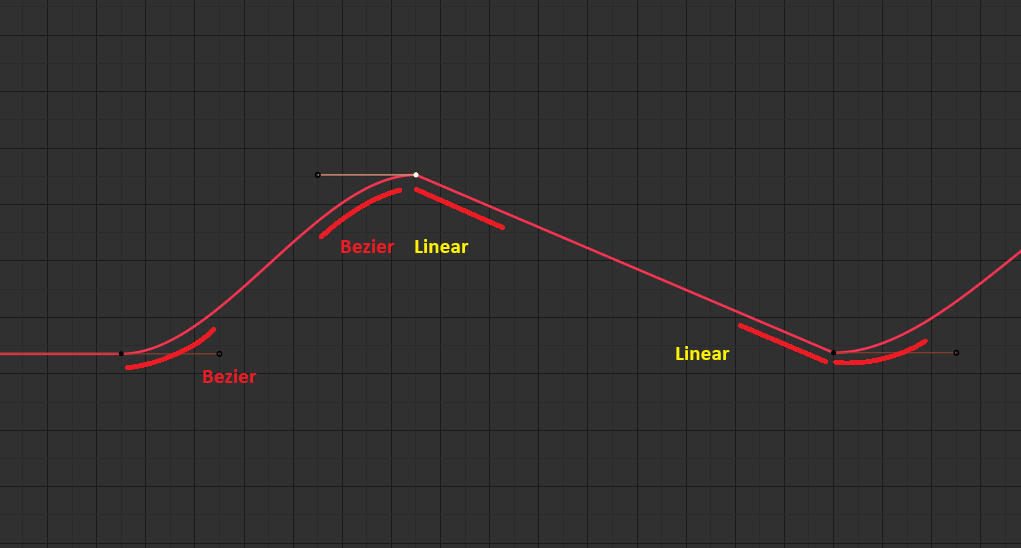
So, this touches on what Pablo found during live which is that it also doesn't matter if you do it by selecting the keyframe and right-clicking or if you use the shortcut T which says "Set Keyframe Interpolation" it ALWAYS include the entire curve and does affect the left tangent of the next keyframe.
So the bug makes it impossible to set the Interpolation without interfering with the next frame. However, the nature of this also means that even with the bug fixed, there would still be no straight-forward way to acquire the "Left" result seen in Unity unless you manually change the Handle to free and position the left handle by hand which comes with it's own set of future and workflow problems without the requested feature.
Thanks everyone. See you all next time.
2 Comments
For context: this is the blender today video, the relevant part is around 1:12 youtube.com/watch
Pablo misunderstood, if you have 3 keys and you select 1 and 2 then the interpolation will be changed for the complete animation. That is because (as you correctly state) the interpolation is always from the key to the right.
Now I do agree, it would be nice to set the interpolation on each handle independently. However I think this will be a lot of work since this assumption on how the interpolation mode is interpreted can be spread throughout blender. I don't think we will get to that anytime soon.
I have to add though, you can always keep your animation in spline and adjust the handles. Just press
Vin the Graph Editor with either keys or handles selectedI just created a fix that should make that work even better: projects.blender.org/blender/blender/pulls/149069