
Decouple Denoising from Rendering
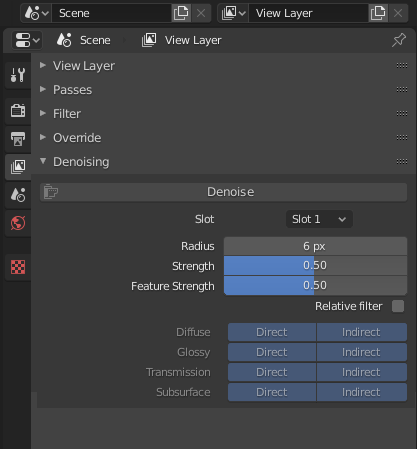
When using the denioser currently you have to actually render the image in order to get it to work, so if you render something without denoising, in order to denoise it with the internal denoiser you have to re-render the image. It would be much more user friendly if the denoiser was a separate process that can be applied after rendering.
Not only would this mean you can denoise a render afterwards if you forgot to turn it on or decide spontaneously, but you can also compare different denoising settings much faster without having to render.
This is already possible using OIDN and I believe it is also possible with the internal denoiser through code by providing paths to rendered .exr files. I would suggest modifying the denoising process to be similar to baking from a UI standpoint.

You could choose the render slot which will be denoised and press a button to start the process, which would add a "Noisy Image" pass to the renderlayer and denoise the combined pass while showing the progress in the image viewer as each tile gets denoised.
When denoising is applied a second time with different settings, it discards the previous result, takes the noisy image pass and repeats the process.
This could also allow for denoising exr files by adding a toggle to choose between either a render slot or an image file, the latter of which would reveal a text box for the input and output file paths.
11 Comments
Just out of curiosity, would it make sense to make a denoise node in the compositor to handle this? Or is denoising so intrinsic to the render process that it shouldn't be part of a larger node network?
* @Jason van Gumster * That is definitely the way it should be done, then denoising could be tweaked in realtime, and even have it's parameters animated when denoising footage.
All of the render passes it needs to denoise should be automatically saved to a multilayer 32bit exr when the user ticks denoising in the render options, and then that would be plugged into the denoiser nodes data input, whilst the image goes into the image input.
* @tibbyninja * I like the idea of having a denoising node, but I dislike the idea of having to open up compositor and hook it up for EVERY render I do, whether I have other compositing needs beyond denoising or not.
* @testure * I don't see why that's such an issue. It's not like your traversing a huge gap to get there. It's all integrated in the same application regardless.
* @Jason van Gumster * Fair enough, but imagine if the default cube didn't render unless you first set up a basic material node network manually first. It's not hard work, just drag out a principle shader and connect it. It's all integrated into the same application after all. The reality is that it's a time consuming paper cut. most people using the denoiser leave it on all the time because they're doing test-renders with low samples. I'd argue that people doing final renders with the denoiser enabled are more of an edge case.
* @testure * the denoise checkbox could automatically hook up the denoiser node, and create a file node to save out denoised and non denoised renders, and enable the compositor if necessary. It could even set up the node with the user specifiable default denoise settings.
This would mean that unless you wanted to tweak the values of the denoiser, the user experience would appear the same, whilst it would also enable people to render once, and then tweak the denoiser settings as many times as necessary without having to re-render each time to see if the new settings worked.
* @tibbyninja * yeah, that's more or less what i was getting at- that's a good solution.
Just tried out 2.81 and it's already in there as a node in the compositor. I haven't tried it yet, but it uses a different denoiser than blender's own. It only requires image, albedo and normal, so I doubt it will be as good as blender's own denoiser (which I think used around 5 or 6 different types of passes + it enabled you to select to denoise either direct or indirect which was great for keeping texture details).
Hopefully they'll convert blender's denoiser to a node to replace this new one....although perhaps when I try it I'll be amazed...
This is how vRay handles its denoising and it's much more friendly for compositing etc. especially outside of the blender compositor (NUKE/Fusion). Having it be destructive is an issue.
There is a BoneStudio blender build on graphicall that uses OIDN in the compositor as a node which is pretty much the ideal way to handle it.
Agree with separate denoising, disagree with the exr method. When you render many sequences containing thousands of frames each, exr is almost the least practical way to handle it. I hear what you say about access, but if coded it doesn't have to be accessed that way. Blender already has a tendency to fill the temp folder with old projects with it's auto-save and recovery (which I am certainly not complaining about) - adding exr's to the mix is just not good. Just like any render, or external image or sequence's actual processing, it has to be separate from file storage.
* @Marius * if it doesnt store it externally then you wouldnt be able to edit the values after closing and re-opening blender, unless the render passes the denoiser needs were stored in the file, but this would cause the file size to become massive on large animations. undo's and file saving would also become extremely slow.
I'm not sure which passes the denoiser uses internally, but perhaps some of them don't need to be 32 bit or have alpha data, so some might be able to be stored in a less memory intense format such as jpg. They should be saved to a user specified location in the project folder though rather than the temp file, so they can be backed up with the project in case amendments to the denoising values are needed