
Proposal for automatic incorporation of popular keyboard shortcut lists in the Blender Video Sequence Editor
I would like to make a proposal for consideration in the "UI / UX" area of Blender's VSE, now that we are in the process of the Code Quest
The proposal is to implement in the VSE the list of keyboard shortcuts most common among the popular editing programs in the last 20 years, as it has been AVID Media Composer, Media 100, Adobe Premiere, Final Cut Pro, and now also DaVinci Resolve, in its video editing function.
In the same way that keyboard shortcuts are very useful for modeling, animating or for any of the ways of working in Blender, as for video editing, keyboard shortcuts are, even, much more important than the interface, because When editing the video, concepts such as Rhythm, composition in movement, continuity, are perceived efficiently the less it stops. In this sense, using the mouse to access the buttons, tabs, the interface, to navigate the timeline or modify clips is an obstruction in the human / program interaction, which results in alteration of the perception of time, and therefore, it affects the notion of the rhythm of the edited video. This is something that is known, even, long before the era of computer-aided editing, and technological change has not changed this paradigm.
In this regard, the manufacturers of editing programs, for 20 years chose to "Share" the list of buttons for navigation commands from the keyboard standard, and this, apparently, did not produce copyright problems , as it is a list of keys, I promise to investigate this better and report any news about it.
The first one to design a list of efficient keyboard shortcuts was AVID. and it was copied by Adobe in Premiere 4. Then Media 100 also used the AVID keyboard shortcuts, then Final Cut also incorporated them into its interface, and then Premiere Pro ratified them. And now DaVinci Resolve also uses them. So this list of keyboard shortcuts is well known to professional editors, who could look more closely at Blender for Editing by having a familiar way of manipulating it. In this way, professional editors could be incorporated into the workflows of animation projects without leaving Blender.
As a reference, in GITHUB is this first approach of configuring the interface as Final Cut:
github.com/cerebrux/Blender-NLE
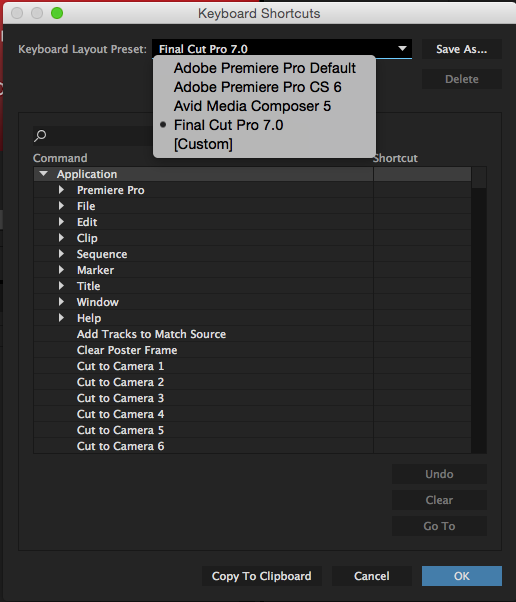
However, in my opinion, rather than making the interface friendly, the effort should be better oriented to have the possibility to configure the list of keyboard shortcuts as the most popular programs:
This is the proposal, hopefully has support from the majority, for the common good and to improve the incorporation of editors to work with Blender. ___________________________________________________________ Update / Apostilles: "Listings of Shortcuts of popular video editing programs"
Premiere 2017:
makeawebsitehub.com/adobe-premiere-pro-keyboard-shortcuts-cheat-sheet/
Final Cut Pro 7:
nobledesktop.com/shortcuts/finalcut7/mac
artsites.ucsc.edu/faculty/gustafson/film170b.w12/FCP%20keyboard%20shortcuts.PDF
AVID Media Composer:
resources.avid.com/SupportFiles/attach/Keyboard%20Shortcuts.pdf
DaVinci Resolve 14:
logickeyboard.com/shortcut/RES142017.html
However, as you can see, most of these keyboard configurations choose to coincide in that the keys J, K, L, are, respectively, rewind, Stop, play, and if they are pressed two or three times they represent high-speed reproduction. and if they are pressed further with Shift then they reproduce at low speed (Slow motion).
In all editing programs, the spacebar is used to play or stop forward playback.
In the majority, combining the option key (Mac) with "J" opens the clip's speed variation menu (Accelerate, reheat, strobe)
In most programs, the F9, F10 keys are used to represent the two modes of automatic insertion of clips from the basket or project window to the playback time line. These two modes are
Assemble: enter the clip in the time line replacing what is already there without changing position in time.
Insert: enter the clip in the timeline, and although it replaces what already occupies the selected place, the new clip 'pushes forward' all subsequent clips in the edit.
These concepts come from the 'linear' editing stage that was carried out between two video VTRs (Player, Recorder), and the editing was done step by step on a blank tape in the Recorder, still used in TV Broadcast, both in equipment that uses magnetic support for digital video (HDCAM, Betacam Digital), as in non-linear editing programs designed for TV editors to develop affinity with operability in the editing program interface.
It should be noted that, at present, most of the popular editing programs allow the user to choose their own keystroke combination (AVID, Final Cut Pro, DaVinci Resolve, Lightworks)
0 Comments