
Vertex groups weight control improvement
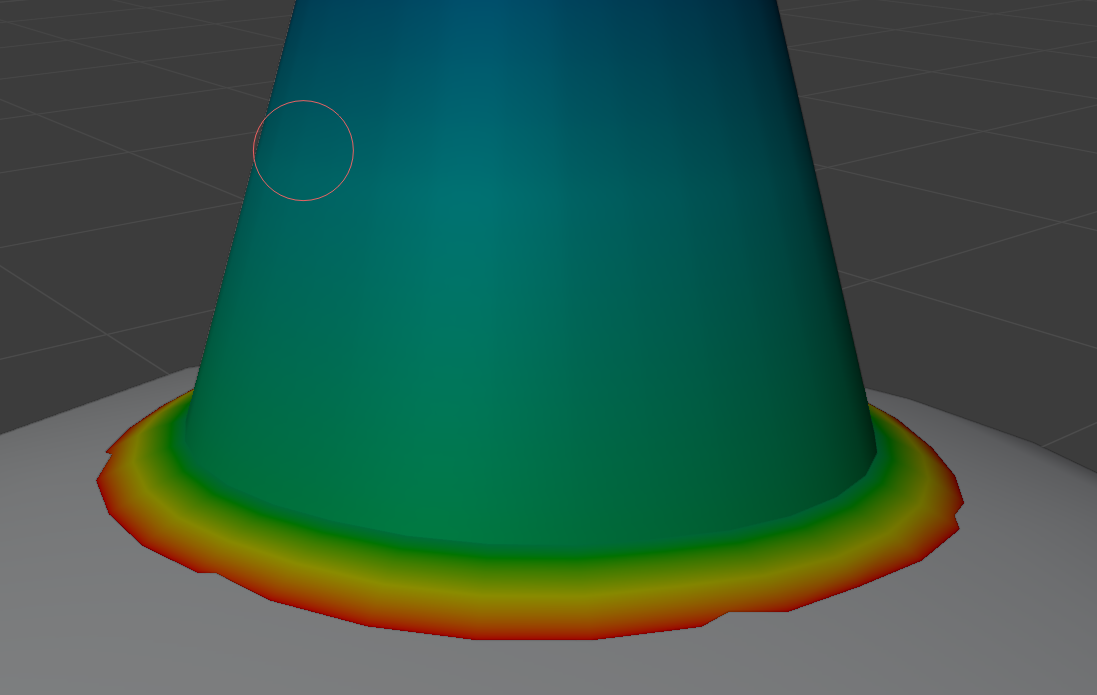
Vertex group section should be used for better weight control. Right now the only place one may see vertex group weights is by switching to Weight paint mode(see pic)
The weight itself should be displayed in Vertex Groups section of Object data tab.
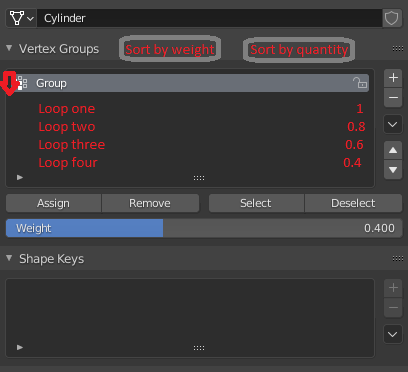
Live example. I have 4 loops asigned as vertex group. I provide each of them with weight of 1|0.8|0.6|0.4, but Vertex Group section only show the weight that was asigned last. In this case 0.4. To optimize this process i offer to display weight of the selected loop in this section. When i select loop that has 0.8 Weight parameter in this section should show me the asigned weight of the selected loop. As an alternative created vertex group should become a drop down menu that will expand and show all loops with different weights, with ability to sort them by weight or by quantity with specified weight(see pic)
Sorry if it sounds raw, i am 6 month into blender. Cheers.
2 Comments
That's wrong.
Thats what the spreadsheet is for. 'Show only on selected' => then you can select the verts/loops you want to inspect. If you need to see the exact indices you can turn on 'indices' in the overlay menu.