
Crop Reference Image
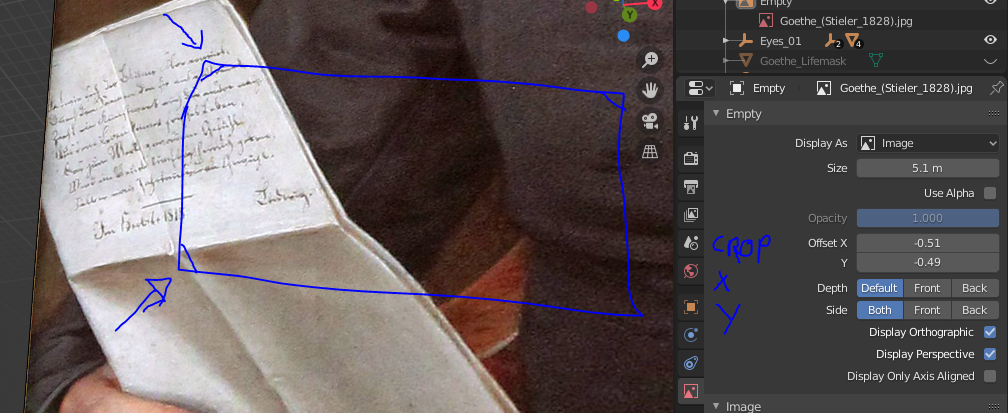
The new reference image import is a great feature and it very flexible for an artist to work. Today I imported a reference image and I only wanted a specific part of the image. For that you still have to switch to a picture edit program which was kind of annoying in the flow of work. I also now that there are workarounds for this with a normal image plane, but I think it would be better to have it directly in the new reference image function. So can someone please include a Crop Funktion? ;)
I know sombody asked for a crop function in generell, but I thought it is maybe worth it to bring this up again directly for the referenced image: blender.community/c/rightclickselect/yLdbbc/
3 Comments
ABSOLUTELY. I needed this just yesterday, with a Front&Profile model sheet. I could separate them, but that is inconvenient. Cropping within Blender would be far better.
I'm going to make the same proposal. Google Presentations has a way of doing it interactively that seems very intuitive to me, with a double click on the image it enters the crop editing mode, in Blender it could be tab tabulator key.
In the meantime you can use import images as planes addon (activate it in preferences), it will import image on uvmapped plane with image set as material, then you can enter edit mode and trim plane with edgeloops and delete unwanted faces