
Dimensions tab currently missing from Transformation in Properties Editor sidebar
So I am a Blender noob. I watched the Fundamentals tutorials and did the modeling tutorial where you create an owl using the covered fundamentals.
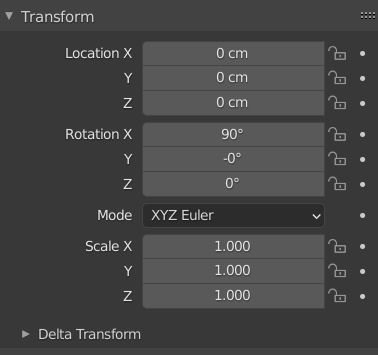
The following day I imported a mesh I'd downloaded from Tubosquid. I wanted to resize it to exactly 1m * 1m * 2m so in the Modeling Layout I selected the object then went to the Object Properties in the Properties Editor window in the bottom right of the screen; but dimensions weren't there...
I scrambled my brain trying to find dimensions over the next 20mins before giving up and Googling "Blender Discord" and finding the Open VFX: The Blender Hub. I submitted screenshots in the general help section asking why it wasn't there. I was told that dimensions would not display if I was in Editor mode or if selecting something that isn't a mesh. Well it was definitely a mesh and I was in Object mode, so I was still scratching my head wondering what to do. Finally I found a web article saying to highlight the object and press the N key. I did that and there you have it: Dimensions.
Now I do believe the N key was mentioned in the Interface Overview video and I just hadn't retained it. However, I can't help but wonder how many other new users have been left puzzled over this. I believe a lot of unnecessary headache would be avoided by just having Dimensions in the Properties Editor panel. Some of you who are familiar with Blender and other 3D software might dismiss this as unnecessary. To that I would say, you've forgotten what it's like to learn from scratch. This change, in my opinion, would make Blender much more user friendly for beginners.
3 Comments
There's a work in progress patch here: developer.blender.org/D8681
New user here. Chatgpt helping me along is all, "Its right there!" Nope, its scrapped old data and giving out of date information. So I google it, and result is, "Press n!" Sure enough, but why the heck isnt it under the item properties?! Quick menus are glorious, love it, but if I want to flip through the HUNDREDS of sub menus to edit a property, and its going to have 95 things I will never use, please at least let it have the ONE I am looking for. Setting an items exact dimensions must be shown with an items properties. This cannot be skimped on as it is a necessary core component of working with objects. Deleting the object and readding it with new dimensions is the only other option if you are unfamiliar with the N menu key.
This among other things is why for a long time I just left the N panel closed. It pissed me off to look at it and know these annoyances were in there.