
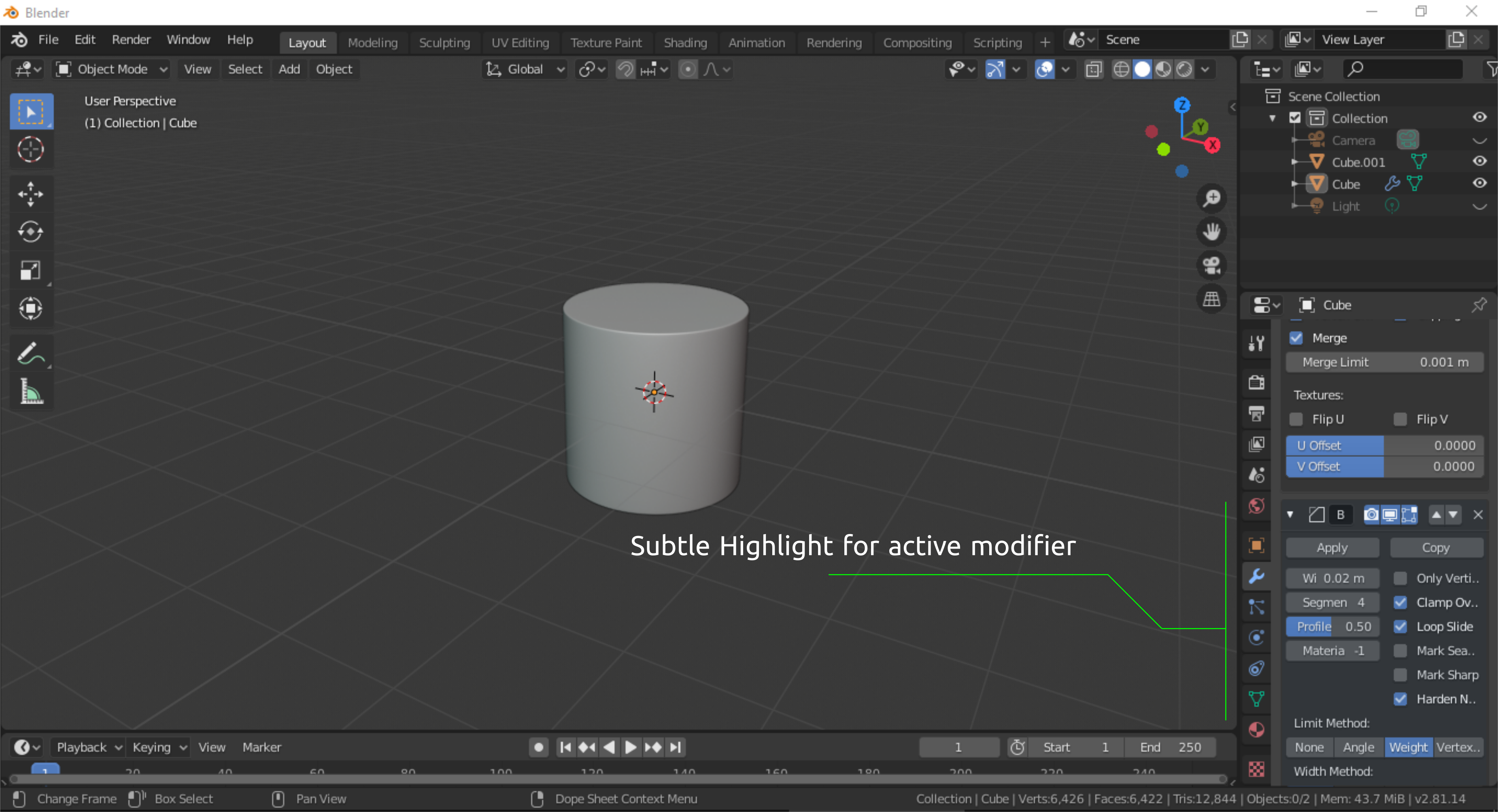
Subtle highlight for the currently selected modifier.
Hello guys. I would like to propose a new UI feature that would highlight the currently selected modifier in the modifiers properties.
Basic advantages:
-Better modifier UI visibility.
-Easier tracking of a modifier that are being moved or inserted.
Thanks.
8 Comments
There is no such thing like selected nor active modifier.
afaik there will be no improvements in modifier UI until they got some major overhaul
Untill then You can use modifier list addon.
* @Pawel Piotrowski * I am not sure of what you mean that there is no such thing as selected. Probably you just perceive it as not being selected because mainly for the reason that currently there is no highlighting functionality in the modifiers. That might be the case where your are stating that there is no selection in the modifiers editor. It is like we are rejecting the fact that there is such a thing as clicking/touching. A reason for it to not be recognized as a form of selection is because blender doesn't have a highlight functionality for the selected/recently selected modifiers.
The scenario would be similar to working on the edit mode vertexes without having any kind of highlights to the selected/active elements.
this is off-topic, but OMG, WHY is the Ubuntu font so popular, this is insane
* @meutzitzu * Probably because it looks good.
As far as I know, there's no concept of an active modifier in Blender. Any modifier can affect your model at any time.
Do you just want to highlight the modifier block while you're adjusting values when your mouse cursor is already there? I'm not sure I'm understanding the utility of that.
* @Jason van Gumster * I think active modifier is not the right term to use, what I mean is the currently selected modifier. This will be helpful especially when there are a lot of modifiers being used. Tracking a modifier will be much easier when trying to move it around/changing the orders of specific modifiers.
Doing this task in blender currently is a little challenging. Some modifiers look the same and when you move a modifier up or down the order, the user will have to scroll manually to follow the modifier that was moved. The modifiers looks exactly Identical, adding to it that it doesn't have any visual highlights that would aid the user to minimize the additional work of tracking when doing some arrangements/adjustments in the editor.
But there are few levels of " activeness" for modifiers, so we have few buttons for this.
* @IIIFGIII * What I mean with active is currently selected modifier and not necessarily technically being active/currently used.