
Move and Tweak
Coming from Softimage and Silo I've found the need for a Tweak Tool ( this is how Silo calls it )
So: When you want to translate a vertice or other element in edit mode you could do it with the arrows ( directions ) or with G in blender but there was another way .
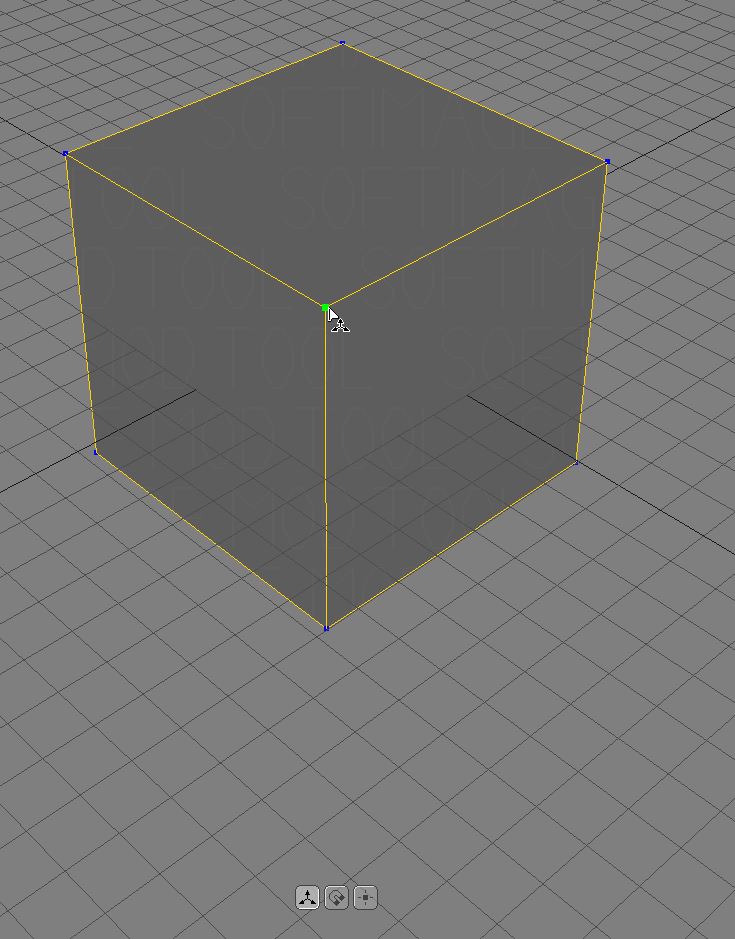
In Silo when you Hold-down CTRL the tool becomes this Tweak Tool that moves the elements in View Mode and it's very Intuitive.
This tool I've found it in Softimage when you press M, and I remember that Maya put it in after the Softimage kill . :(
So, can we have something like this is Blender 2.8 ? a Tweak tool
A link for some animated gifs to represent the tool in Silo and Softimage .
14 Comments
Maybe these videos are explaining better than me :) .
youtube.com/watch
youtube.com/watch
I think the tool in Silo does multiple things at once .
First : When you activate it and move the mouse pointer towards the vertex or the edge it snaps there ( something like lazy mouse in Modo ) Maya has something like this too i think . You don't have to be with the mouse pointer over the vertex to highlight the vertex
Second: When the vertex is highlighted and move the mouse slightly the transform begins so it's very responsive . And as I said because of " First Step " the tool feels very intuitive
Third: Yes it sets the axis to the view, and moves the element in view mode .
@giakaama: If that's the case, then the responsiveness is a visual trick due to the feedback you get from preselection highlighting and cursor snapping. Otherwise, it sounds like it behaves like what's currently there.
@Jason van Gumster: Probably, but I thought that we can give suggestions on how to do Blender Better, Try the tool, download Silo Demo :) it's free and try it maybe you'll figure out the behavior better than me .
From my point of view the tool behaves immensely better then what grab/tweak does .
@giakaama: Right... but the point here is to sort out "how" and what way it might be doable within the context of Blender's workflow. What it seems is that this proposal isn't really about the tweak operator at all. It's really about preselection highlighting.
@Jason van Gumster: I don't think it's about that, and words can only express so much.
So if you are really curious of experiment with the tweak tool try using it in Silo, Maya, XSI etc and U'll see that the preselection highlighting has nothing to do with the tool .
Anyway too many words have been wasted here :) . If you are really curious then try the tool it's really awesome, and I really hope maybe someday Blender will have it .
Click+hold, drag, move any element. I do miss that....
@ondraise15: I'm not sure I understand. Blender's tweak grab already does this. With the default keymap (pre-2.8), RMB+drag on a vertex and you're immediately transforming that selection.
@Jason van Gumster: Yes the grab already does that, but it's not that snappy as the Tweak tool in Silo or Softimage was . It still feels like a Translate . I know I base this on feelings but ... try a demo of said applications and try the tweak tool there . It's very responsive .
@giakaama: I'm afraid you're going to have to be more specific than that. Is the drag distance shorter? Is it more responsive after dragging? How are you quantifying "more responsive"?
@Jason van Gumster: _ " In Silo when you Hold-down CTRL the tool becomes this Tweak Tool that moves the elements in View Mode and it's very Intuitive. "_
It seems he ask for quick access to " View Transform Orientation " transforms with holding
Ctrlwhile pressingGto start transform or start it by just mouse.But it's already " Screen Aligned " if user don't set any axis constraint during transform or snap to something...
@Jason van Gumster: I suppose the responsiveness is also somewhat similar to the highlighting of Face/Edge/Vertice elements. You don't have to wait for Blender to "select" correctly then move. there is a slight millisecond and the lack highlight doesn't tell you what you're going to move.. because there is no highlight. So sometimes you will click something to move, be the wrong thing, so you have to subconsciously wait till it's selected before moving securely. A Highlight is the only difference to Blender in a way, and maybe optimization - but essentially you just need a highlight to then click/move. Blender can be unpredictable on click/move workflows because any click could go anywhere - specially on see through mode. I don't want to click to highlight, then click again to then move to make sure I have the right selection on move. The function is there, the practicality is not.
@ondraise15: Right. So really, this isn't about tweak mode at all. It's really a duplicate of this preselection highlighting proposal .
@Jason van Gumster: Pretty much at the root of it all, correct.