
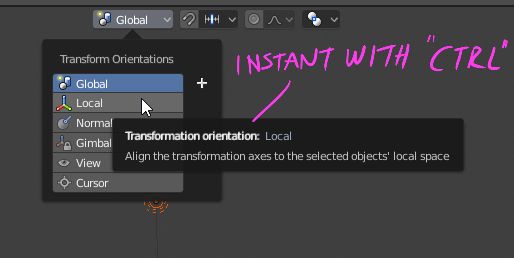
Instant tooltip with ctrl
Tooltips should show up directly when hovering over them with the mouse if the user is holding down the "ctrl" key.
This would make it really fast to learn more about the different UI widgets and operators. This instant tooltip feature can be found in both ZBrush and Houdini, so it would make sense to use the same key so that those users will learn Blender more easily.
8 Comments
tooltips belong in the status bar
@othoap: I agree, the less things pop when you move your mouse, the better it is.
How would this work along side with Blender's current hover <kbd>Ctrl</kbd>+<kbd>C</kbd> and <kbd>Ctrl</kbd>+<kbd>V</kbd> copying and pasting of fields? It would be pretty annoying to see tooltips pop up every time I want to copy and paste.
@Jason van Gumster: Ma ybe with ALT ?
@Jason van Gumster: That's true. Another hotkey would work just as well. Instant tooltips would be nice though
You guys are aware that when Tooltips are disabled in the User Preferences, holding <kbd>Alt</kbd> forces the tooltip to show up? That feature has been there for like ages.
@Pablo Vazquez: I actually wasn't aware of that (tooltips are too handy for me when cobbling together scripts, so I keep them enabled). Worth knowing, though.
YO this is nice !