
Face Loop and Ring Selection
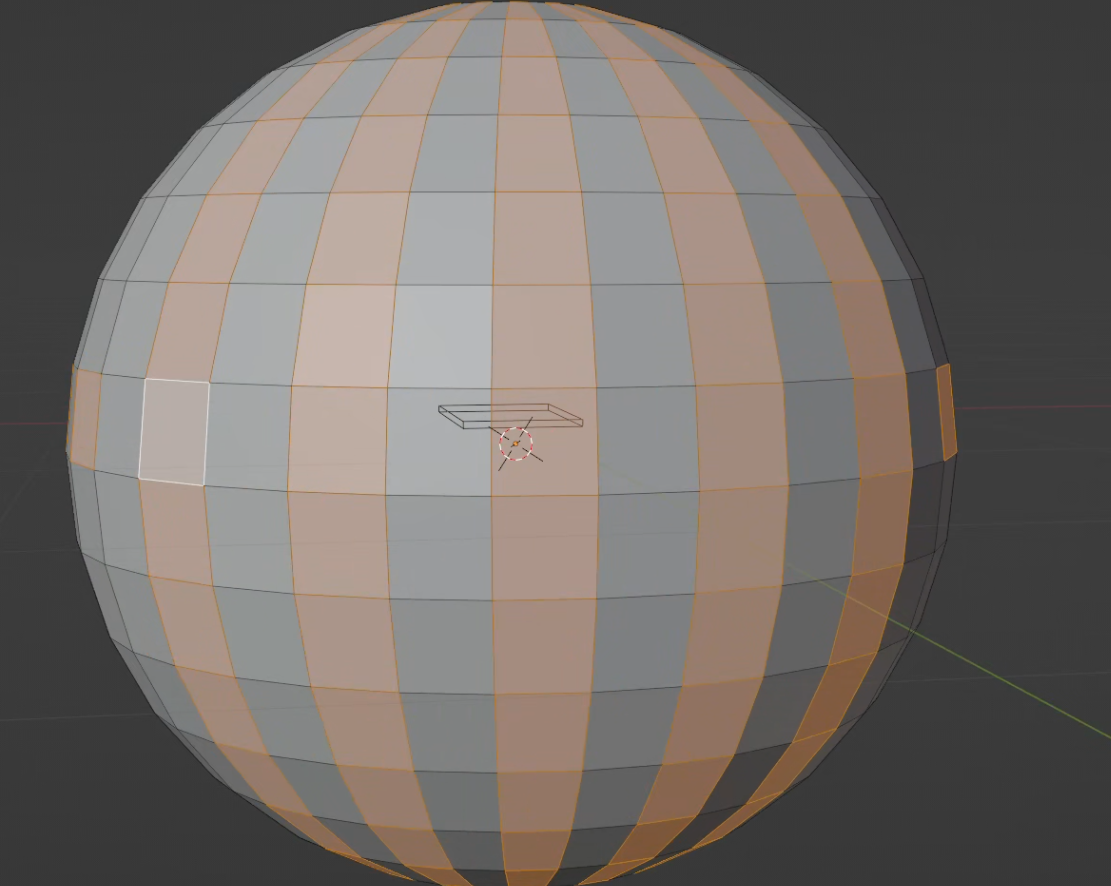
Hello Blender Community! I'm just dropping in with what I think could be a popular suggestion, but is there any way to use "select loops" and "select Rings" with face mode. The implementation in other software also allows for the growth of rings and edges without the full row.
This isn't a problem for edges mode, as they have plenty of available options. The face selection mode appears to not have this feature.
2 Comments
You can select a loop of faces by holding down Alt and click to select the loop of faces parallels to the closest edge from your mouse.
It works the same as in edge mode. Though edge mode also allows using Ctrl Alt similarly to select rings, while face mode doesn't. We also do miss a way to just additively add loops/rings of mesh without point-and-click.
docs.blender.org/manual/en/latest/modeling/meshes/selecting/loops.html