
Reduce steps for delete edge
When only edges are selected and you press X to delete, the menu should have "Edges" selected regardless of the previous deletion.
I selected a specific example but this should be a general rule. I'm fairly new and I apologize is there is a setting for this somewhere. But, when I delete an edge and then select a single face to delete, it's an extra step to then select "Face" from the menu. The system should know that you are only trying to delete a specific type.
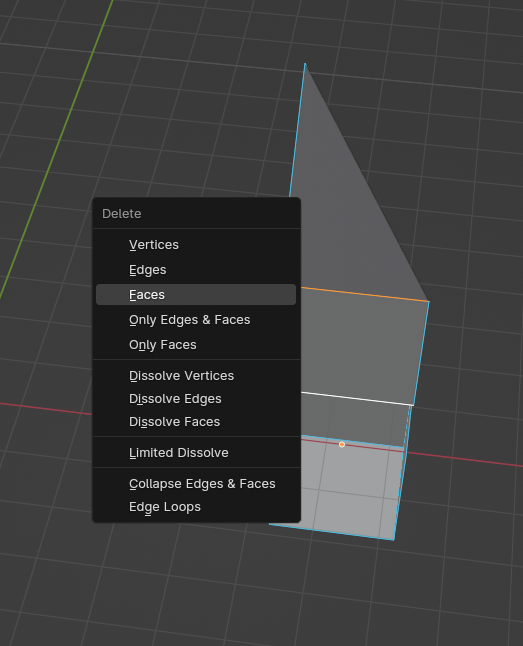
In the image below I have two edges selected when X is pressed, and because I had previously deleted a face the Faces option is highlighted. The suggestion is to have Edges highlighted.
2 Comments
yeah pita, it should be context sensitive and delete whatever its selected
Your proposal is already an option in Blender.... just not that you have to do yourself because of Blender's often head scratching design.
Go to Edit > Preferences > Keymap, then go down th the 3D View > Mesh section, and delete the delete menu, then scroll to the button, click on the button that says Add New.
Click on the little arrow to expand the new entry, and then in the identifier, type mesh.delete. Once it's in there, you can set the hotkey, and also set it to automatically delete Vertices, Edges, or Faces depending on the select mode.
You can create 3 entries; One for Vertex deletion, one for Edges, and one for Faces, and they are all context sensitive. Afterwards, assign them all to the X hotkey, or you can even create 3 more entries for the Delete hotkey.