
Move Side Panel! (Panel Lateral)
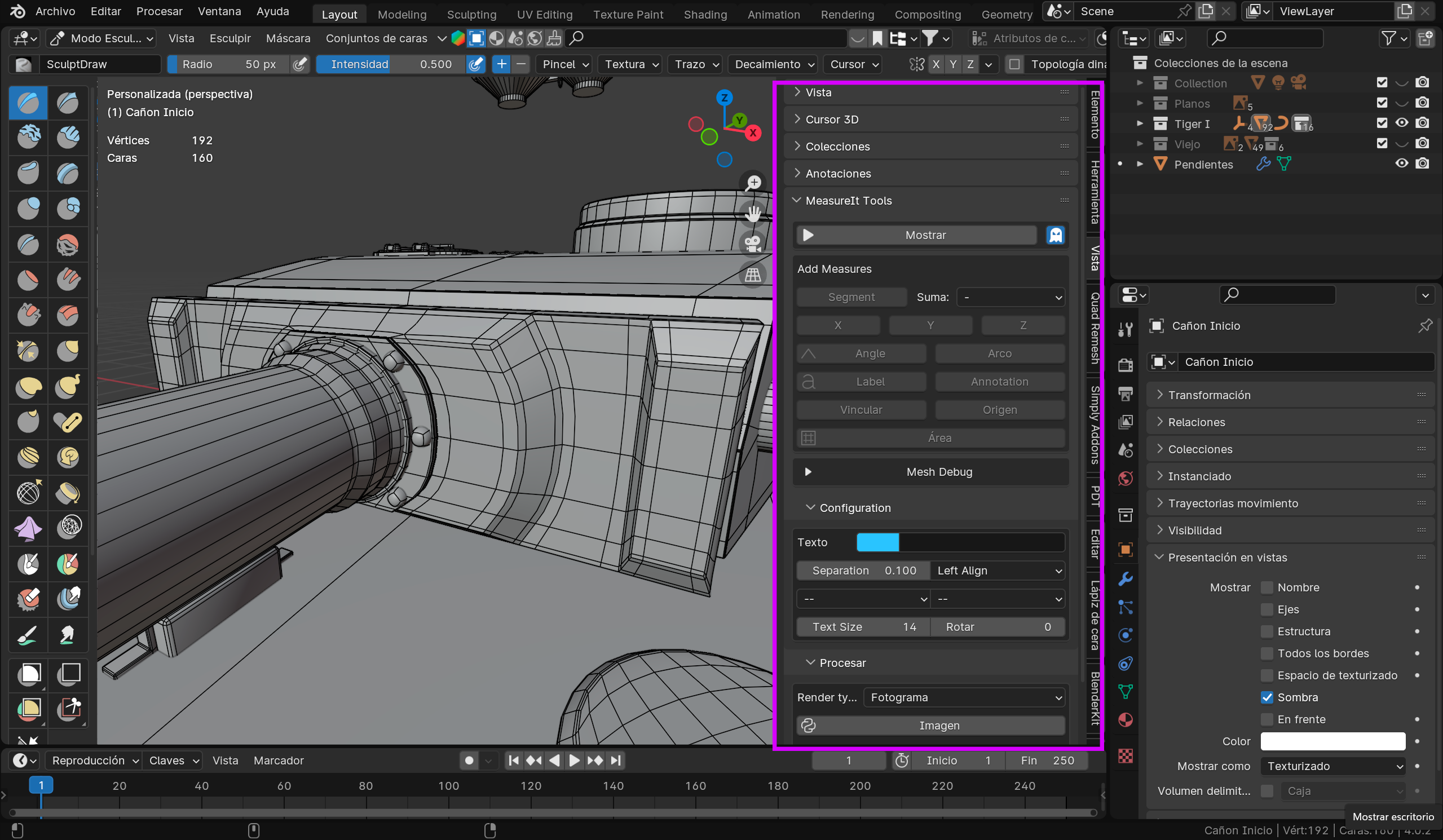
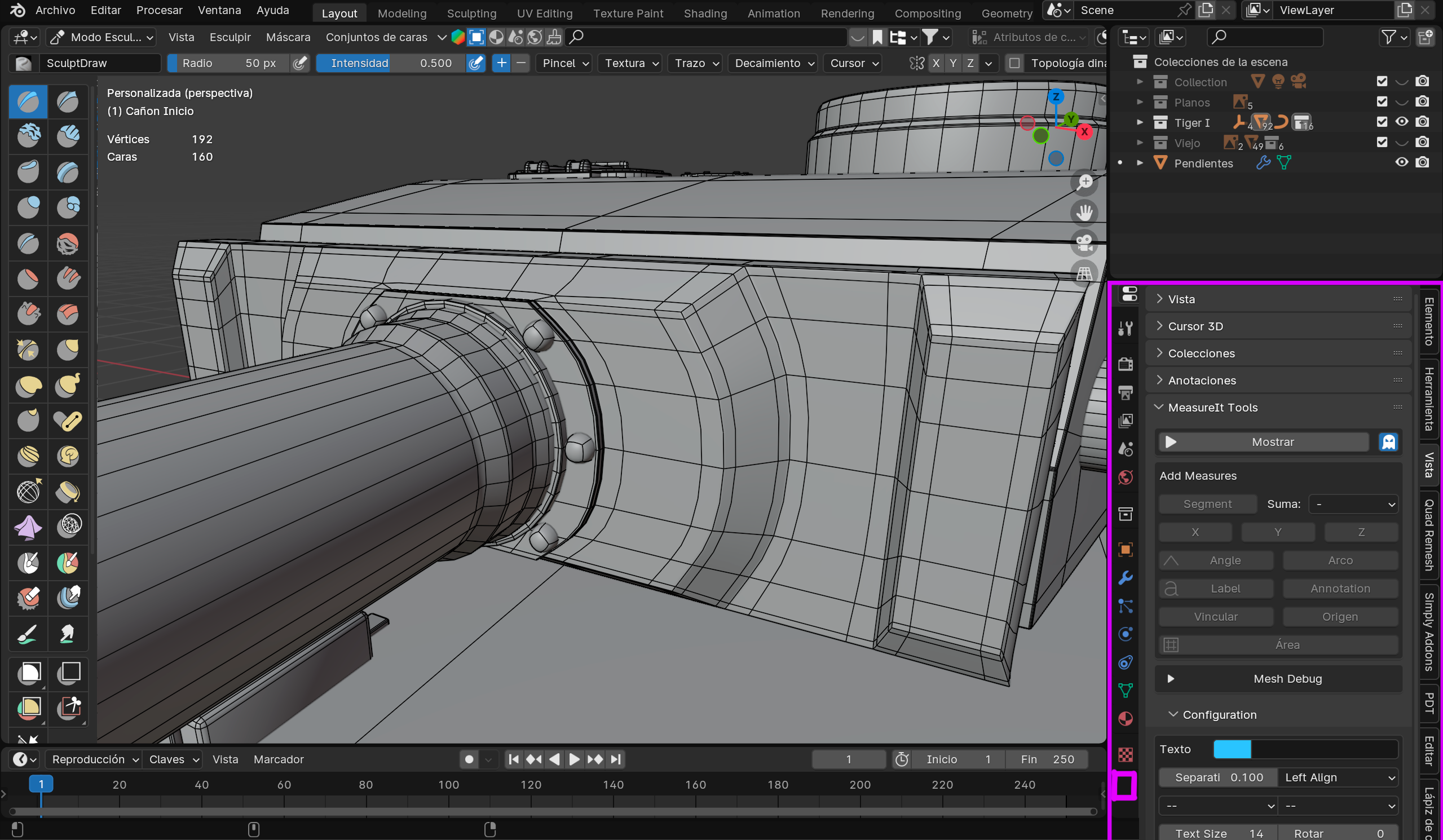
What do they say about moving the side panel from the 3D view to the preferences panel? It's annoying and takes up a lot of space. Does anyone know how I could move it myself?
Español:
Que dicen de mover el panel lateral de la vista 3D al panel de preferencias?. Es molesto y ocupa mucho espacio
Alguien sabe como podría moverlo yo mismo?
2 Comments
I thought about this a lot myself. Here are the complications: Many of the options on the side panel are for that particular editor view. So if you have 4 different editors in the same workspace, which side panel will show in the properties panel? (it's properties not preferences). The side panels mix together options that operate over single editor views (eg. focal lens), across workspaces (active tool) and across the entire app (3D Cursor), and also options relating to particular objects (so in practice, across the app), (mirror). Blender devs could separate out options which are across workspaces/app and place them in a properties panel (indeed, the current tool, mirror options and auto merge are already there) and leave the editor view options within the editor, perhaps as buttons on the header. I personally would favour this. Note that you can move most of the stuff from the side panel into a properties panel yourself, either with python scripts or an addon like pie menu editor, but you can't move the transform panel as it is c++, not python (a transform panel is already on the object tab of the properties editor but not the mesh transform panel). You can only add the side panel material onto one of the existing tabs. Creating new tabs in properties also requires c++ coding. If you don't script, I would advise using pie menu editor. However, you won't be able to just move the entire side panel into the properties with its own tab, unfortunately. It will be a piecemeal process, it will be messy and limited. And, worst of all, it may create stability issues. And to be clear, Pie Menu Editor is only a python scripting tool; it can't do anything that can't be done using scripts. It just simplifies the scripting process for non-scripers like myself.
Thanks for such a good answer. What I am saying (I don't know if you will also agree) is that the workflow is not at all comfortable in full screen, for example: when trying to access the list to try to show and hide objects, to adjust materials or add a new one, to modifiers and all the options found in the properties. I understand that they are panels with different functions but it is not as comfortable to work as it would be, for example, in Photoshop. Perhaps a solution would be panels that can be attached.
Español: Gracias por tan buena respuesta. Lo que digo (no sé si también estarás de acuerdo) es que en el flujo de trabajo no es nada comodo en pantalla completa, ejemplo: al intentar acceder al listado para intentar mostrar y ocultar objetos, para ajustar materiales o agregar uno nuevo, para modificadores y todas las opciones que se encuentran en las propiedades. Entiendo que son paneles con funciones distintas pero no es cómodo a la hora de trabajar como lo sería por ejemplo en Photoshop. Quizás una solución serian paneles que se puedan acoplar.