
Display a message when object has non-uniform scale
All Blender users very quickly learn that you need to "Apply Scale" when certain tools don't work the right way. However, there's nothing in Blender UI that tells them this, so they can only learn this by asking someone about it. They don't know the right questions to ask, either - their problem is that a tool (bevel, inset, etc) isn't working, and that doesn't seem to have anything to do with "applying scale" or "non-uniform scale" or whatever.
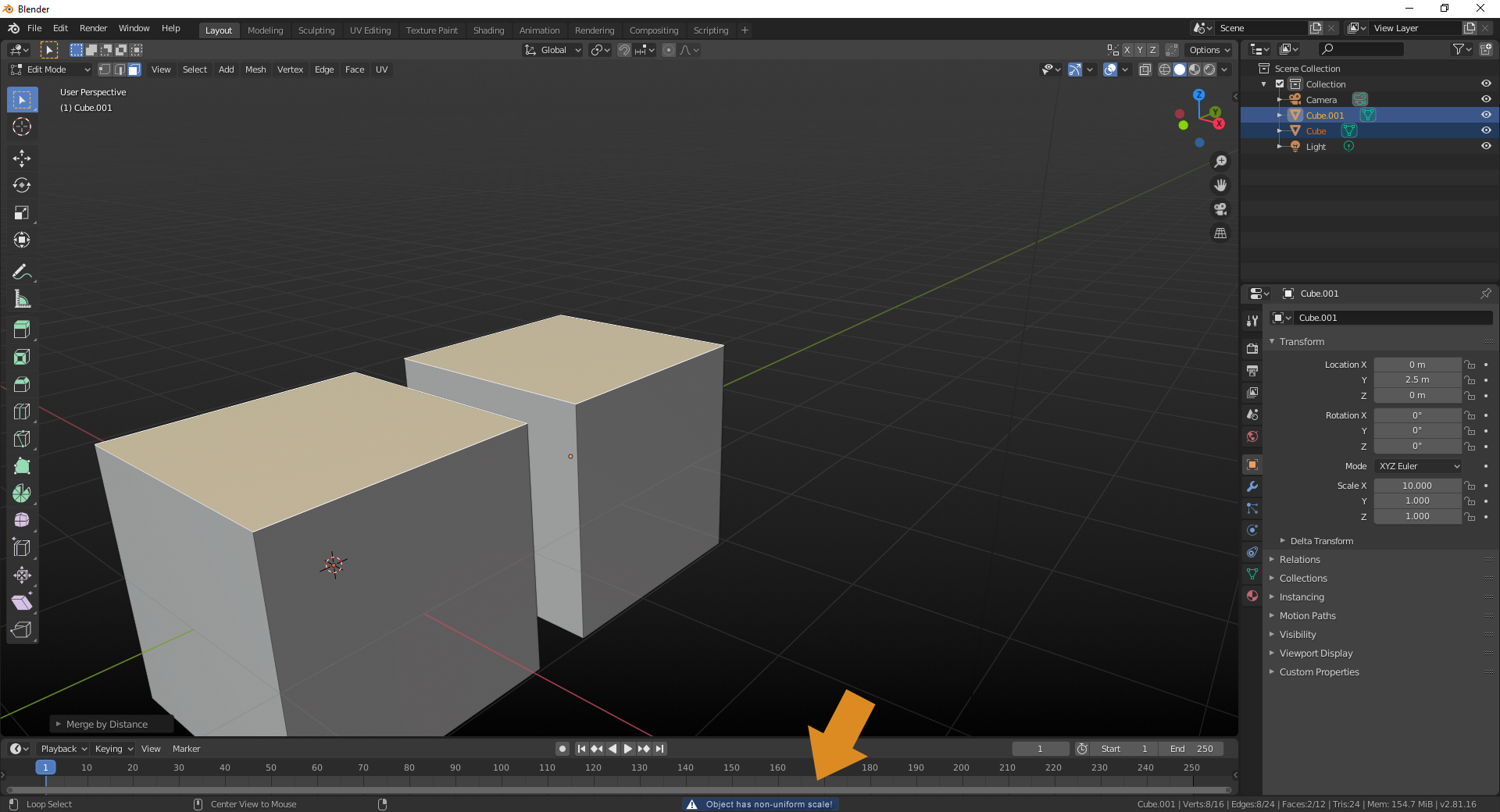
This could be easily fixed by showing a status message whenever the user enters Edit mode, and the object in question has non-uniform scale. In the screenshot below, the message was too long for the status message. I'm not sure if the message box size changes dynamically or not, so the actual message might have to be changed into something different.
If Selected object has non-uniform scale is too long to be seen at once, it'd be better to move the non-uniform scale part to the very beginning, so it, at least, is shown. So perhaps Non-uniform scale detected. If you want to gear this message more towards new users, the full message could be more informatinve, maybe something like "Non-uniform scale detected, Certain tools might give inconsistent results unless you use the Apply Scale command."
1 Comment
imo the better option is to have tools behave correctly when non-uniform scale is being used. I write a lot of addons and it's trivial to apply a temporary world matrix to a bmesh before operating on geometry, there's really no reason it can't work correctly for inset, bevel, etc.