
Add true kerning support to Blender text tool
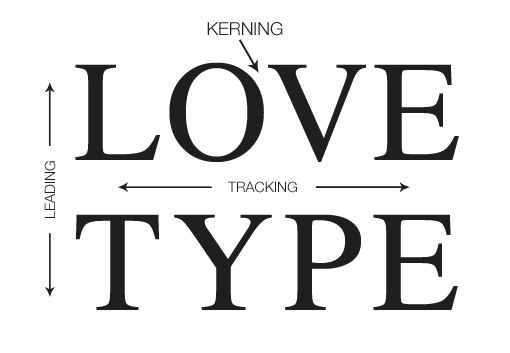
The historical standard for type layout includes options for kearning, tracking, and leading. It would be great if the Blender text tool could adopt these options.
Good news: they already have two of them. Blender calls tracking character spacing. Blender calls leading line spacing. This is great. We're just missing kearning. It's the ability to do non-destructive letter-by-letter spacing adjustments. It's a really common feature in most design apps and it would bring Blender up to industry standard tools.
10 Comments
Alt+Left arrow/Right arrow.....
* @TheRedWaxPolice * No way! I had no idea this existed, this is excellent!
* @TheRedWaxPolice * Blender always surprises me with how many features it has.
* @TheRedWaxPolice * this is amazing! I guess I just wish there was a way for people to discover this. This seems like an UI problem.
The ability to manually shift letters is great, but automatic kerning that you'd find anywhere else including this comment (AV) would be fantastic.
* @aaronfjerstad * That said, I'm glad you brought up that key combination. A lot of people probably don't know about it.
Oh that is interesting! So the distinction here: with kerning, one can shift/nudge a letter and the rest of the letters maintain their absolute postition?
This seems relatively simple to implement, but I'm wondering how we could improve the UI for per-character properties at the same time.
Blender already has a few per-character properties (bold, italic, underline, small caps) but editing them is extremely weird/non-obvious. As far as I know the only way to use these is to click on the bold/italic buttons in the properties panel while typing in edit mode. No other buttons in the property panel depend in being in edit mode to my knowledge. Additionally, it seems changing the properties is impossible without retyping the text.
Looking at inkscape it seems their UI is about the same actually, the main thing missing in blender is a way to apply settings to the selected text.
Do you know of a design application with a particularly solid UI in this area?
Have any of you found an automated solution to this? I have an external python script that prints all kerning pairs into a text file, but I still havent figured out a way of using that, because through a script you can only set the kerning value to be a positive number, not negative... docs.blender.org/api/current/bpy.types.TextCharacterFormat.html
Of course needs this command (and not just a short cut)! And needs also to rename the existing command with an accurate proper names...