
File browser Enter key to open selected folder
There are other complementary proposals about keyboard navigation in File Browser like Standard keyboard navigation in File Browser (PgUp, PgPown, Home, End) . I hope it will be possible to agregate/merge them in the new RCS.
Problem:
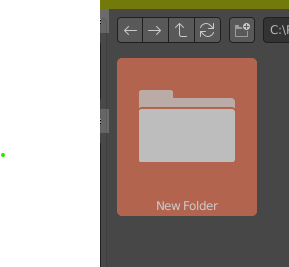
Creating a new folder and hiting Enter after name input deselects the folder and even if the folder is selected by hand you cannot open it by keyboard. Hiting Enter will instead confirm the Save operation for example. Needless to say that this is diffferent than any other file browser in os or apps.
The solution is of course to add/expose more standardized functionality to file browser. Thanks!
6 Comments
Yes it feels stupid when i create a folder to save my blender file and hit enter it doesn't save in the newly created folder, however we see that our folder is selected so we don't mind it and it creates an issue in file handling.
Also single click to open folder.
* @mrajendra2150 * I'd like to keep the standard single click for selection. Only some specialized users use single click to open files or folders.
* @Ge Ro * What is the use case of single select if we can do all by right clicking, however for others convenience it should be an optional feature.
I can't count how many times I saved a new blend file as untitled when I created a new folder for it first. It's a muscle memory to type a new folder name and hit enter twice to confirm and open it, so this would be welcomed.
* @Dest * Yes It happens to me and often I need to create 2 or 3 folders inside one another. I have this setup similar to windows explorer but the focus part is out of my control.