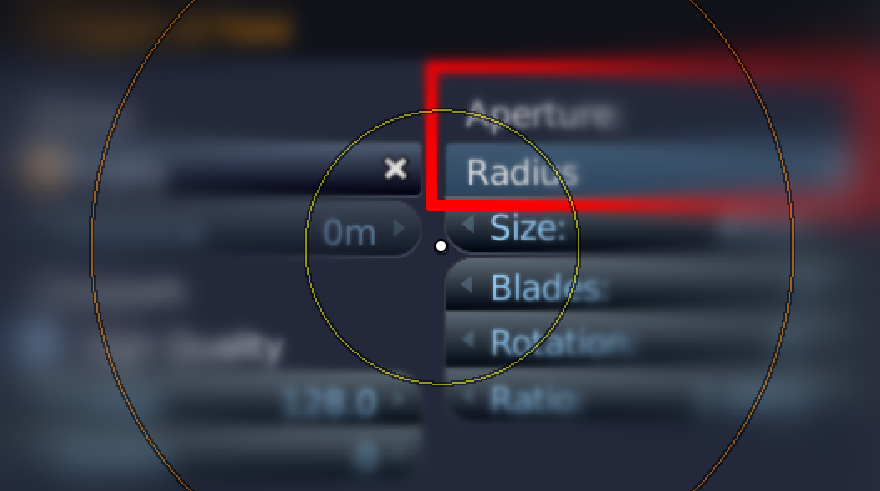
it would be really great if we would get back dof radius in the camera settings for 2.80
100%
Development Status:
Open
Upvote3Downvote0
h
hochberger
27 Jul 2019
10 Comments
J
Josephbburg
Isn't this the F-stop setting? And isn't F-stop a more precise way of describing it?
h
hochbergerAuthor
*
@Josephbburg
* F-stop and Radius DoF are different. F-stop blurs in front and back of an object not around like Radius. But I found a solution in the compositor after three days fiddling with nodes.
j
jason
You may want to explicitly explain why this would be great.
h
hochbergerAuthor
*
@Jason van Gumster
* I love this feature and i want it back. So, there is nothing more to explain sir.
j
jason
*
@josef hochberger
*
Why
do you love it? It was apparently removed for a reason. What does it give you that the current controls don't?
h
hochbergerAuthor
*
@Jason van Gumster
* because it blurs around an object not only in front and back. and i don't want to go to another software like PS, GIMP or KRITA if it's possible to make it in Blender. Coders of Blender are heroes for me. Thank you all!
1
j
jason
*
@josef hochberger
* Just out of curiosity, can't you get the same effect using the Compositor?
h
hochbergerAuthor
*
@Jason van Gumster
* You mean why easy if it is also complicated to do? It seems Blender goes more and more for programmer, less than artists. "Everything Nodes"hurra! personally, i don't like this progression.
1
j
jason
*
@josef hochberger
* How exactly is the compositor complicated or not for artists? I simply asked if it's possible to get the same effect in the compositor. If it's not, that's fine. If it is, but it's somehow too complicated, the perhaps the workflow could be made more easy. This isn't an attack. It's a question.
1
h
hochbergerAuthor
*
@Jason van Gumster
* in 2.79 add an empty or an object as target then go to camera settings,choose radius in Depth of Field adjust the size,press F12. Done! That's an easy workflow. In 2.8 you have to put on the Z depth everywhere in all sections,press F12, then go to compositor, there you have to know what shaders you need. for example an ellipse mask, a defocus, a blur(knowing which one of them all?), alpha over, mix node... then you have to know which output to put in which input. etc.etc ......and so on and so on. For me that's not an effective workflow. I'm sure it's possible in the compositor but with a bunch of nodes, programming- and mathematics knowledge. At this time it's better to go with G'MIC's Blur(Depth of Field).

10 Comments
Isn't this the F-stop setting? And isn't F-stop a more precise way of describing it?
* @Josephbburg * F-stop and Radius DoF are different. F-stop blurs in front and back of an object not around like Radius. But I found a solution in the compositor after three days fiddling with nodes.
You may want to explicitly explain why this would be great.
* @Jason van Gumster * I love this feature and i want it back. So, there is nothing more to explain sir.
* @josef hochberger * Why do you love it? It was apparently removed for a reason. What does it give you that the current controls don't?
* @Jason van Gumster * because it blurs around an object not only in front and back. and i don't want to go to another software like PS, GIMP or KRITA if it's possible to make it in Blender. Coders of Blender are heroes for me. Thank you all!
* @josef hochberger * Just out of curiosity, can't you get the same effect using the Compositor?
* @Jason van Gumster * You mean why easy if it is also complicated to do? It seems Blender goes more and more for programmer, less than artists. "Everything Nodes"hurra! personally, i don't like this progression.
* @josef hochberger * How exactly is the compositor complicated or not for artists? I simply asked if it's possible to get the same effect in the compositor. If it's not, that's fine. If it is, but it's somehow too complicated, the perhaps the workflow could be made more easy. This isn't an attack. It's a question.
* @Jason van Gumster * in 2.79 add an empty or an object as target then go to camera settings,choose radius in Depth of Field adjust the size,press F12. Done! That's an easy workflow. In 2.8 you have to put on the Z depth everywhere in all sections,press F12, then go to compositor, there you have to know what shaders you need. for example an ellipse mask, a defocus, a blur(knowing which one of them all?), alpha over, mix node... then you have to know which output to put in which input. etc.etc ......and so on and so on. For me that's not an effective workflow. I'm sure it's possible in the compositor but with a bunch of nodes, programming- and mathematics knowledge. At this time it's better to go with G'MIC's Blur(Depth of Field).