
(Shader éditor) COLORAMP - Gradiant Force
I submit my idea because i never seen in blender is like PS or AI Or Gimp... Or ANY SOFTWARE 2D
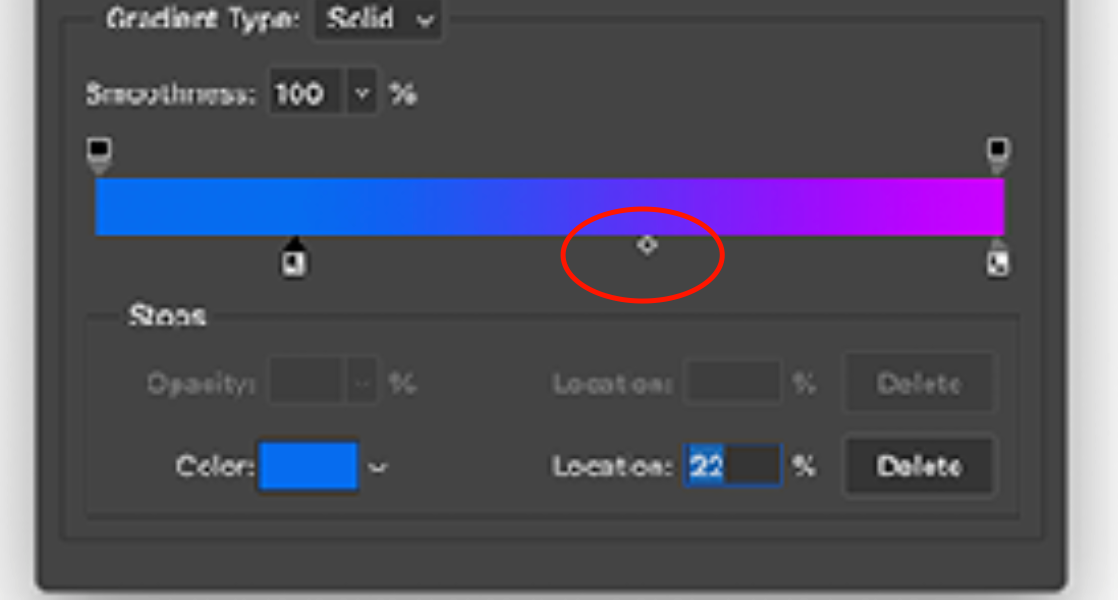
The idea is simple, if blender can add a square beetween 2 point for manage the gradiant force is better for everything and everybody Like this picture ! :
miro.medium.com/max/840/1*E3zAN5EfvozEoeCtdLLpaw.gif
For my opinion, that utility is can make better for everybody, and if you want make some gradient is the real lost thing in blender, i know i want this, but i know everybody want this :)
3 Comments
You can help yourself out by Ctrl + clicking inbetwen the two to create a inbetwen colored new color stop. It do the same but is solid and not automatically colored by his parent neighbors.
* @vangel * this is not the same thing- ctrl+click just samples whatever color is there and creates a new stop. what OP is suggesting is a midpoint adjustment. Technically adding a new stop can get you close, if you happen to ctrl+click in exactly the midpoint to sample the middle color, but it's not intuitive. Another problem arises if you ever want to change the two endpoint colors, the midpoint stop you created with CTRL+Click will no longer match, so you'll have to recreate it from scratch (or manually change that stop's color).
Either way, to OP's point, this is basic functionality and should be in Blender
* @testure * Like I said, he can help him self out but it isn't automatically adapting to the parents. And yes the functionality should be in Blenders ramps.