
Remember stereoscopic viewport mode
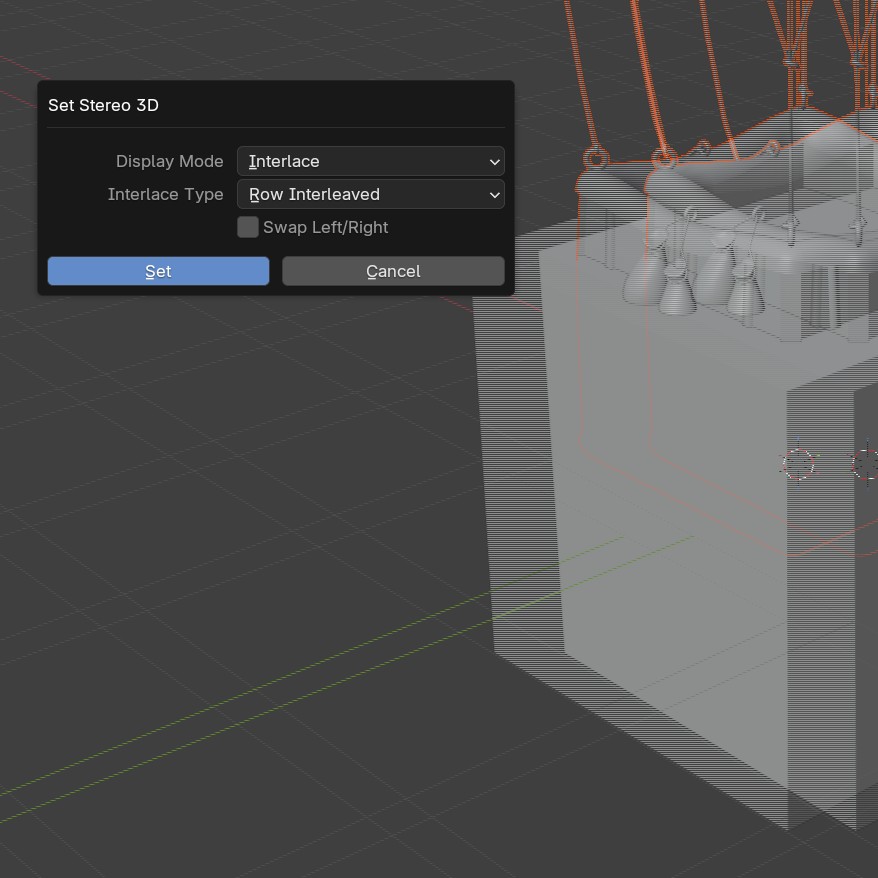
I have an LG passive 3D monitor, so i set my viewport to row interleaved 3D. Works great!
However, when i save project and reload it, 3D mode goes back to anaglyph. Why?
Please support saving this mode too!
Thanks!
6 Comments
That doesn't sound normal, it could be a bug. Please the menu Help > Report a bug, follow the procedure, and see what the devs say about it.
Also, when the interleaved 3D looks good in viewport mode, it look left-right eye swapped in totally fullscreen mode. When i enable "Swap Left/Right" then fullscreen is good but viewport eyes are swapped. I found a bug?
Do You save startup file with that?
i just tried. it goes back to anaglyph :(
I'm not able to test it, but it seems that when i save startup file or just blend file, that setting stays saved and loaded. But take note that its "scene" saved data, so it wont load on already save blend files.
Unless setting stays, but with no visual effect. In that case please make bug report from withing blender. ( Help > Report a bug )
Maybe you are confused 3d rendering mode with 3d viewport stereo mode? I talk about Windows/Set stereo 3d menu option. Why you arent able to test it? No 3D monitor is needed, only a camera with stereoscopic option enabled. You can see the interlaced lined 3D image on any monitor.
many thanks!