
Change alignment method for assets from asset browser
The current placing method for blender instancing through drag and drop from the asset browser causes wrong alignment in objects that are naturally modelled the way the are placed in reality (i.e. , light switches) wich will usually face x/y axes. It will add an extra rotation as if it was modelled facing up.
Adding an option (if not completely replacing) to change the aligment of the instance from current config to local z would fix this problem.
2 Comments
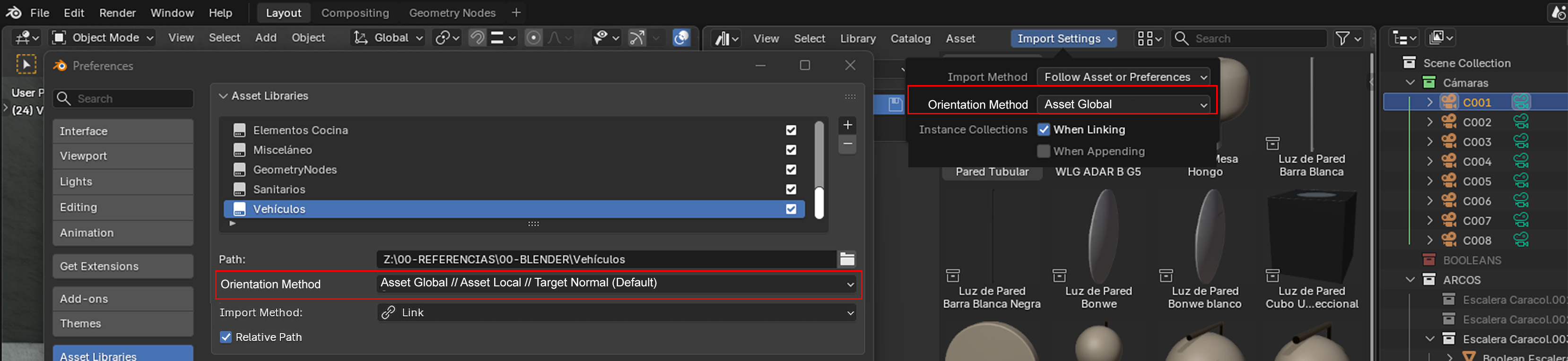
Where will this setting be exposed?
Is it per asset? set by the asset author? Is it per editor? Is it a user preference?
I think if it is exposed, it should be per Asset Library, with the posibility to change it in the Asset Libraries settings, or in the Import Settings dropdown form the Asset Browser.