
Symmetrize menu - small UI improvement
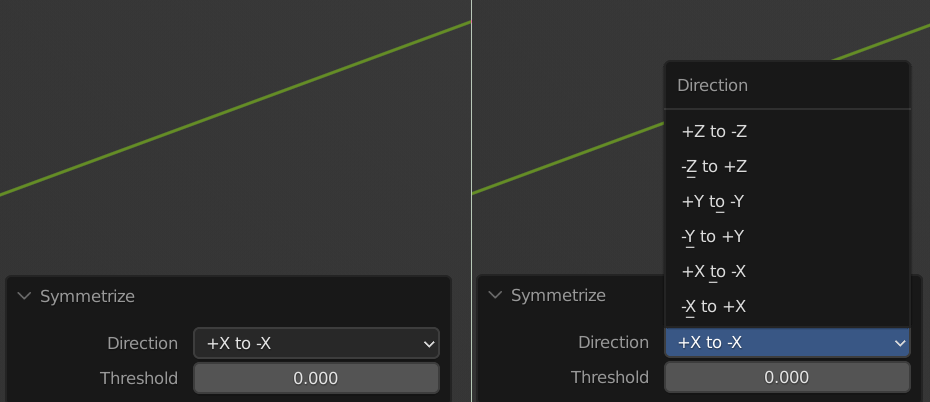
When use Symmetrize, small menu appears at the bottom of the screen. Could you rebuild this menu and make all orientations (which are now hidden in drop-up menu), visible and selectable without need to open it? It will not take more screen space then some other menus. (even title "Direction" at the top could be removed, because it is repeated on the left side). I use this menu constantly and would welcome this change as a big improvement.
2 Comments
Not exactly a solution, but you might find that helpful: you can scroll menu entries by hovering mouse over and using Ctrl + Mouse Wheel. This works with a lot of ui elements.
Interesting feature. It may be a tiny bit faster to use instead of click to open, see what to choose and click what needed (if mesh is not too heavy). Thanks! I still support an idea of rebuilding this menu, though :)