
Feature request: Welcome screen shortcuts
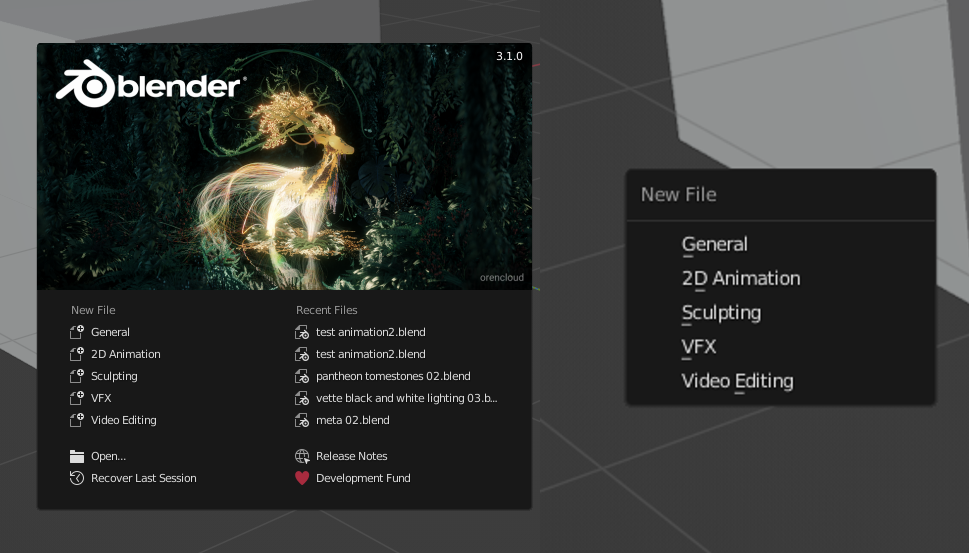
I love how the blender menu's have shortcuts for every options. For example: after clicking Ctr-N (right picture) for a new file you can hit G for a general file, S for a sculpting file, ...
But I notice that the welcome screen (left part) doesn't have these shortcuts. I find myself using these shortcuts on the welcome screen a lot, only to find out it's one of the only parts of blender that doen't have this feature.
It would also be very cool to be able to hit 1 for the most recent file, 2 for the second most recent file, ...
Hope this can be implementend?
1 Comment
You say "left" but then talk about recent files which are on the right.
1 2 3 4 5 should be for the New File options and then Recent Files should dynamically have 1 letter underlined to indicate which letter will open that file.