
Objects scale and UV. AntiScale Mode.
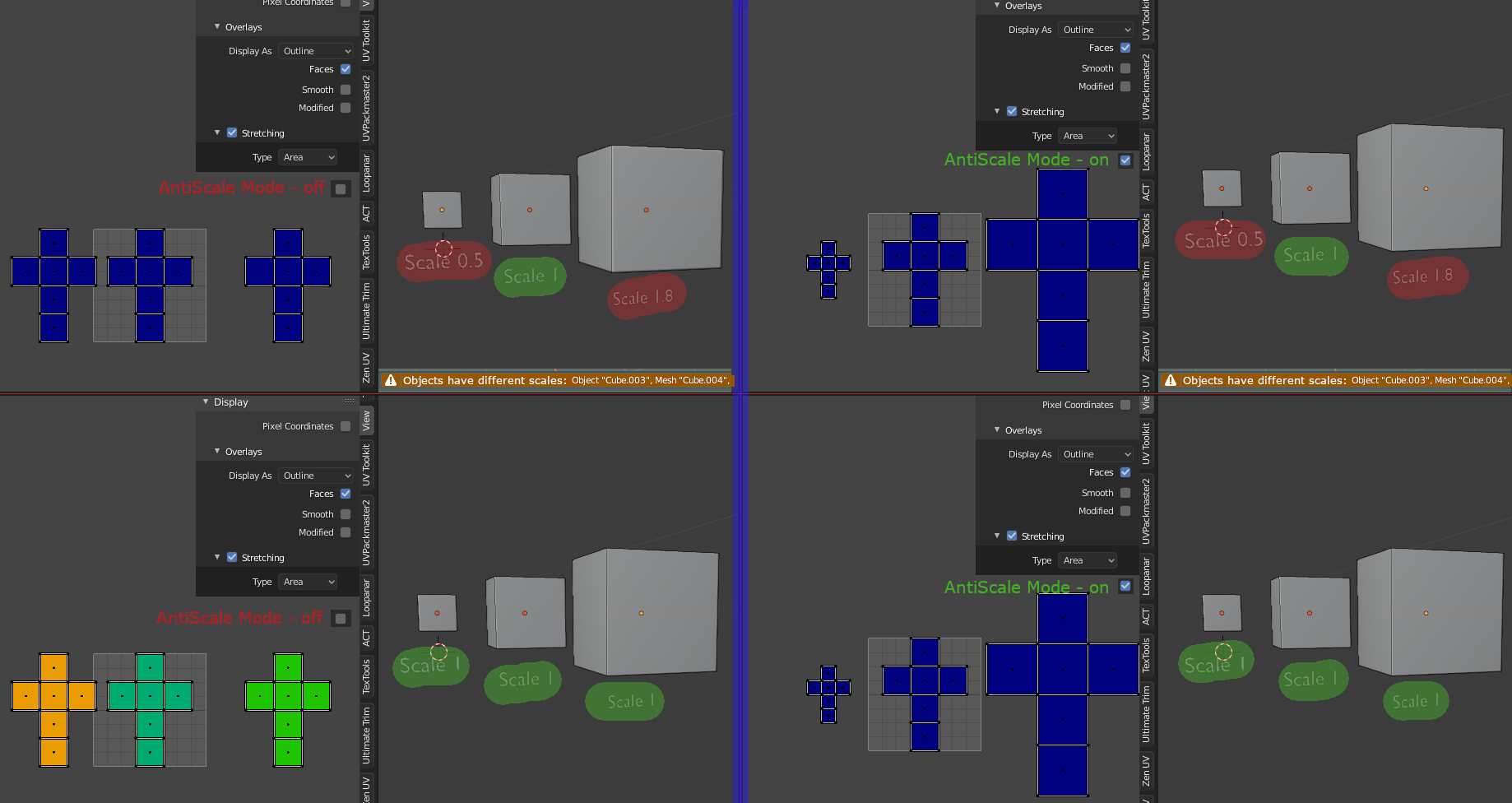
Quite often, I face a problem when objects have different scales, and naturally when I start applying modifiers and combine everything into one, I come across different texels.
A simple solution, display a warning that objects have a scale value not equal to 1 (or different).
A more progressive solution is to add a simulation mode "applied scale or antiscale (reference scale = 1, 1, 1)". For example uv for an object with a scale of .5 .5 .5 will be multiplied by .5 in scale, or an object with a scale of 1.8 - respectively by 1.8.
In this case, the scale of the object in the 3d viewport is not affected, only a correction is added to the uv editor.
1 Comment
I'm pretty sure it's called texel density (size of textures in reference to scale of models) and there are few addons for it. But base blender is very lacking in this aspect.
We might get this in base blender soon because of gsoc and there is also this but second is just plans at the moment.