
disable default file output
Currently, there is no way to disable the standard file output , even though you often only use the “File Output” node in the Compositor to have better control over the export settings and to specify which passes should be denoised and exported with which bit depth, etc. In many workflows, you just don't need the default output and simply rely on the file output node in the compositor.
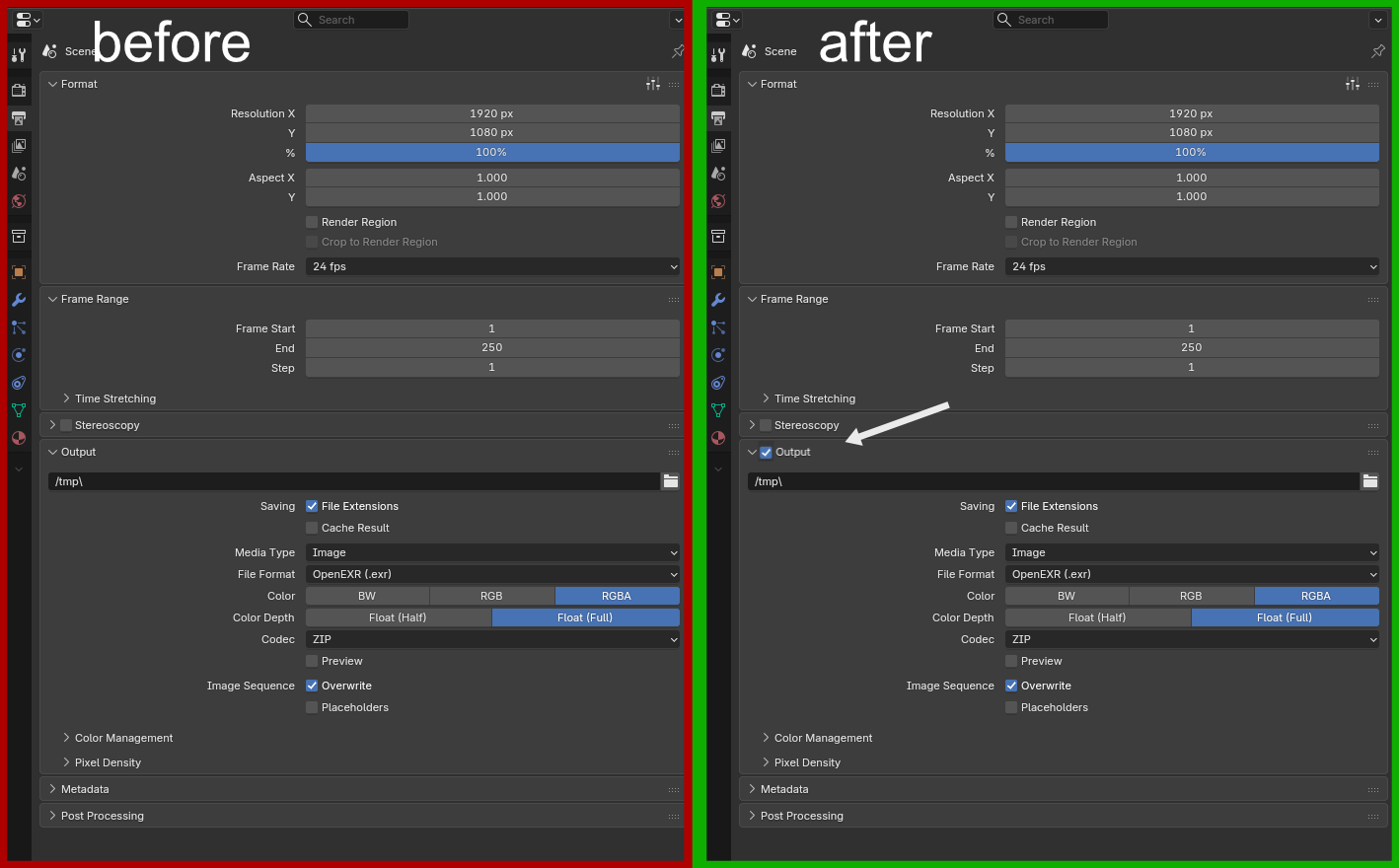
Therefore, a simple checkbox to enable or disable the default file output would be very helpful (to avoid the output filling your temporary folder with gigabytes of unnecessary images).
3 Comments
Yes, please... I've very much like to not save 100s and 100s of frames that will do nothing but fill up my hard drive until I throw them away.
I recently checked my temp folder (I expected it to be cleared automatically at restart) and found 200 frames of a very heavy render.That's why I decided to create a feature request for it.😁
I don't think this change would be too much trouble, but it would definitely prevent some surprises in the temp folder...
projects.blender.org/blender/blender/pulls/153668 It seems like a developer implemented a checkbox to disable the default file output