
VIEWPORT OVERALAYS - lack of choice problem (mutually exclusive options)
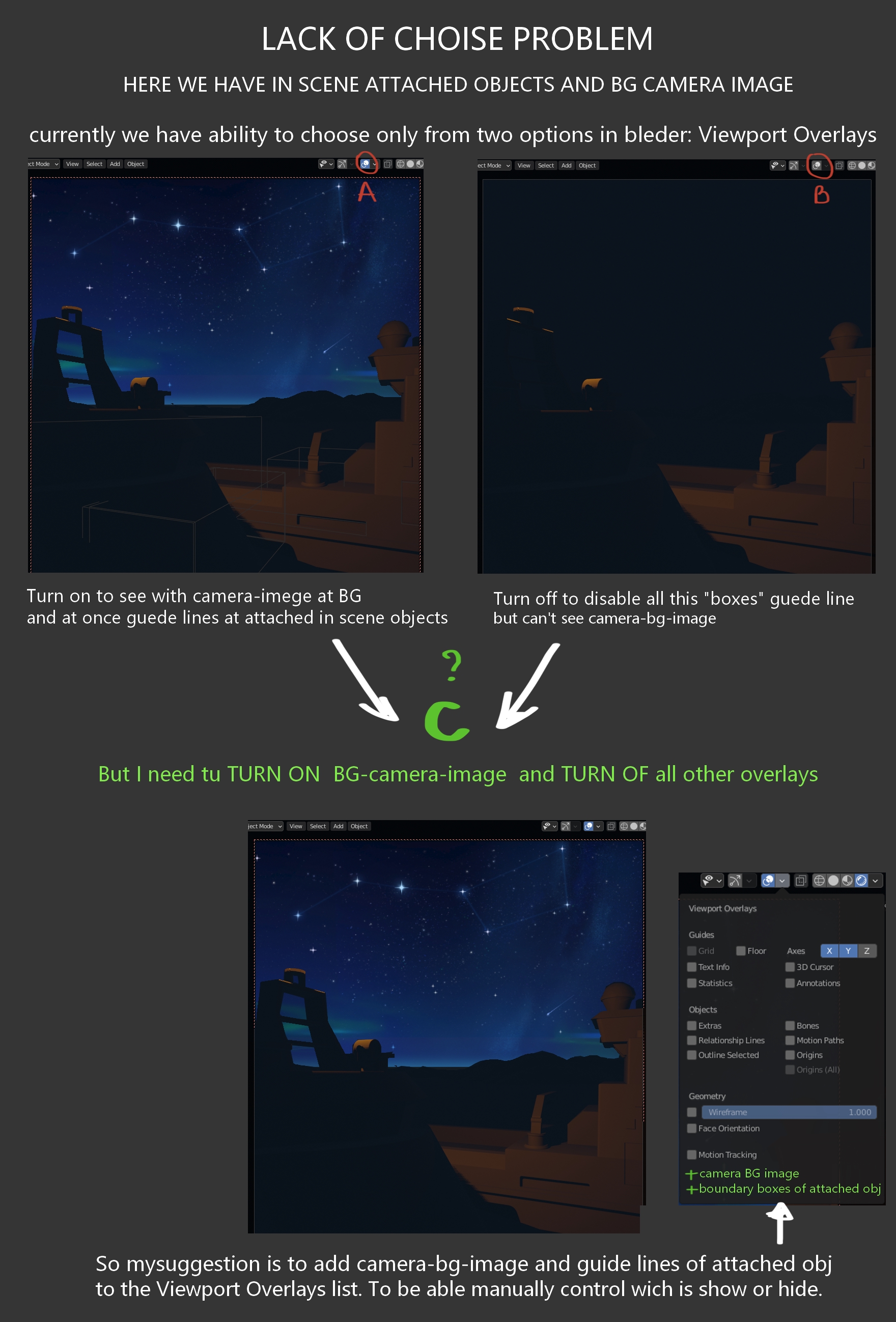
Here is a problem. When we have attached objects from another files or scenes - we will see boundary boxes around each of them. And if we want to turn them of in viewport we need to press(off) "VO" (viewport overlay) button. And that's it. But we haven't separate option for this.
Now another situation. We have attached image at camera. And want to see it in viewport. But to be able to do this - we need did opposite action - turn on "VO" button. aSo in case when we have both object in scene - you just have no chose to see scene it clearly.
As suggestion might only propose to add [camera bg image] and [boudary boxes for attached obj] as additional options to the VO list. So user can manually turn on and off what he need. Thanks
1 Comment
Agree. I encountered same problem. But i think, It can be solved with nodes and projection from camera, if you really want to use this background in scene. UV project modifier + sphere/geometry or plane, parented to camera.