
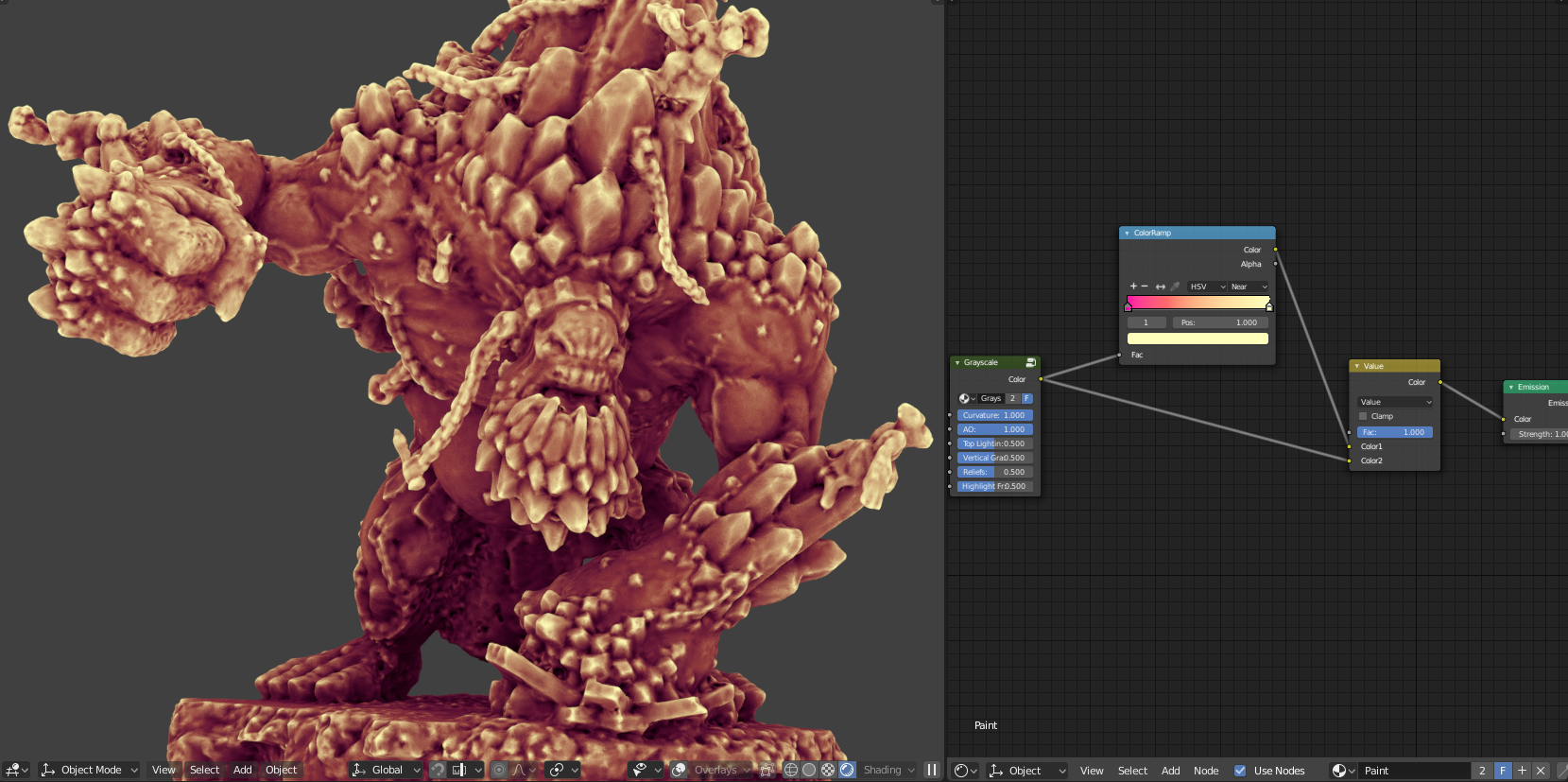
Grayscale node input
I suggest an Input > Grayscale node. This node will have sliders for the amount of Curvature, AO, Top Lighting, Vertical Gradient, Reliefs (an inverted AO that will highlight the peaks of the model to create more contrast) and highlight front (front lighting with horizontal gradient). The user will be able to bake a single texture directly on his low poly without having to compose them. He will be able to overlay his vertex or texture paint or use a GradientRamp. This could also be used directly on the base color of a Principled shader to give a stylized look on the high poly.
The default settings are:
- Curvature: 1
- Ambient Occlusion: 1
- Top Lighting: 0
- Vertical Gradient: 0
- Reliefs: 0
- Highlight Front: 0
Download to see the node setup (you need to open it from a build that supports the AO node): drive.google.com/file/d/1J-gKP6b-BZ0xqRqlSeqpUq51LX9KeeMX/view
9 Comments
you can make that shader yourself with nodes, it is very easy actually! Other than the relief that I dont know what it it :(
@Frederico Martins: the node setup is a bit tedious to create especially with the bevel node and cross product: us.v-cdn.net/5021068/uploads/editor/iw/7s5qat8wuf6n.png
@Danyl Bekhoucha: yes but it is working right? I think that is awesome and it seems to do all you need, so what you ask is that this node or a similar one to come with blender by default? if you make it available on some site like blendswap, that is awesome already!
Yes please!! Much needed!!!
This seems good for an add-on. It's not adding a core feature and not everybody needs it.
What is this cool model?
@cyseal1: A 3D scanned figurine: sketchfab.com/models/2eb21daf408141d1b2df1d91426935ad
@Danyl Bekhoucha: Yay another Trollblood / Blender / Photogrammetry user!!! Nice to see we share common interests!!! Nice paint job btw!!!
@twistedpancreas: This is not my Sketchfab account. I have found this model in the popular free models to download, but I am not into figurines (maybe 3D printed figurines a little bit). Sorry. :p