
An option to lock Color Space, and boolean inputs to Image texture node
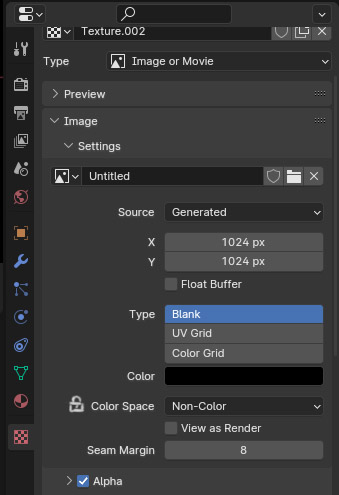
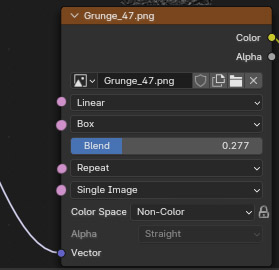
Please add an option to lock Color space. Every time you try a different Roughness/Normal/Displacement..., that haven't been previously imported into current project, it automatically switches color space into SRGB and you have to manually reset it every time.
- Would've been useful to have boolean inputs, or some other type on option to link these image texture preferences between multiple Image texture sharing a same material. To spare the need to make changes one by one.
1 Comment
About the color space not resetting when only changing an image(-seq): Totally agree. The way it is now is not only frustrating to do each time, but also prone to errors (especially for people not knowing blender does this) and a waste of time.
I don't think this should be optional though. I think the instance of the texture node should ALWAYS remember its color space property when only replacing the image/imgseq. Because why would you want to change the color space when only replacing the image(-seq) for this node? That just doesn't make much sense IMO. An instance of a texture node we use for color we don't suddenly use for normals. And if we want that we also know ourselves we should change the color space and just change it. No need for a lock button, that's only redundant extra clicks.
BTW My guess is that the one who for some reason put a downvote on this doesn't understand the request.
Not sure what you mean with 'boolean inputs' though.