
Material, Texture & Node Preview in Shader Editor
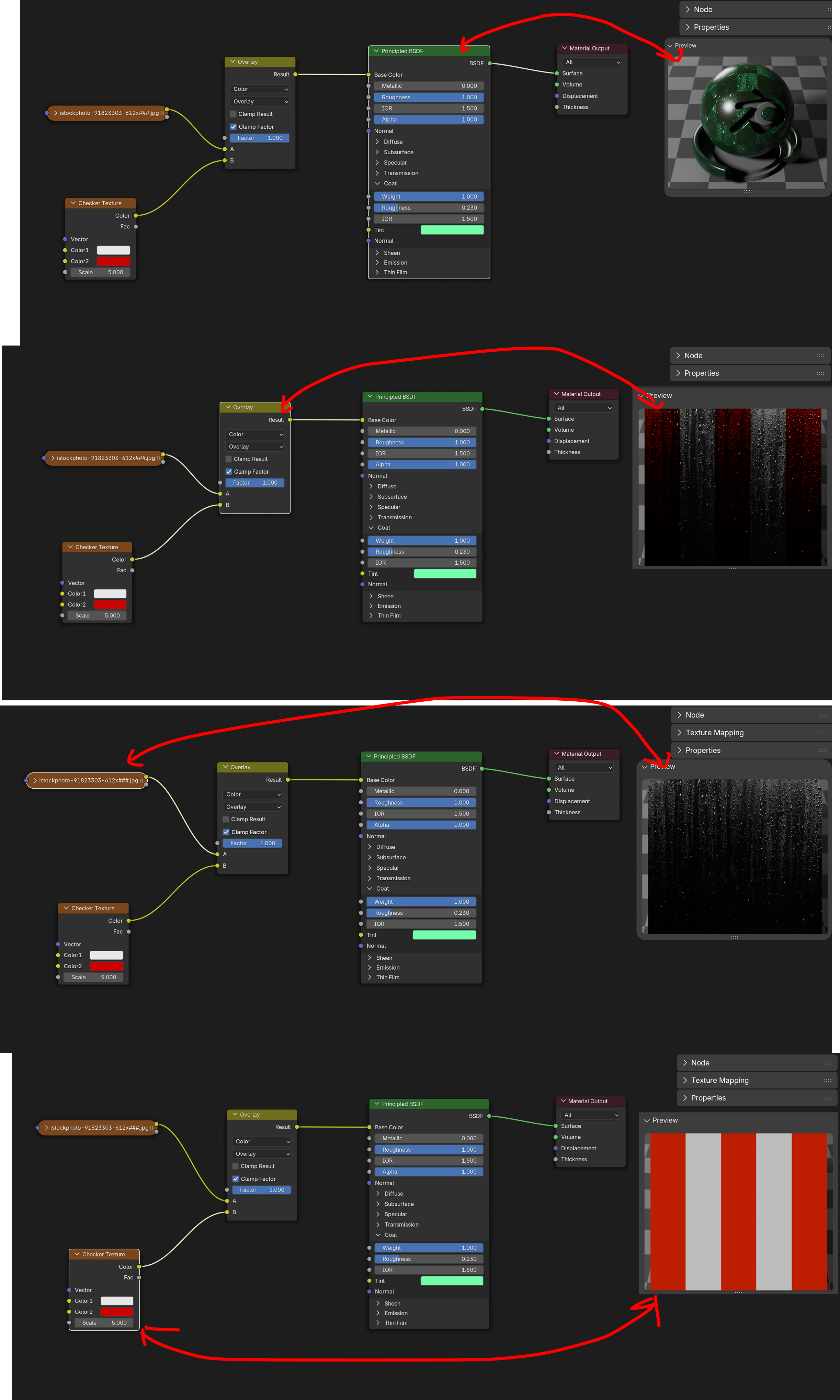
Preview textures, mixed textures, materials, normal maps with a simple click in the shader editor. This could be incredibly helpful to quickly see individual parts of your material.
Make realtime adjustments on specific nodes and see what's happening in a texture context. For example, how your textures are blending without the distraction of how it looks in your scene. Giving you a more accurate perspective on whats actually happening.
3 Comments
This was the subject of a Google Summer of Code project a few years back, it was never fully merged but you can read the reports here , or see the pull request here and try it out by enabling
Shader Node Previewsin the experimental settings of any blender alpha version (you have to enable developer extras to see the tab).Amazing! ill check it out
Also idea: material preview for node group which have shader output (eg. Principled )