
Revert/Reload suggestions
Unless I am mistaken, the current workflow to quickly "Reload" all the assets used in a scene (if you want to reflect any modification done to the original blendfile of an asset) is to use the File - Revert operator. I use it fairly often when working with assets, so here is my feedback :
-
Change the name to "Reload" : Why call it "Revert", when it does not revert to a previous blend file, but actually "Reloads" the blendfile (this is what the tooltip mentions anyway...). Changing the name to "Reload" would be much more straight forward.
-
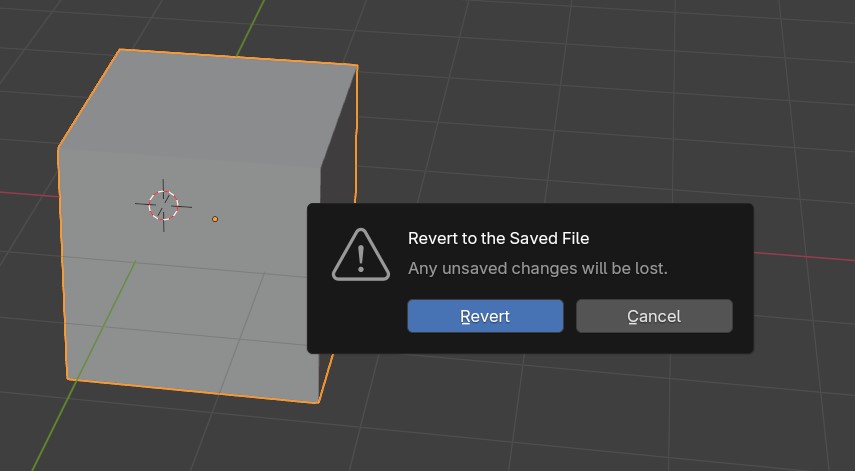
Skip the prompt when there are no unsaved changes : There is a very welcome warning that any unsaved changes will be lost. However, most of the time, in order to reload assets (assuming the user knows what he is doing) the file will have been saved prior to clicking on the operator, inducing an unnecessary click on the Revert button in the prompt.
-
Add a "Save and Revert" button to the prompt : This would save a couple of clicks, if you forgot to save the file and actually want to save it before reverting...
-
Add a "Reload" operator on top altogether : I understand that the original intended use for the "Revert" operator is simply to discard the changes done to the scene, (which is pretty much the equivalent of doing File - Open Recent - [LastFile].blend with just one less click) It might also save CPU and Ram under the hood, I wouldn't know... So I can see why people would want to keep this feature as is. But I feel the need for an actual Reload operator is long overdue IMHO.
-
In my wildest dreams : This Reload operator would be able to actually reload all the assets, while keeping the unsaved changes to the scene.
I don't have the time for a mockup so this is just a picture of the current prompt...
1 Comment
Was gonna argue that "revert" means we revert any change on the file and unlike "reload" it is 100% clear of what it does and can't be mistaken as meaning to only reload external data.
But, to be honest it would be better to have dedicated tools to reload external data to begin with. It gets especially important on heavy scene where reopening the blend just leads to unnecessary long load times when you just wanted to fetch some textures update.
And if all the changes you propose are implemented at the same time, it would 100% make sense to use the term "reload" (or even "reopen"?) and let the data-managing to dedicated tools.
It would also greatly help to have granular control on which data to reload. E.G. if we could select anything in the outliner and Right 🖱️ > Reload, right now it's limited to linked blends in blend-file mode afaik.