
Prevent viewport render from refreshing when camera viewport is moved(zoom/pan).
Hello guys. I would like to propose a feature that would allow users to zoom and pan anywhere in the camera viewport without refreshing/restarting the viewport render.
This would be very useful in observing and inspecting the partial render, especially when the wants to pan and zoom in or out to inspect the viewport render.
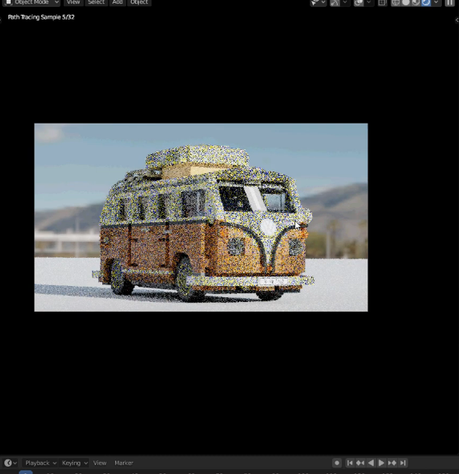
Currently when you move/zoom in the camera viewport the render will automatically refresh. The camera viewport is not the camera but the black viewport window area preview the camera output.
I am not aware if there is any technical reason why this is not implemented but I hope if this is possible, this would be added as an optional feature for blender.
Thanks.
14 Comments
When you are panning, angles changed. So visual geometry changed. And this require new render. When you are zoom in, details are increased, so this requires new render. o only if you zoom out, previous render can be scaled as picture.
But it is easier to observe rendered picture without re-rendering.
* @ Vyacheslav * I mean not necessarily the render area but technically only the camera viewport, the black area. So the render view/angle is not changed at all right?
* @johnpdelacruz26 * sorry, can`t understand what do you mean. Almost every movement changes perspective, because changing viewpoint.
So only zoom out can keep same image.
If you want still image, render it. If you change image, it should be rerendered.
* @ Vyacheslav *
I may have to be more specific. What I am trying to propose is for the outer border to be a non render region and make it a functional viewport area for the user to be able to pan and zoom around. Currently there is no other way for users to pan and zoom around a viewport render without the program restarting its render process.
Creating a space/area where the user could implement this would probably be very useful in inspecting material changes.
Creating a new floating window doesn't change the behavior of the viewport. Maybe turning the outside border of the camera as a separate part where it is just a plain UI and not part of the viewport that renders.
* @johnpdelacruz26 *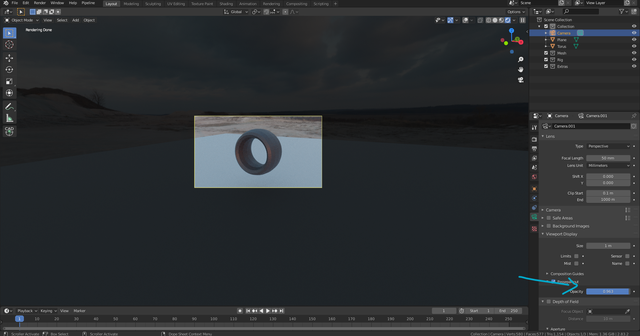
free image host
The passerpartout currently just adds a black overlay in the the area outside the camera border . My proposal would be to make it a plain UI and not an area where rendering also happens.
* @johnpdelacruz26 * Ctrl+B to cut out unnecessary area. If region is larget than camera, it snaps to camera area. {attachment 2020-10-25_04-19-21mp4}
* @ Vyacheslav * Again, rendering a certain area is not the main issue. It is more about trying to inspect a render using pan and zooming without changing the camera perspective, without affecting any movement of the camera.This is mainly about the viewport. Nothing moves or changes with respect to the camera and rendering, the camera will be left alone and not disturbed. The only thing this feature would affect is the viewport space.
When a user looks at an image, Often times you don't just look at it as it is. There are many cases where the user wants to look at some small details or elements inside the image and needs to zoom in and pan around.
This is the same with blender but currently the outer area of the camera seems to process the render also; which is the reason why I am proposing that It could be useful to have an option to make the outer area of the camera border be excluded as a part of the rendering process and just make it a plain viewport ui instead.
* @johnpdelacruz26 *
your aware that you can render partially as well , ea some border area ? ctrl B
* @peter.boos * I am aware of that but that still will refresh the render process when you decide to zoom or pan in the viewport.
I think little Pause button near the Viewport Shading should do this but it just stop render and make a snapshot... very weird solution... You can use "View - View Regions - Render Region..." (Ctrl+B/Ctrl+Alt+B) to select region and scroll to it
* @Eugene D * That is what I am currently doing as a way around but it would be nice to be able to move around the viewport while waiting for the render to finish sampling.
* @johnpdelacruz26 * so why don`t you render to new window?
* @ Vyacheslav * That is an option but the main reason is for the user to pan and zoom around the render viewport, the black area of the camera.