
UV Unwrap Modifier
A similar proposal was posted 4 years ago, but even though it received a lot of support there was no developer interest, so I'm posting a more detailed proposal as I believe this continues to be a feature that is sorely lacking in Blender and one which many other 3D packages, including 3ds Max and Houdini, already have.
It is currently very cumbersome to texture procedurally (using modifiers) generated geometry, as all the modifiers need to be applied first before UV unwrapping can take place. This means the modelling/texturing process is no longer non-destructive.
A real-world example is terrain generated using height maps, as in the image below.
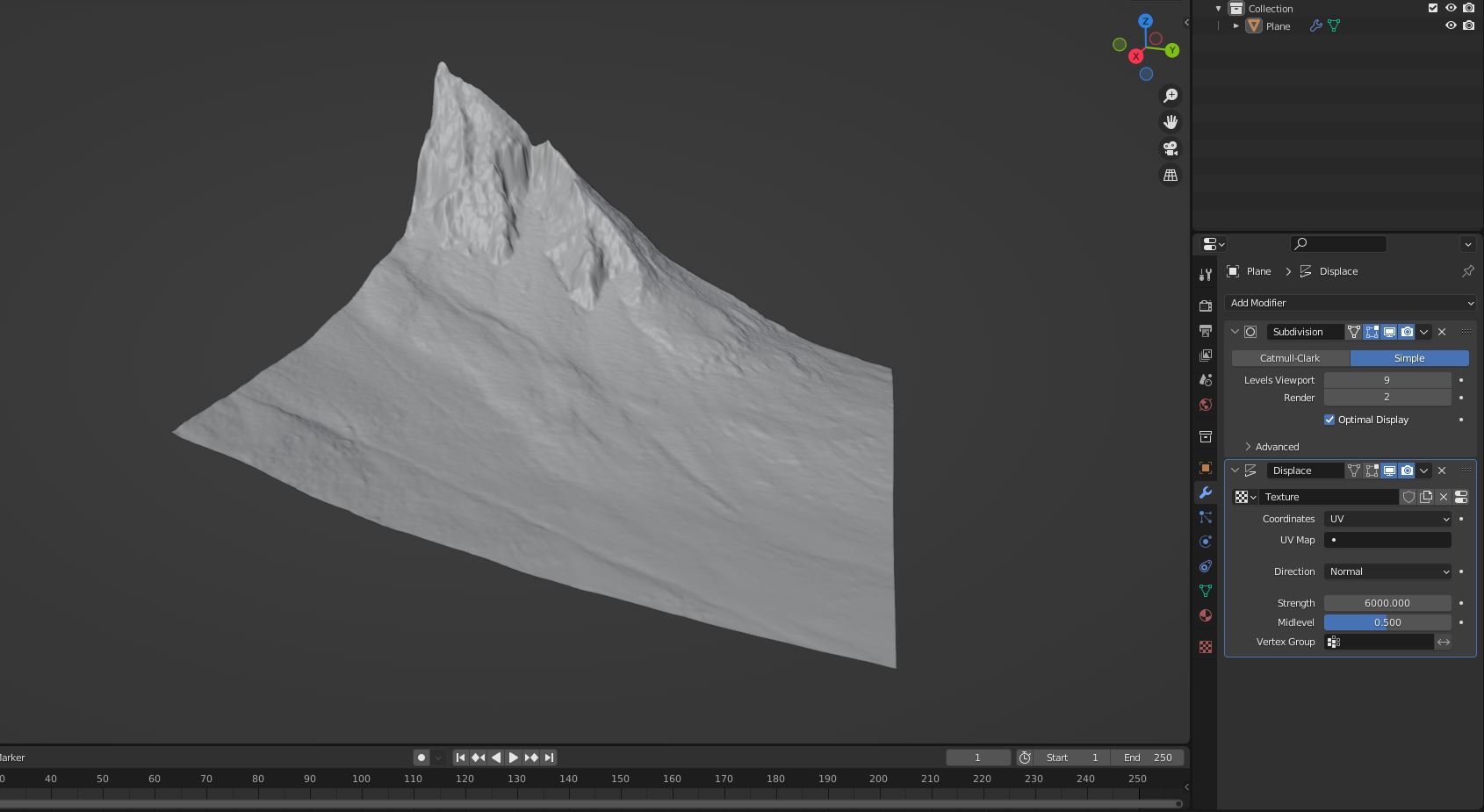
The geometry is generated using a Subdivision Surface and Displace modifier applied to a plane. To unwrap the geometry for texturing, the user currently has no choice but to apply both modifiers and then unwrap the resulting mesh (or use alternative UV projection methods in the Shader Editor, which usually produce unsatisfactory results). This means the resolution and/or height of the terrain can no longer be modified.
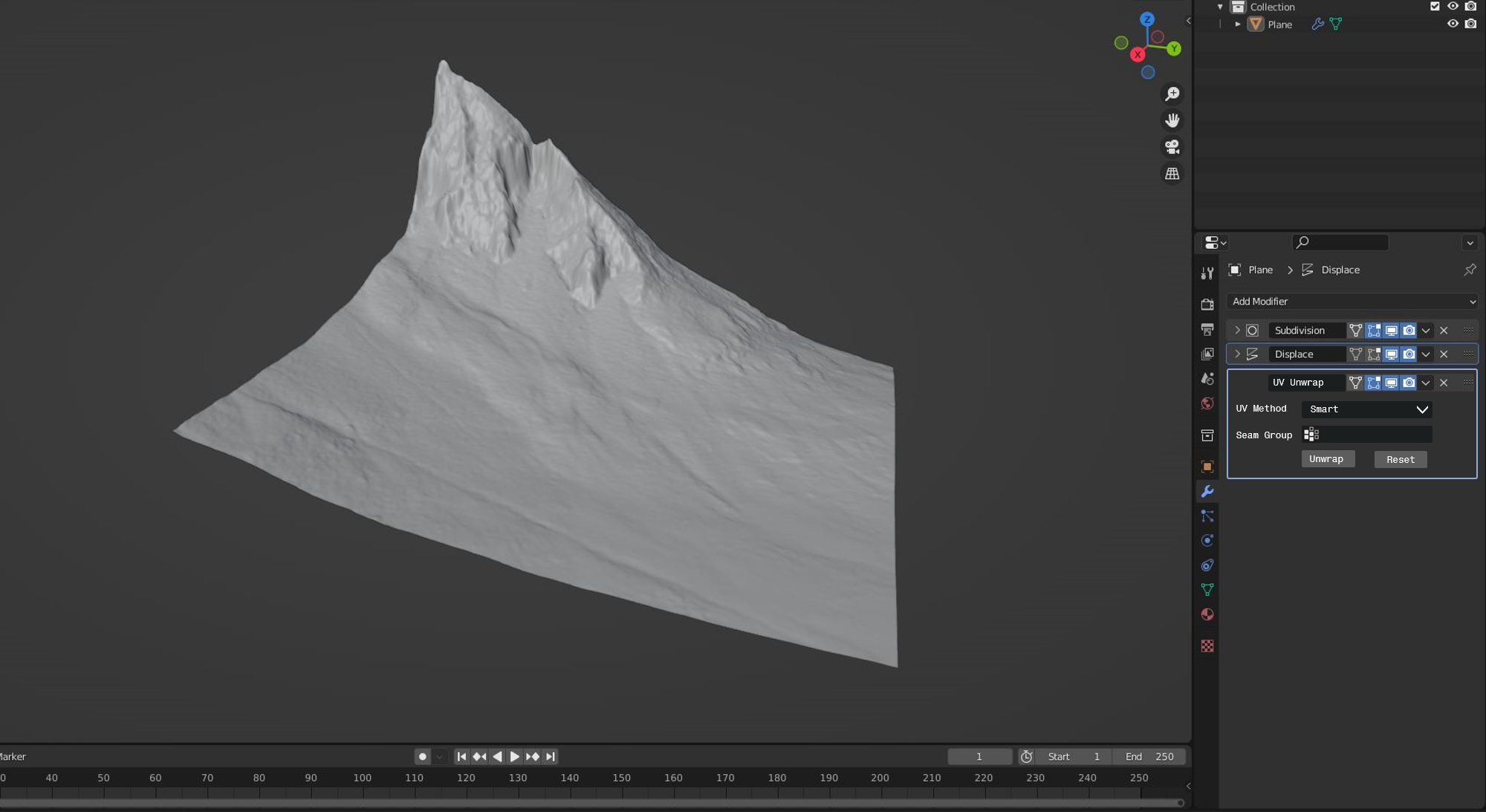
A UV Unwrap modifier placed at the end of the modifier stack, as shown below, would remedy this.
The previous proposal: blender.community/c/rightclickselect/Tybbbc/ , discussed potential issues with the UV Editor in Edit Mode not reflecting the actual UV map. I believe that a 'Use Modifier Stack' check box in the header of the UV Editor could be used to switch between editing the 'base' UV map and the UV map after modifiers have been applied.
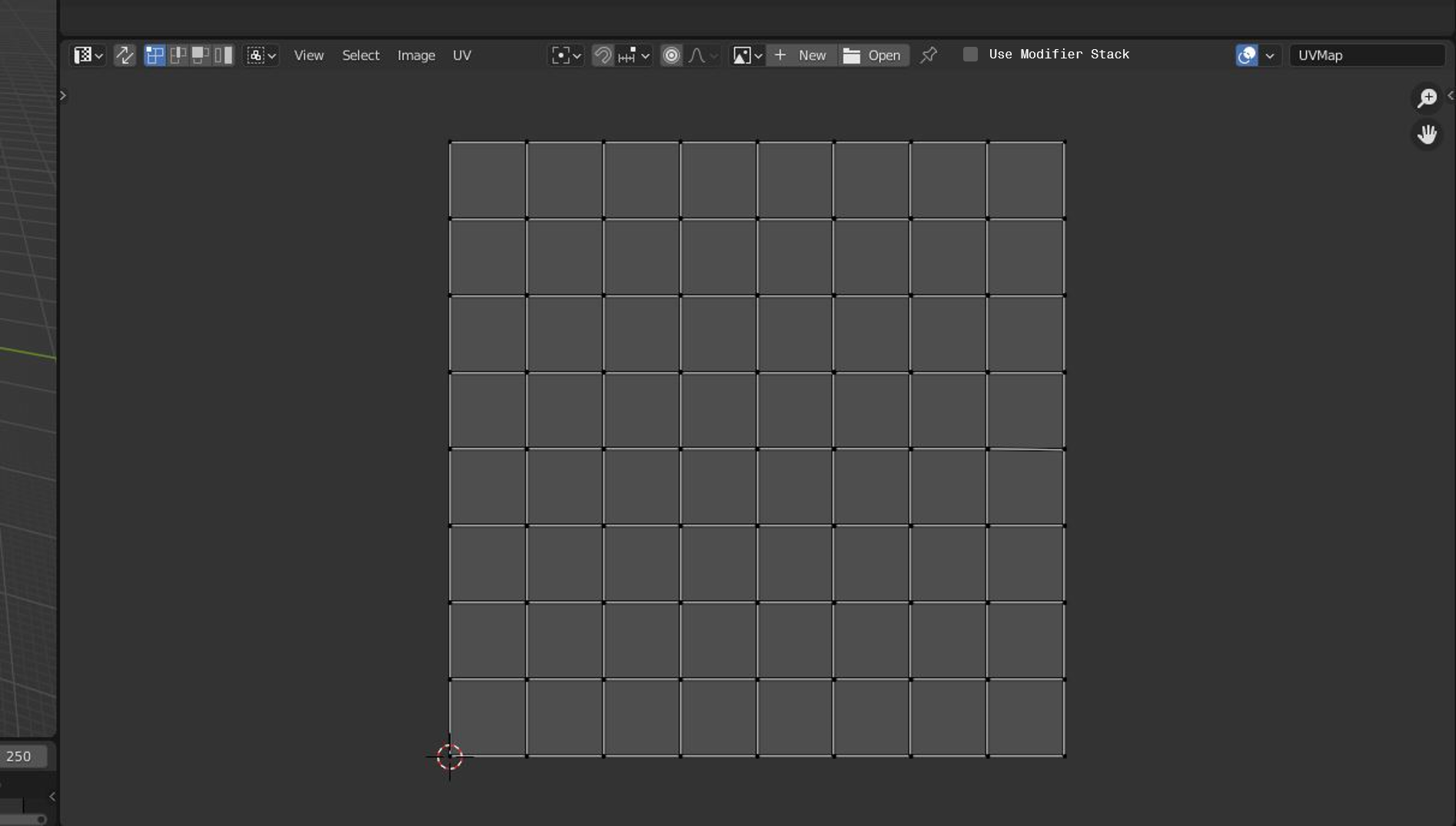
The modifier would not be continuously computed, but rather the UV map would be 'baked' using the 'Unwrap' button, so that if the resulting UV map is further refined in the UV Editor, that changes to the previous modifiers would not cause the edited UV map to be automatically overwritten/modified.
15 Comments
This could work well in conjunction to the much demanded Edit Mesh modifier which let's you edit the result of the stack live. They both would share in the background some kind of geometry snaphot resulted from the other modifiers.
Would be really nice in fact. Currently, you can use UV Projector Modifier, but it requires 6 empties if you want to make a BoxProjection. So it polutes the scene a bit.
I mean this is kind of possible with geometry nodes at the moment ... but yeah this is a feature users will need so frequently it probably should be it's own modifier.
How would you go about UV unwrapping in geometry nodes? I'd be curious to know
And also another key feature : UV maps can be exported to an external file, and imported.
I have difficulties imagining, how that would work...
And yet, it's a feature that other software has had for years.
3DS can save and load UV by writing .uvw files.
I have saved many hours of work with that.
Mudbox imports UVs from common 3d files formats.
And it's not just UVs, some software will also allow to export/import vertex groups, weight maps, binds, ... Many mesh data that Blender can't transfer without duplicating meshes and use a data transfer modifier.
Okay, so there is two ways to export a UV map:
If you went for Option a, you can then use the 2D UV map to paint a texture in a dedicated texturing program and use that texture in blender. If you went for Option B, you can then project the UV-coordinates using some sort of projection or using the topology of the model, if the models share a topology, witch can be done with blender.
Blender just won't obscurify what it is doing and give you a magic button, that pretends like it is exporting a UV map but is actually just exporting a model and later projecting these coordinates using the Data Transfer modifier, because that is just not blenders approach to Design.
You can however write yourself an Add-On that exports an object, changes the filename from .obj to .uvw and then imports .uvw files using the data transfer modifier.
So ... my question remains: how would just exporting UV coordinates work? Because without also exporting the model alongside with it, they are just missing any reference.
I don't see where you're going with your remarks and questions. The feature exists in other softwares using different techniques. Blender could have it. Users ask for it. That's basically it.
I am saying Blender currently supports both implementations of these features, that you've linked to.
But in order to use blenders implementation of these features, you kind of need a rough understanding of, what you are doing. This is in coherence with blenders general UI design, that generally does not much obscurification.
Blender won't add a magic buttons, that exports a UV-Map, because just exporting raw UV-Data on it's own is not helpful in any context and it creates confusion.
(as you illustrated, since the articles you've linked in regards to 3Ds max and Mudbox are actually about entirely different topics...)
So your point is we can obtain the same result by fiddling around, and that's a design choice.
The point of such feature proposal is to cut the bull crap and give efficient tools to the artists.
No, it gives you the tools you need to accomplish something, when you know, what you are doing.
So when you know you want to export the layout of your UVs, you go to UV-Editor - UV - export layout.
When you want to project UV data from one object to another, you can use the data transfer modifier.
And it's the same tool like you would use for transferring weights and custom normals and everything else, because it is coherent.
It just won't add many magic buttons, that obscurify their function, because you are supposed to gain a technical understanding while using blender.
If you want to fiddle around, there's sketchfab, Tiltbrush or Paint3D.
So now it's either you know how to do things the hard way or you go somewhere else. Is this a form of elitism?
I guess we should delete the render button, since it's literally a magic button that does lots of things that most users have no clue about. And tell the unhappy people to go away if they don't like it.
No, quite the opposite: Implementing magic buttons is elitism. It says: I don't think the users are smart enough to truly understand my technical genius so I have to water it down for them or they won't be able to use it.
Blender has faith in it's users capacity to google something and find an answer. You are meant to educate yourself while using the software. This isn't elitism, this is empowerment.
And that's why I don't tell newbies to fiddle somewhere else, I tell them to educate themselves and I help them by sharing knowledge.
Just ... when you don't want to know how things work, blender is not the right software for you. And there's plenty other more accessible options to create with 3D and I personally think this is brilliant.
It's just that blender won't fundamentally change it's scope like this and it won't implement a button like "import UV-layout" because - as I stated before - it does not work like this.
It however gives you the possibility to easily develop small little add-ons, that automate things like for instance importing images as planes.